前言:
这个攻防世界的题目Misc难度二是我前半年做的现在才整,见谅,早都做了,没有时间弄
文件分享
通过网盘分享的文件:攻防世界难度二.zip
链接: https://pan.baidu.com/s/1Efi3GORbAkK3RHYbnh3N2g?pwd=6180 提取码: 6180
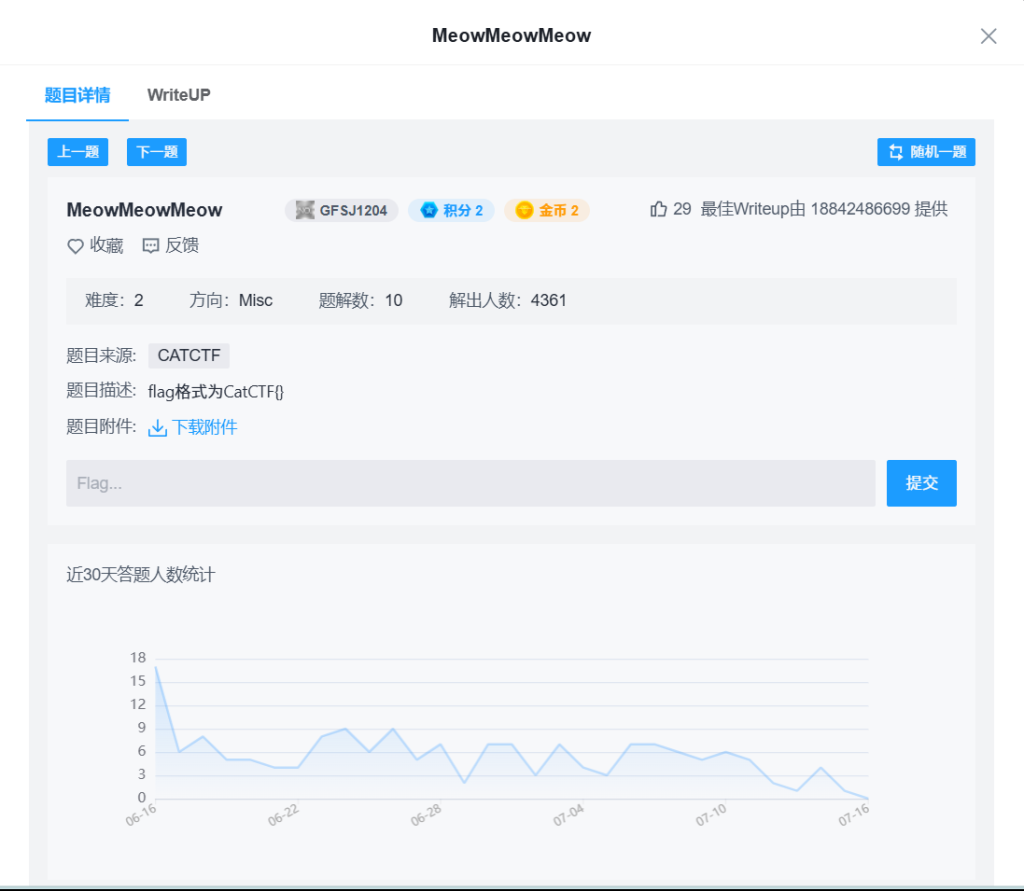
1.MeowMeowMeow
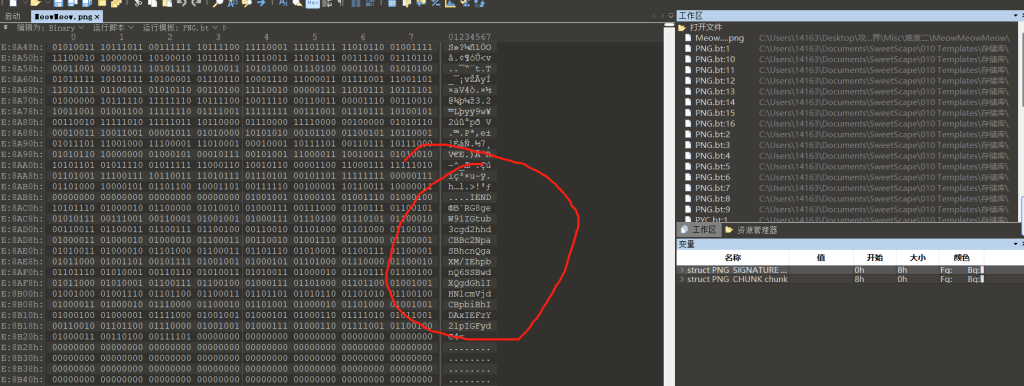
RG8geW91IGtub3cgd2hhdCBBc2NpaSBhcnQgaXM/IEhpbnQ6SSBwdXQgdGhlIHNlcmVjdCBpbiBhIDAxIEFzY2lpIGFydC4=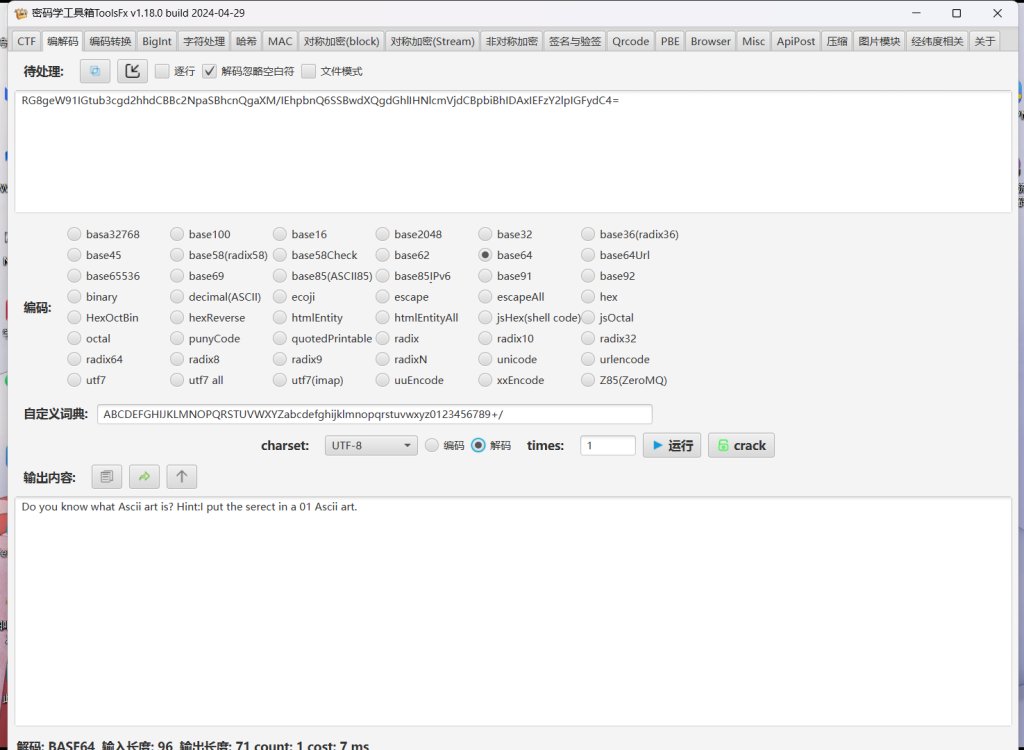
Do you know what Ascii art is? Hint:I put the serect in a 01 Ascii art.

你知道 Ascii 艺术是什么吗?提示:我把 serect 放在 01 Ascii 艺术中。
改成二进制
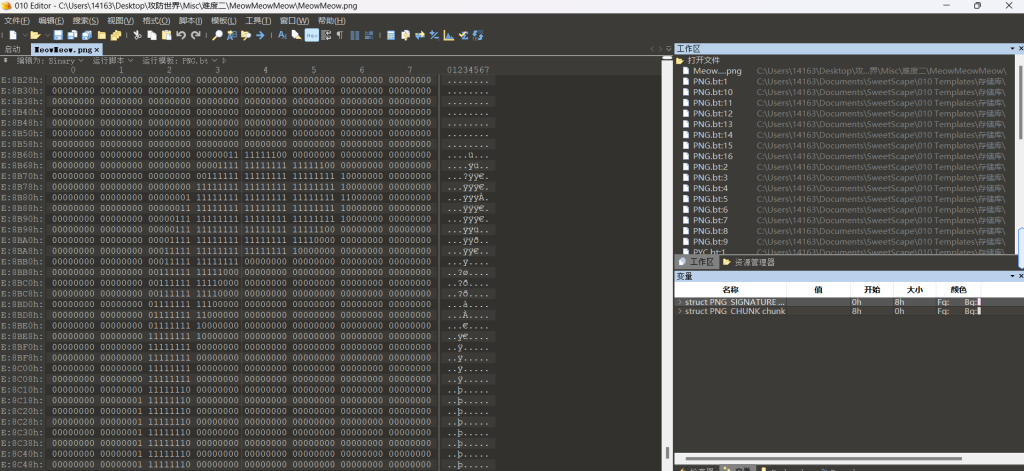
发现字母
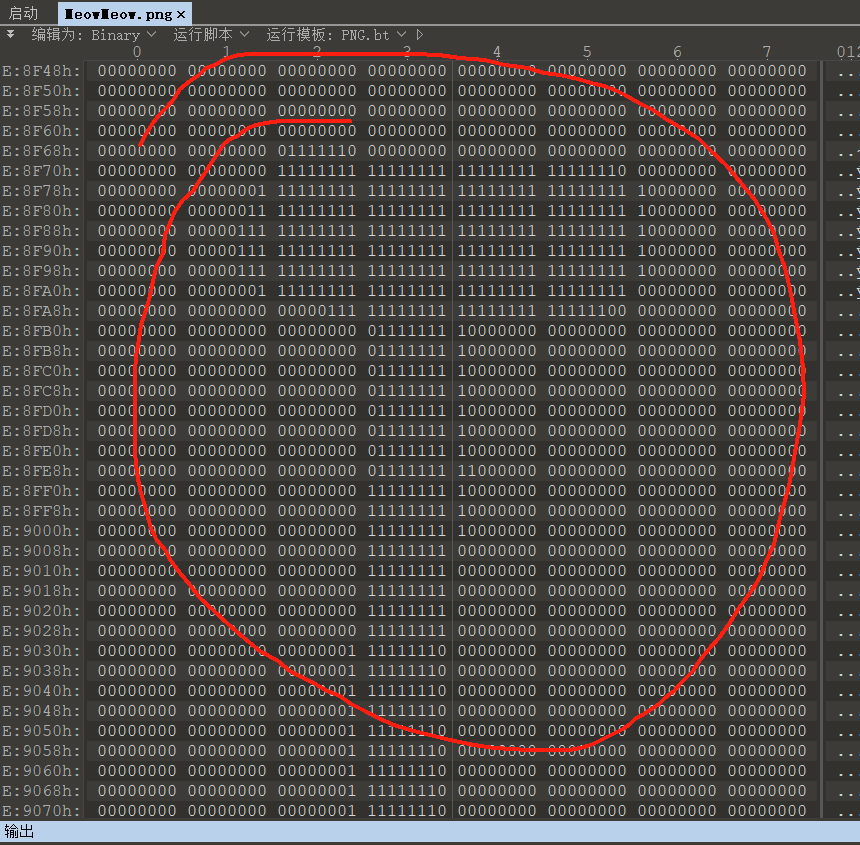
CatCTF{CAT_GOES_MEOW}2.Peekaboo
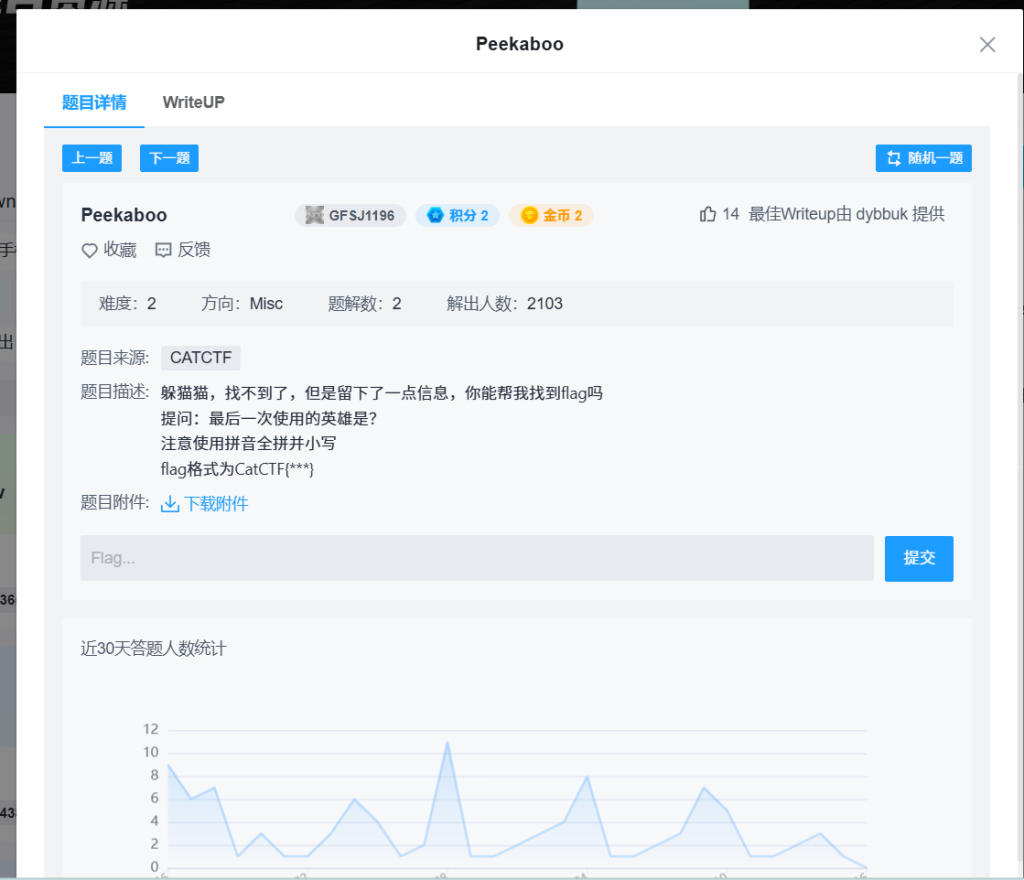

《王者荣耀》游戏《盛世长安》版本的图片
查了查资料是2017年的
所以查2017年王者荣耀出新的英雄
提问:最后一次使用的英雄是?
2017年新英雄一览
1. 哪吒
  - 上线时间:1月12日(正式服)
  - 定位:战士/突进
  - 特点:全图追击大招,高额免伤。
2. 诸葛亮
  - 上线时间:1月24日(正式服)
  - 定位:法师/爆发
  - 特点:高爆发、多段位移,被动谋略刻印叠加伤害。
3. 黄忠
  - 上线时间:2月8日(正式服)
  - 定位:射手/炮台
  - 特点:架炮后超远距离AOE输出,守塔能力强。
4. 大乔
  - 上线时间:2月28日(正式服)
  - 定位:辅助/战术
  - 特点:首个四技能英雄,全图传送队友,战术核心。
5. 东皇太一
  - 上线时间:3月30日(正式服)
  - 定位:坦克/吸血
  - 特点:近战吸血压制,大招强控换血。
6. 干将莫邪
  - 上线时间:5月22日(正式服)
  - 定位:法师/远程
  - 特点:超远距离双剑弹道,高难度高爆发。
7. 鬼谷子
  - 上线时间:6月29日(正式服)
  - 定位:辅助/隐身
  - 特点:群体隐身加速,开团利器。
8. 铠
  - 上线时间:7月18日(正式服)
  - 定位:战士/单挑
  - 特点:大招格挡伤害,单挑强势,人称“铠爹”。
9. 百里守约
  - 上线时间:8月8日(正式服)
  - 定位:射手/狙击
  - 特点:超远距离狙击,视野布置,普攻爆发高。
10. 百里玄策
   - 上线时间:8月24日(正式服)
   - 定位:刺客/收割
   - 特点:钩镰控制,击杀后狂暴加速,操作上限高。
11. 苏烈
   - 上线时间:9月26日(正式服)
   - 定位:坦克/团控
   - 特点:被动复活,多段击飞控制,开团能手。
12. 女娲
   - 上线时间:11月21日(正式服)
   - 定位:法师/全局
   - 特点:全图传送,矩阵阻挡地形,后期大核。
13. 明世隐
   - 上线时间:12月13日(正式服)
   - 定位:辅助/增益
   - 特点:链子连接队友提升属性,俗称“第七神装”。
然后一个一个试试
最后是百里玄策
CatCTF{bailixuance}3.真是阳间题

内容:
艾尔登法环正式发售在即,迫不及待的mjj身上好像有蚂蚁在爬,写下了一句谜语:
3207357975641587136122466514425152961654613410728337142271750273124995105747053991640817066352343657398947248938255086358418100814441196784643527787764297
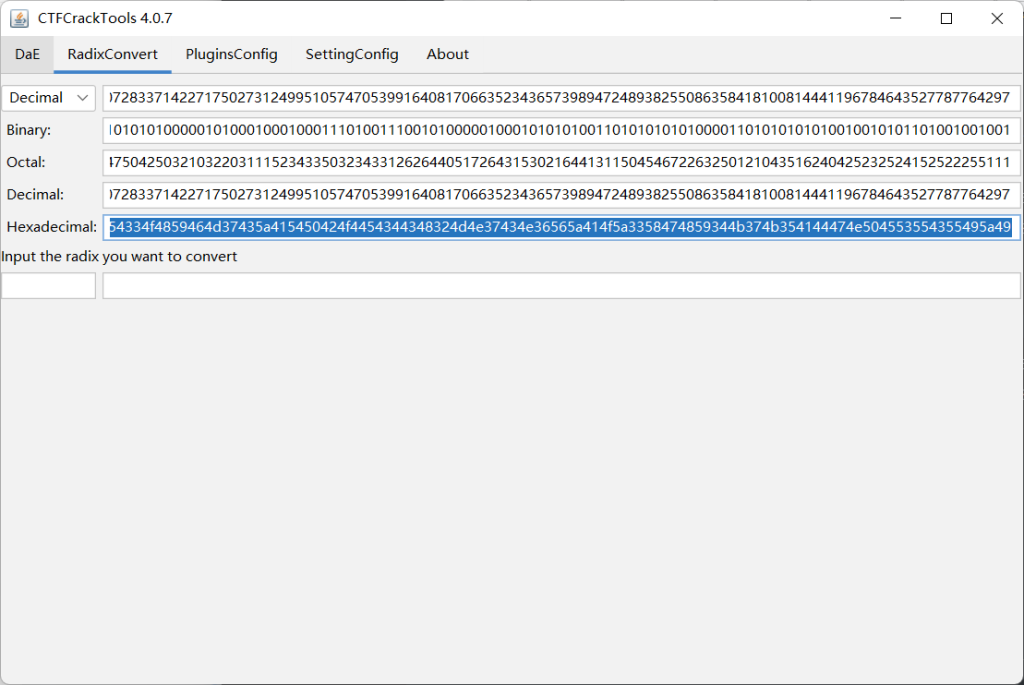
谜底就是flag,也是他给所有新生的祝福,希望大家享受解码的过程。3207357975641587136122466514425152961654613410728337142271750273124995105747053991640817066352343657398947248938255086358418100814441196784643527787764297这个数字转为16进制看看
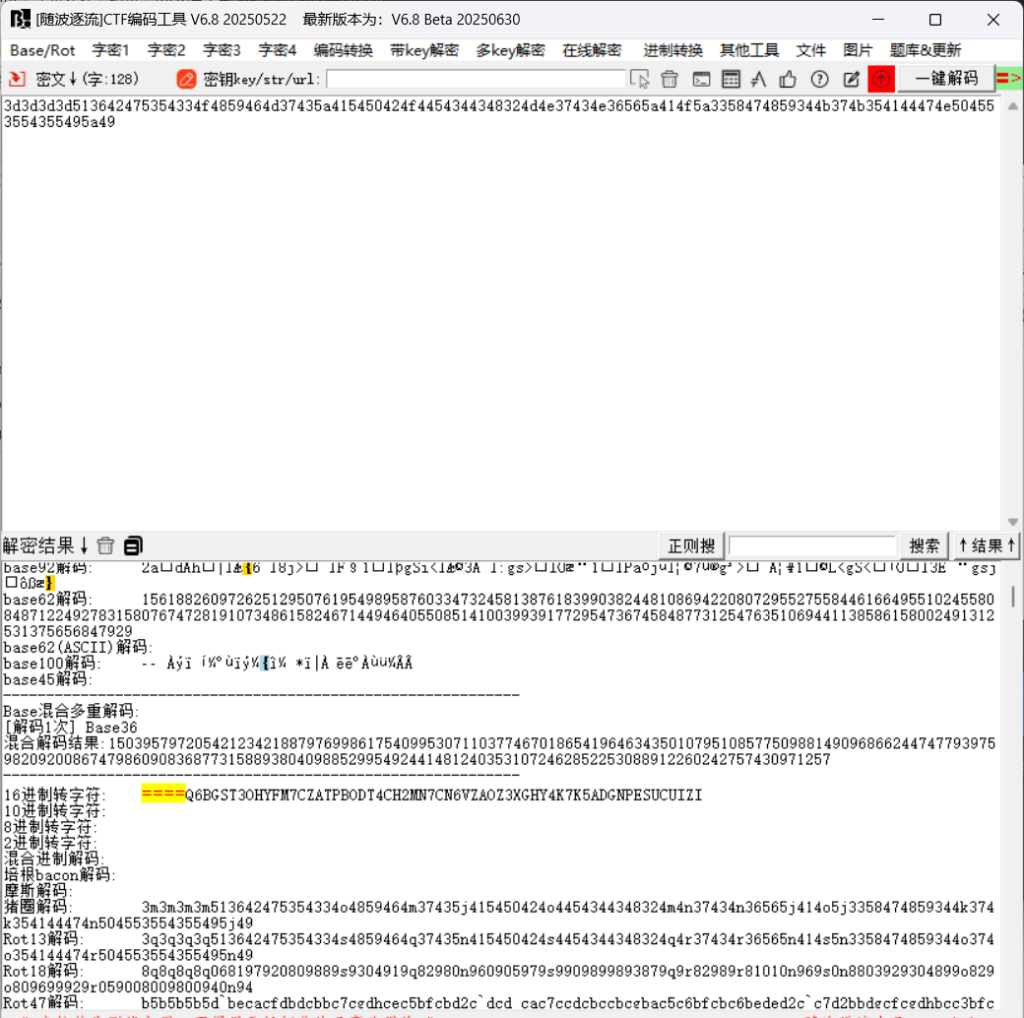
3d3d3d3d513642475354334f4859464d37435a415450424f4454344348324d4e37434e36565a414f5a3358474859344b374b354144474e504553554355495a49在放到随波逐流看看
转成字符
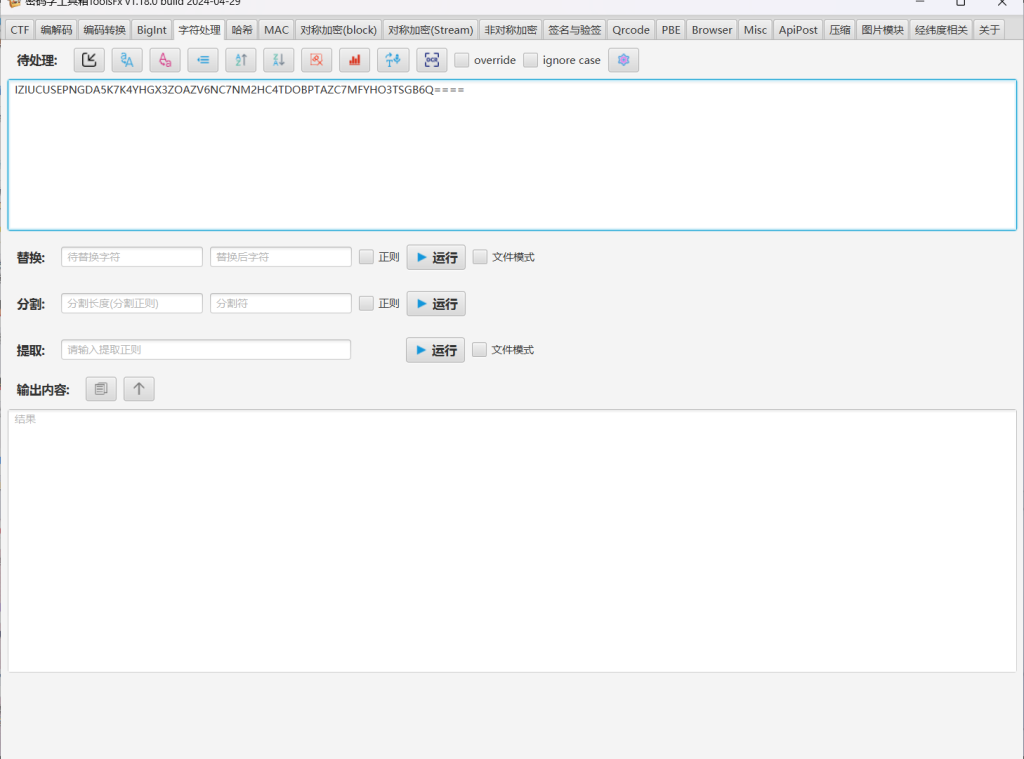
====Q6BGST3OHYFM7CZATPBODT4CH2MN7CN6VZAOZ3XGHY4K7K5ADGNPESUCUIZI反转一下:
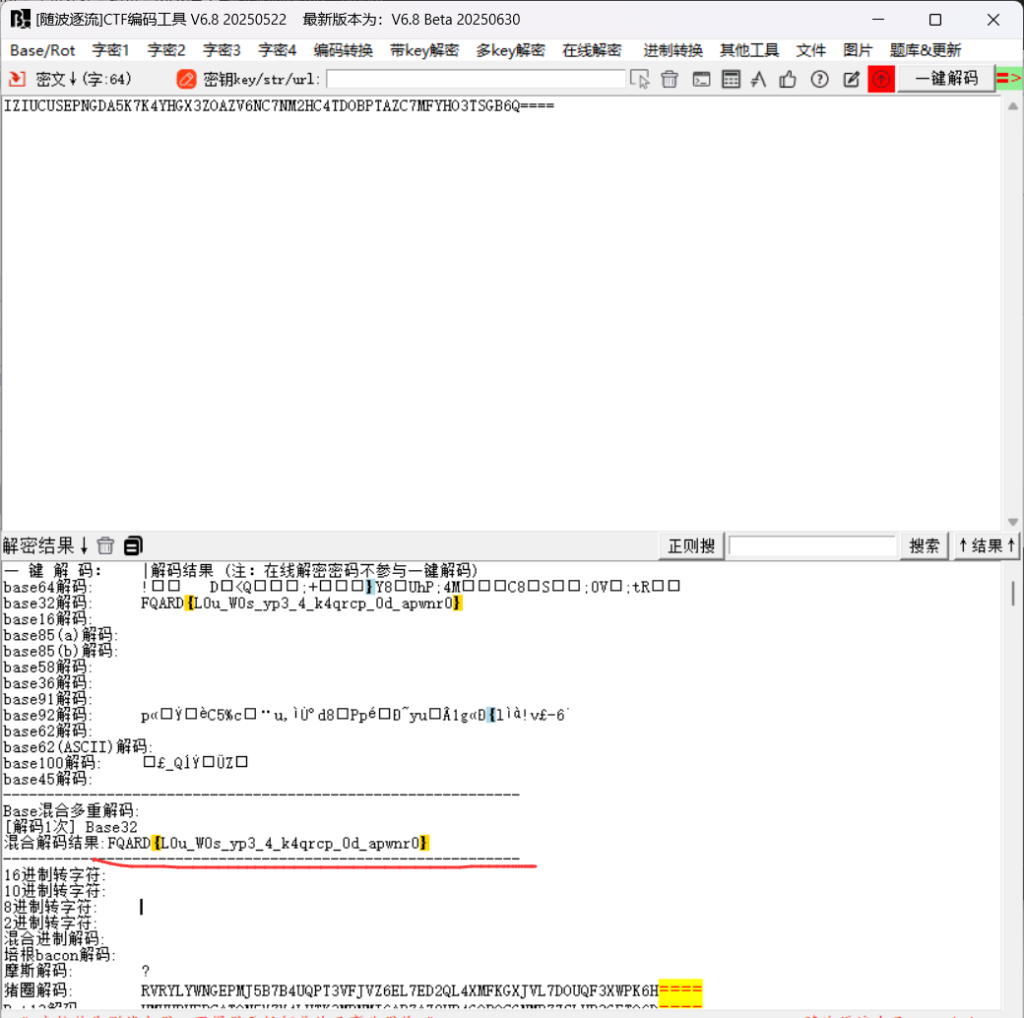
IZIUCUSEPNGDA5K7K4YHGX3ZOAZV6NC7NM2HC4TDOBPTAZC7MFYHO3TSGB6Q====base32解码:
FQARD{L0u_W0s_yp3_4_k4qrcp_0d_apwnr0}
凯撒解码:
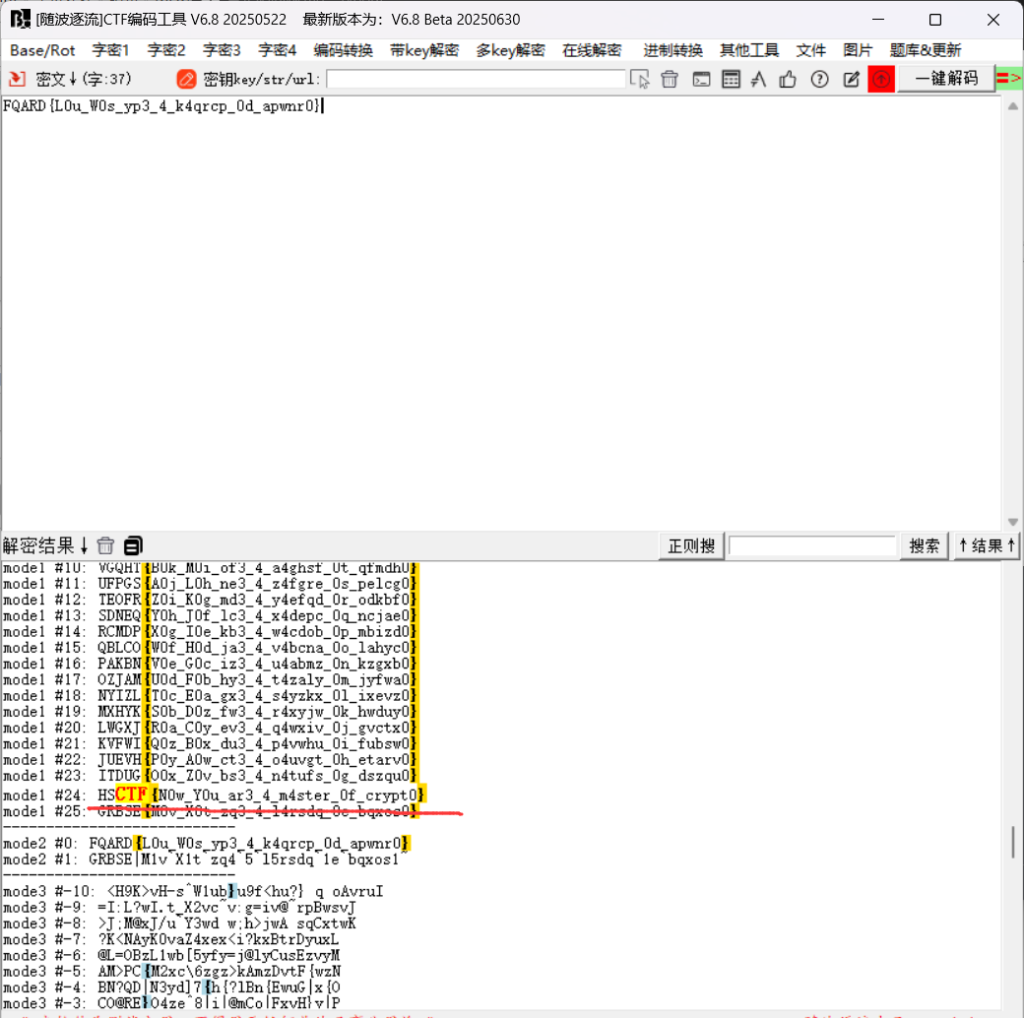
HSCTF{N0w_Y0u_ar3_4_m4ster_0f_crypt0}4.Simple-Math
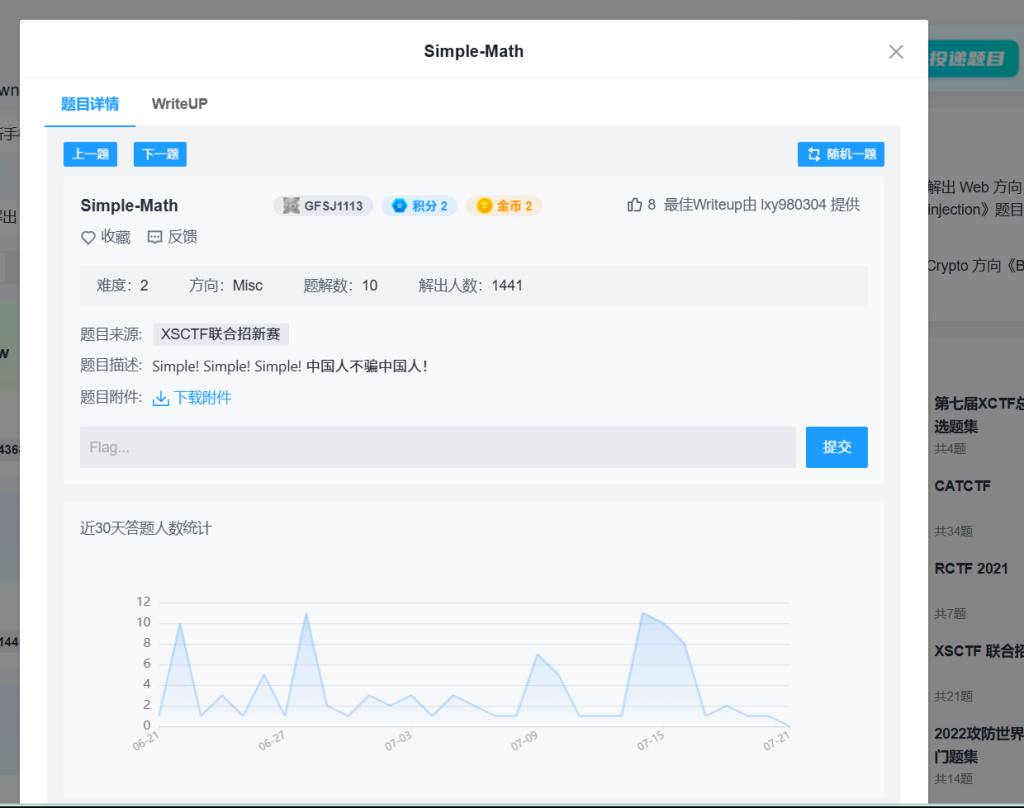
写出对应脚本即可
py3:
import numpy as np
import hashlib

# 定义系数矩阵A和结果向量b
A = np.array([
    [1, 1, 0, 1, 1, 0, 1, 1, 1, 1],
    [0, 0, 1, 1, 0, 0, 0, 1, 1, 0],
    [1, 0, 1, 1, 0, 0, 1, 1, 1, 0],
    [0, 1, 0, 1, 0, 1, 1, 1, 0, 0],
    [0, 0, 0, 0, 1, 1, 0, 1, 1, 1],
    [1, 1, 1, 1, 1, 0, 0, 0, 1, 0],
    [1, 0, 0, 0, 0, 1, 0, 1, 1, 1],
    [0, 0, 0, 1, 0, 1, 0, 0, 0, 1],
    [0, 1, 1, 0, 0, 0, 1, 1, 1, 0],
    [0, 0, 0, 1, 0, 0, 1, 1, 0, 1]
], dtype=int)

b = np.array([1, 0, 1, 1, 0, 0, 0, 1, 0, 1], dtype=int)

# 高斯消元法解模2线性方程组
def solve_mod2(A, b):
    n = len(A)
    # 增广矩阵
    Ab = np.column_stack((A.copy(), b.copy()))

    # 前向消元
    for col in range(n):
        # 找到主元行
        pivot_row = -1
        for row in range(col, n):
            if Ab[row, col] == 1:
                pivot_row = row
                break

        if pivot_row == -1:
            continue  # 无解或多解情况

        # 交换行
        if pivot_row != col:
            Ab[[col, pivot_row]] = Ab[[pivot_row, col]]

        # 消去其他行
        for row in range(n):
            if row != col and Ab[row, col] == 1:
                Ab[row] = (Ab[row] + Ab[col]) % 2

    # 回代求解
    x = np.zeros(n, dtype=int)
    for row in range(n-1, -1, -1):
        if Ab[row, row] == 1:
            x[row] = Ab[row, n]
            # 减去已知变量的贡献
            for col in range(row+1, n):
                x[row] = (x[row] - Ab[row, col] * x[col]) % 2
        else:
            if Ab[row, n] == 1:
                raise ValueError("无解")
            else:
                x[row] = 0  # 自由变量设为0

    return x

# 解方程
try:
    x = solve_mod2(A, b)
    print("解向量x:", x)

    # 拼接解为字符串
    x_str = ''.join(map(str, x))
    print("拼接字符串:", x_str)

    # 计算SHA1哈希
    sha1_hash = hashlib.sha1(x_str.encode()).hexdigest()
    print("SHA1哈希值:", sha1_hash)
    print("Flag: XSCTF(" + sha1_hash + ")")

except ValueError as e:
print("方程无解:", e)- 高斯消元法:实现了模2的高斯消元法来解线性方程组:
- 构建增广矩阵
- 前向消元:寻找主元行,交换行,消去其他行
- 回代求解:从最后一行开始回代求解
- 处理解:
- 将解向量拼接成字符串
- 计算该字符串的SHA1哈希值
- 按照题目要求格式输出flag

XSCTF(103c8041593b4b8e38971db283a7a773b0ffc2ee)5.BotW-
binwalk有文件
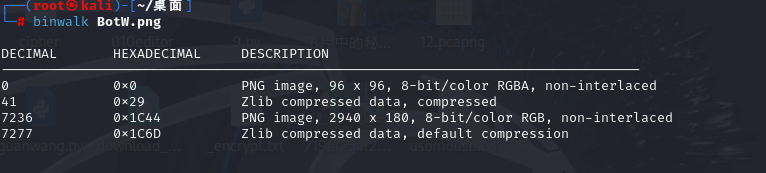
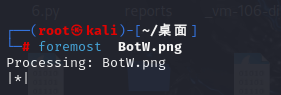
分离一下
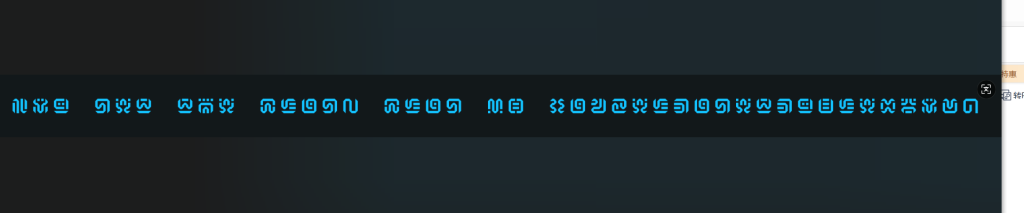
塞尔达文字
查资料看看
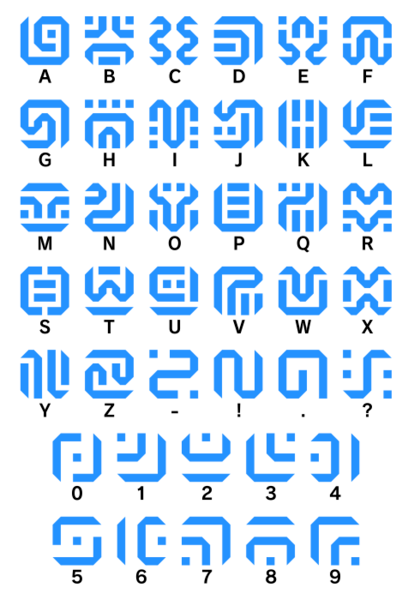
对照表然后对对
you get the flag! flag is canzeldagetduplexbow.
flag{canzeldagetduplexbow}6.misc1
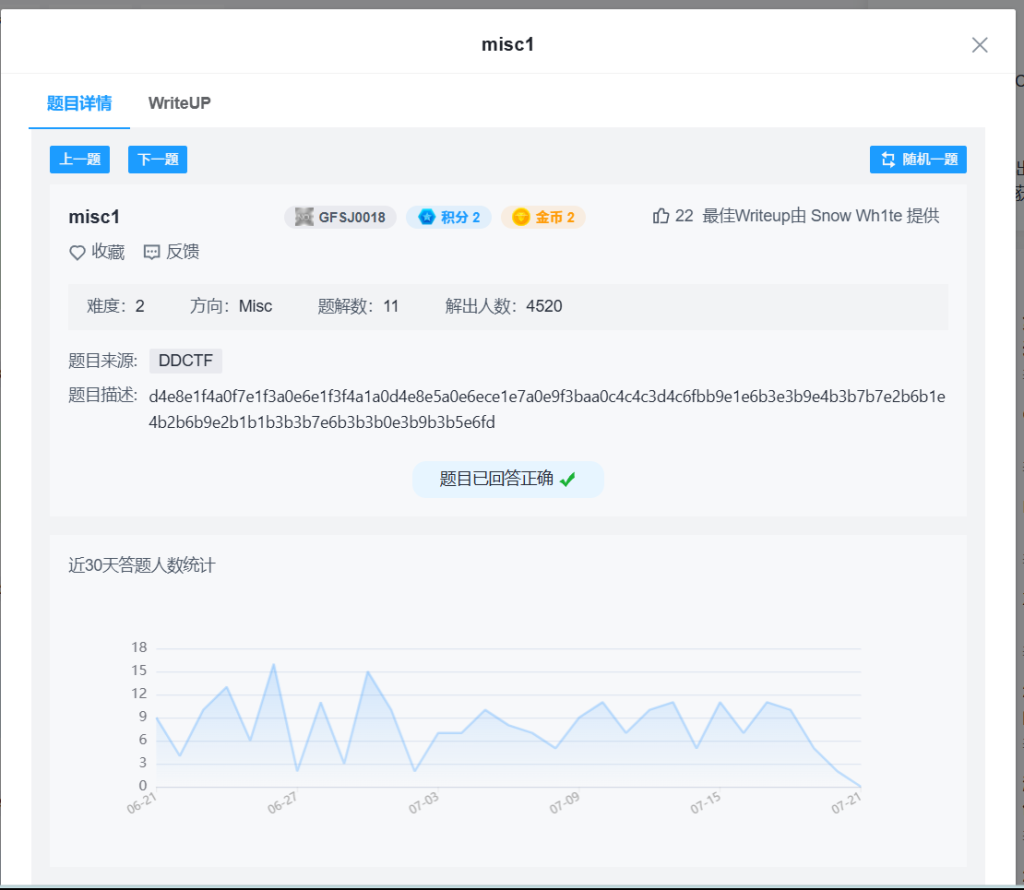
题目描述:
d4e8e1f4a0f7e1f3a0e6e1f3f4a1a0d4e8e5a0e6ece1e7a0e9f3baa0c4c4c3d4c6fbb9e1e6b3e3b9e4b3b7b7e2b6b1e4b2b6b9e2b1b1b3b3b7e6b3b3b0e3b9b3b5e6fd不是正常的十六进制进行了处理
给定的字符串是一个十六进制编码的字符串,它实际上是一个经过简单偏移(每个字节减去 0x80)处理的文本。解码后可以直接得到包含 flag 的明文。
- 将十六进制字符串转换为字节序列。
- 对每个字节执行减去 0x80(或 128)的操作,将高位字节转换为可打印的 ASCII 字符。
- 将解码后的 ASCII 字符组合成字符串。
- 原始十六进制字符串:
d4e8e1f4a0f7e1f3a0e6e1f3f4a1a0d4e8e5a0e6ece1e7a0e9f3baa0c4c4c3d4c6fbb9e1e6b3e3b9e4b3b7b7e2b6b1e4b2b6b9e2b1b1b3b3b7e6b3b3b0e3b9b3b5e6fd - 转换为字节序列后,每个字节减去 0x80,得到 ASCII 字符串:
That was fast! The flag is: DDCTF{9af3c9d377b61d269b11337f330c935f}
脚本py3运行:
hex_str = "d4e8e1f4a0f7e1f3a0e6e1f3f4a1a0d4e8e5a0e6ece1e7a0e9f3baa0c4c4c3d4c6fbb9e1e6b3e3b9e4b3b7b7e2b6b1e4b2b6b9e2b1b1b3b3b7e6b3b3b0e3b9b3b5e6fd"
bytes_data = bytes.fromhex(hex_str)
decoded_str = ''.join(chr(byte - 0x80) for byte in bytes_data)
print(decoded_str)
DDCTF{9af3c9d377b61d269b11337f330c935f}7.low
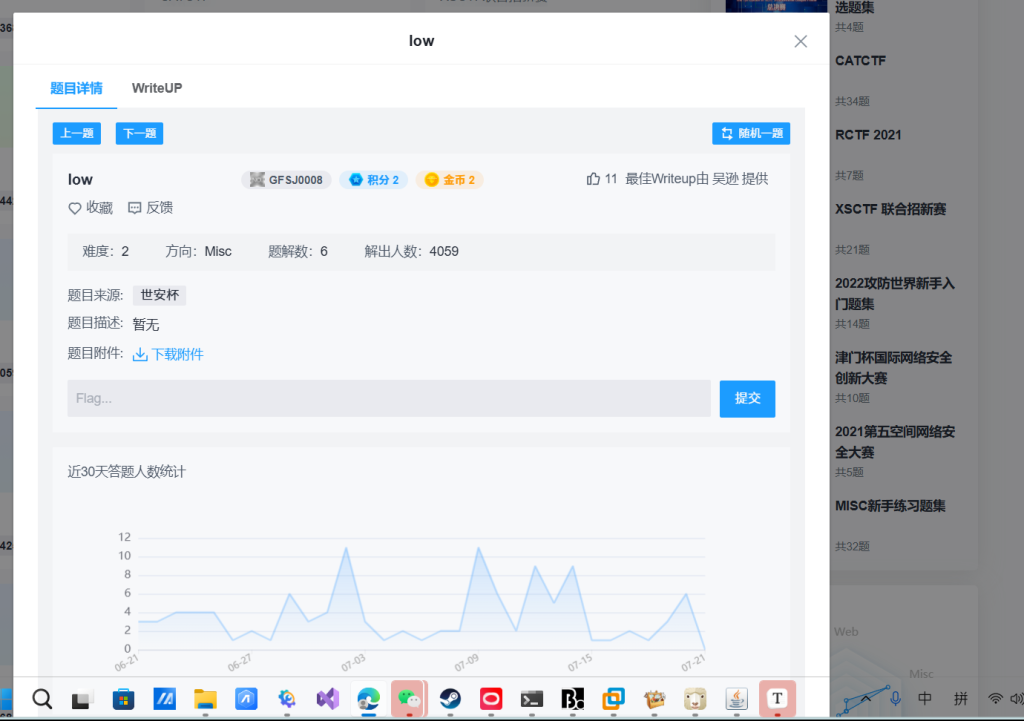
是个图片binwalk不行
010看也没有什么
stegsolve打开
发现没有什么东西 不会呀~~
参考看看大佬的wp
原来里面有一张二维码
方法一:
py3代码
from PIL import Image
img = Image.open('./low.bmp')
img_tmp = img.copy()
pix = img_tmp.load()
width, height = img_tmp.size
for w in range(width):
    for h in range(height):
        if pix[w, h] & 1 == 0:
            pix[w,h] = 0
        else:
            pix[w, h] = 255
img_tmp.show()
方法二:
图片 图画打开或者ps打开导为png图片
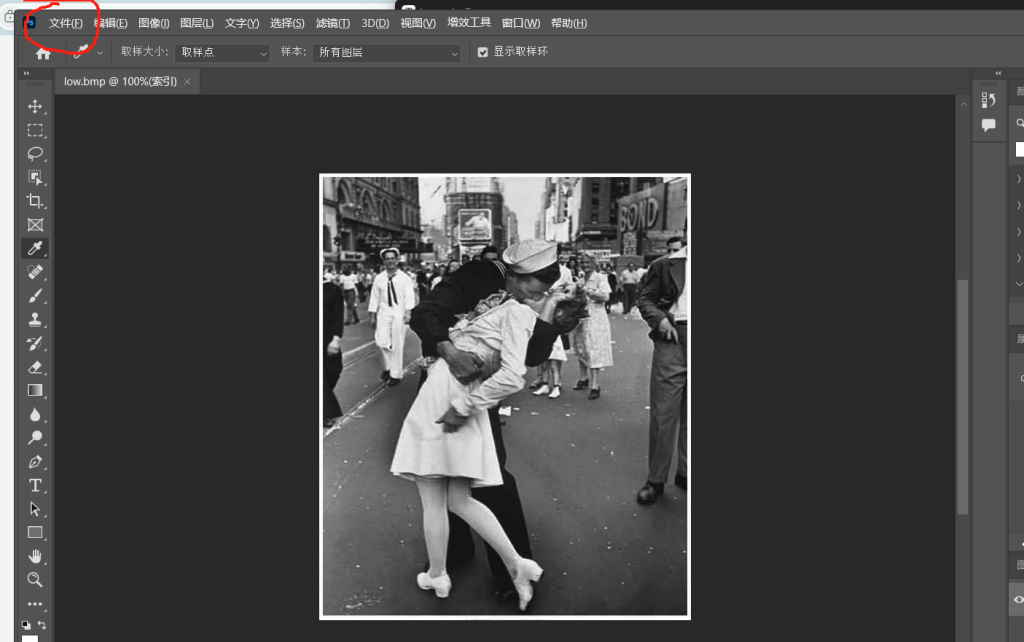
打开:
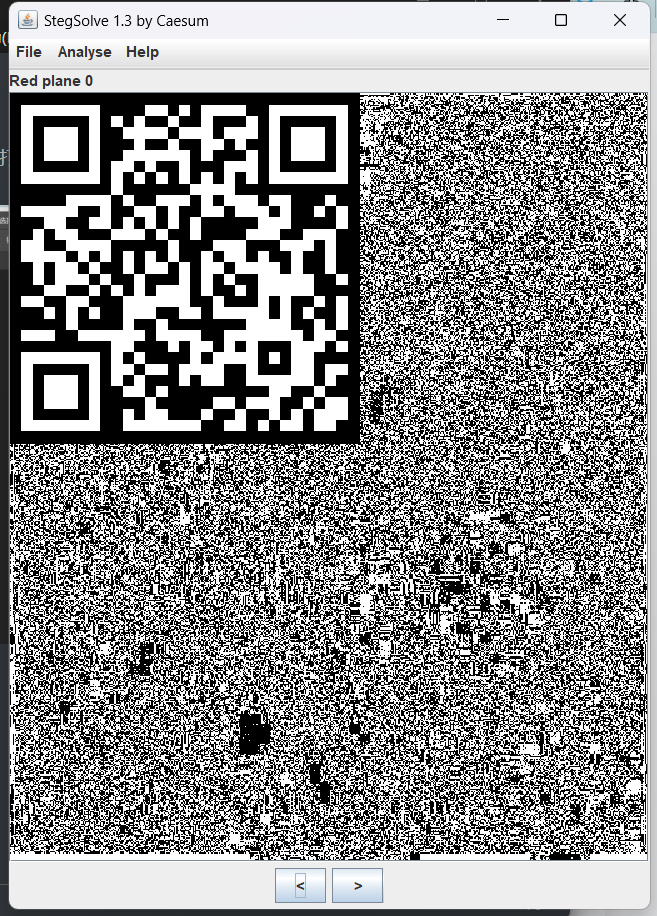
扫码:
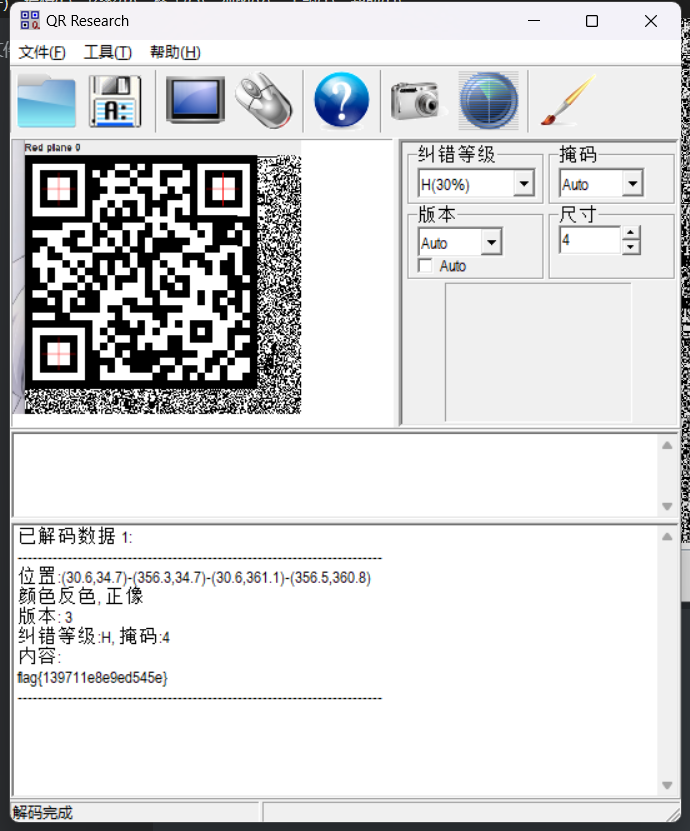
flag{139711e8e9ed545e}
8.神奇的Modbus
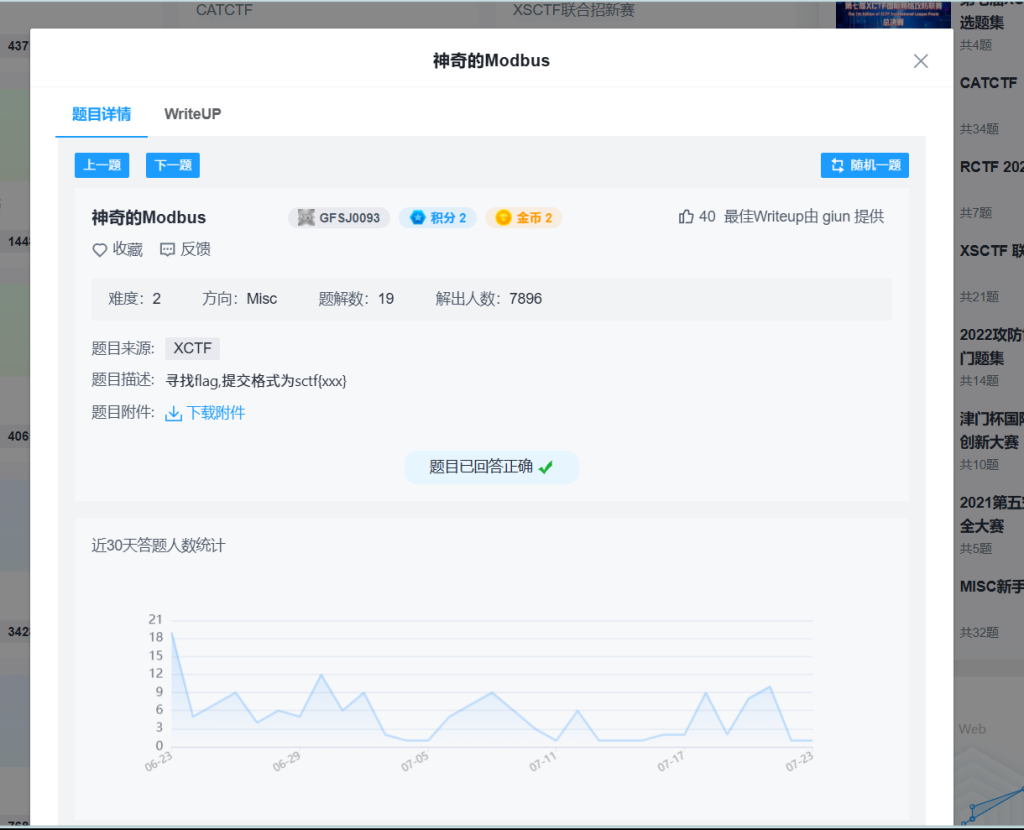
根据题目名称:
神奇的Modbus
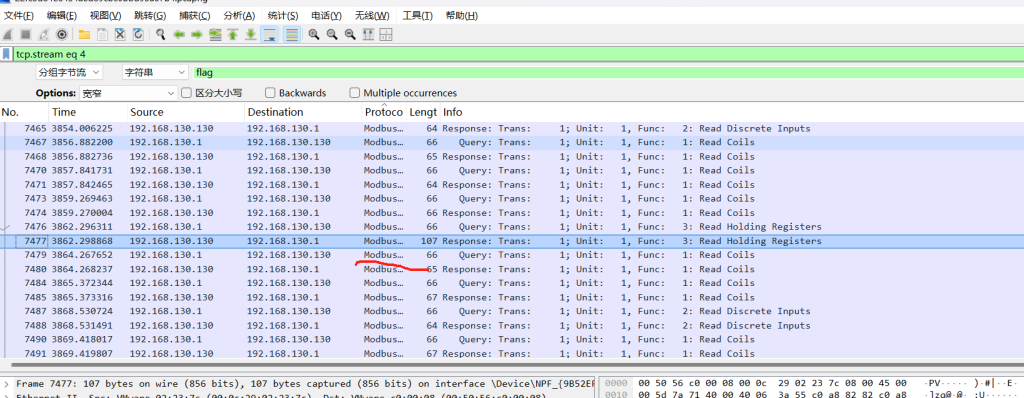
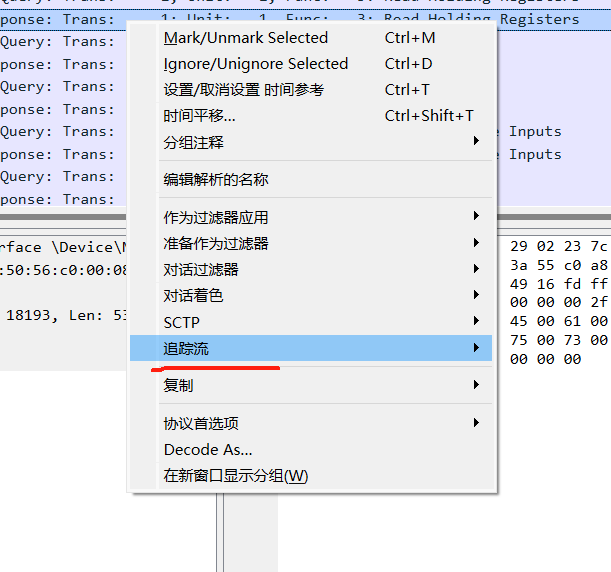
追踪这个流看看
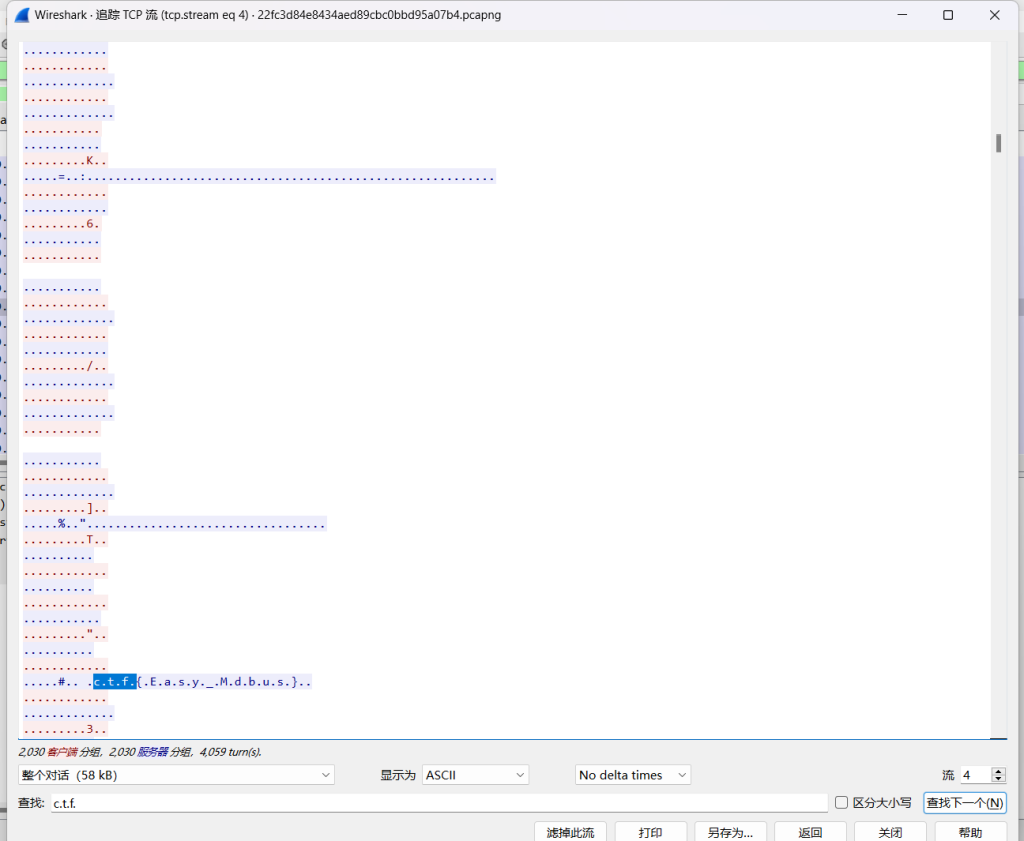
发现答案
sctf{Easy_Mdbus}
发现不对那么看看题目Modbus根据这个在加个0
sctf{Easy_Modbus}9.小小的PDF

binwalk看看
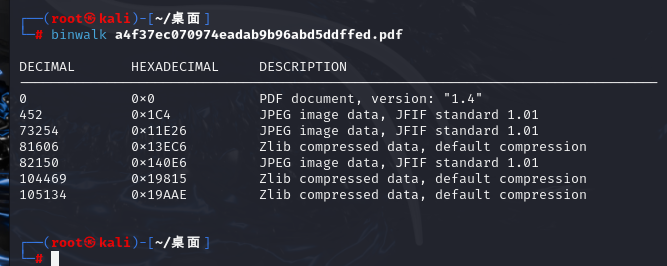
发现三张图片
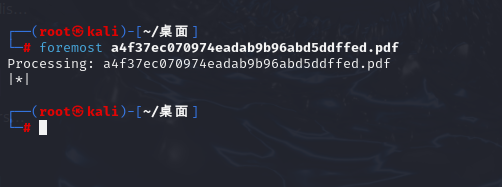
foremost分离一下
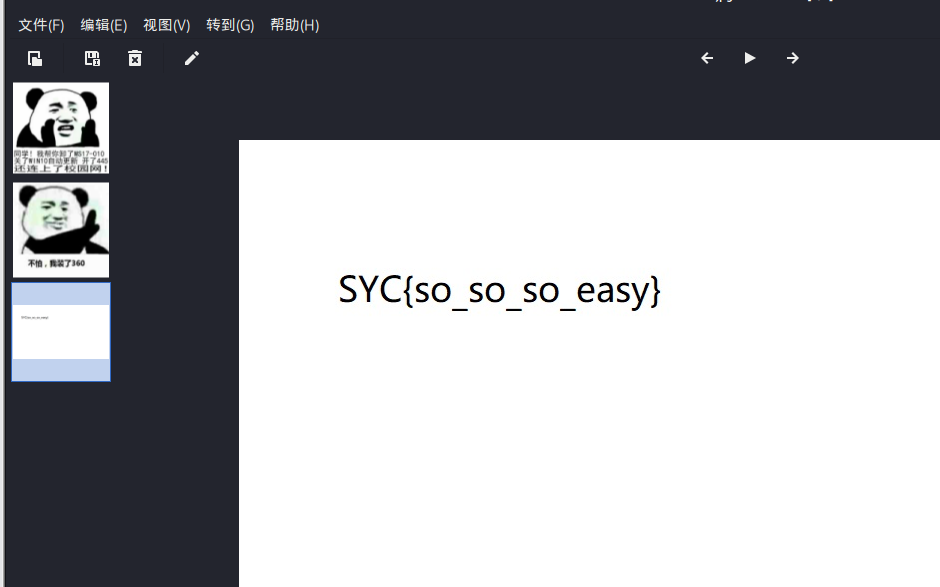
SYC{so_so_so_easy}10.Cephalopod
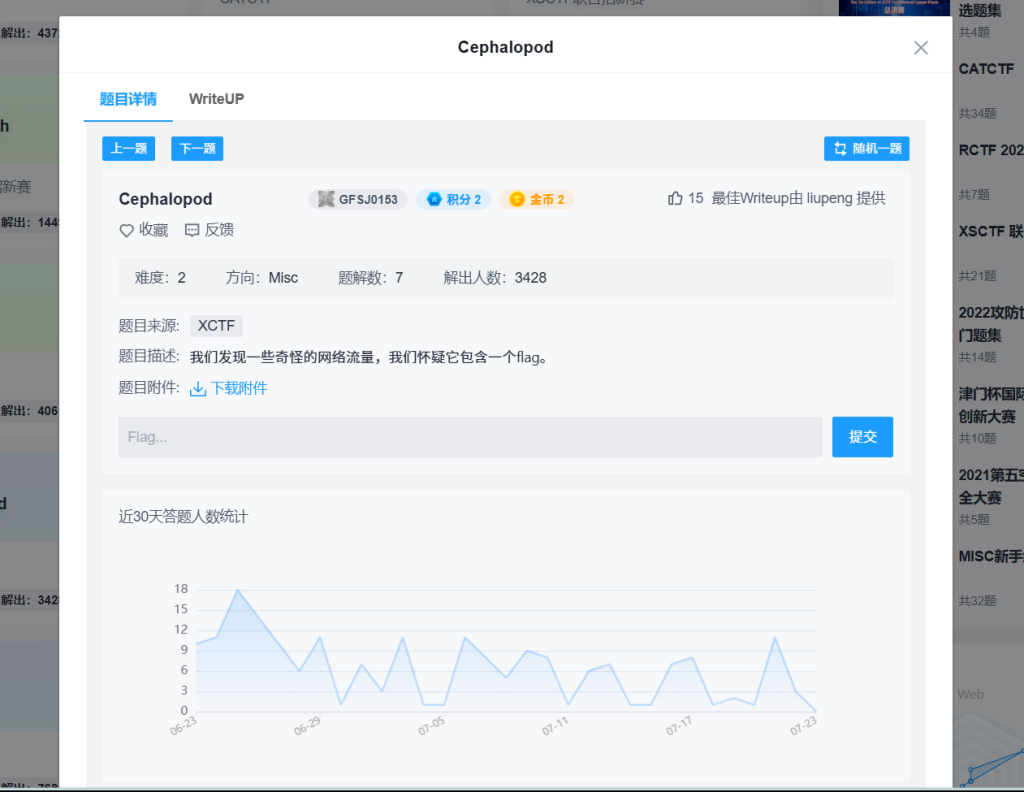
搜索flag
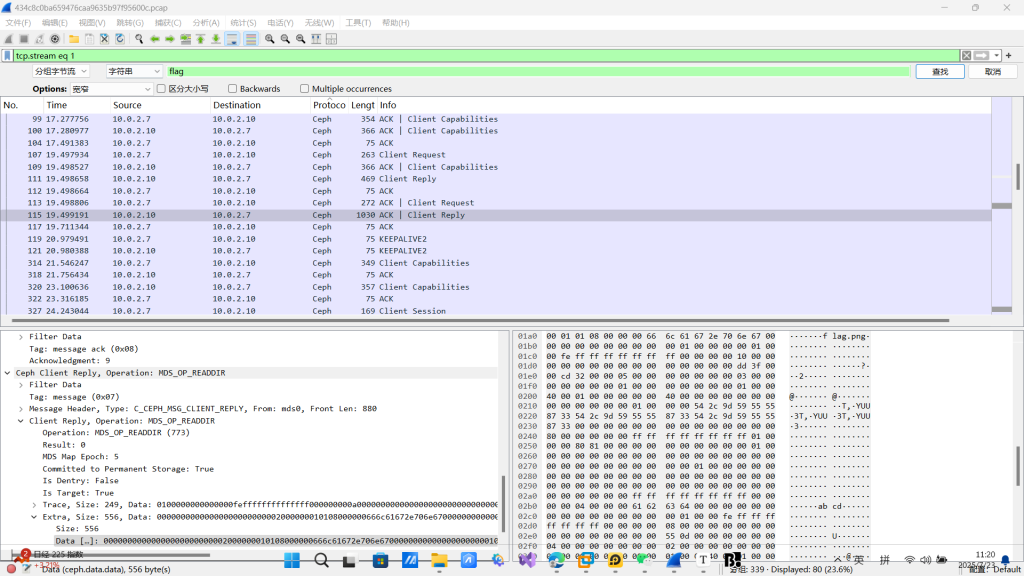
发现图片
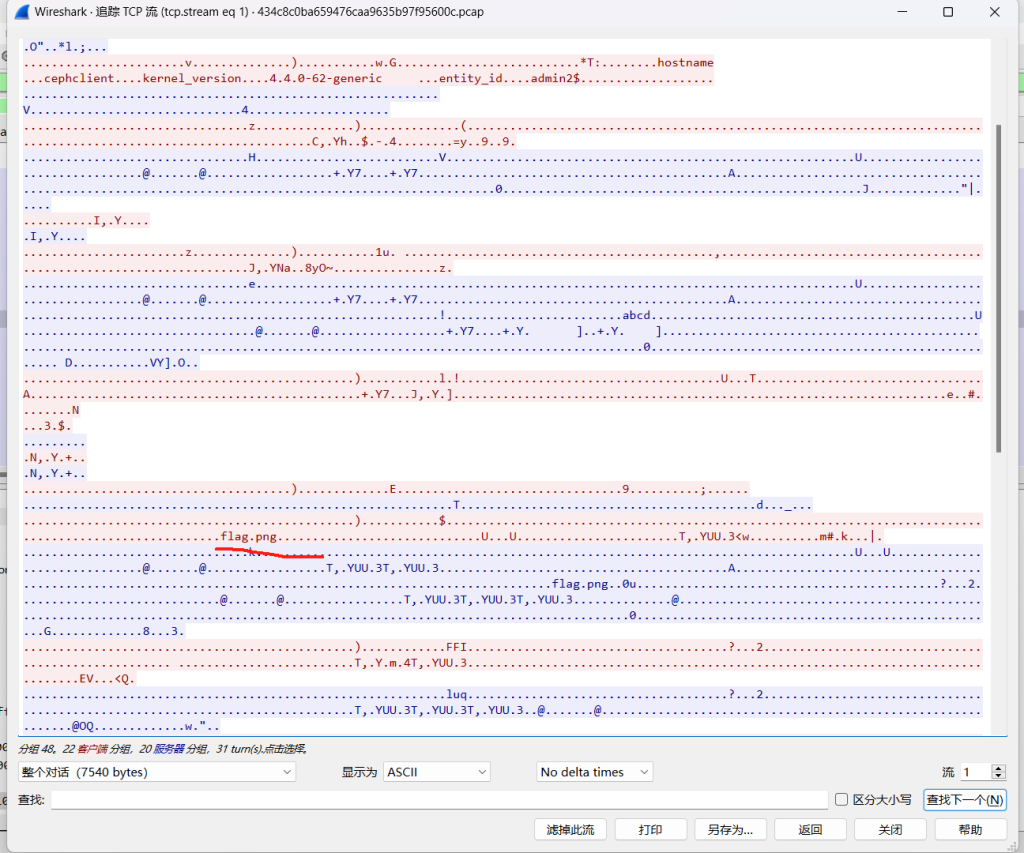
binwalk能看到图片
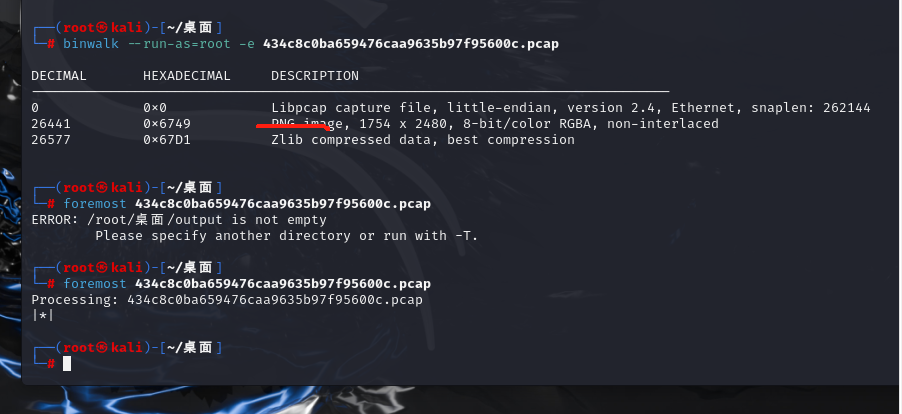
foremost分离不行
89504E47
找到文件头
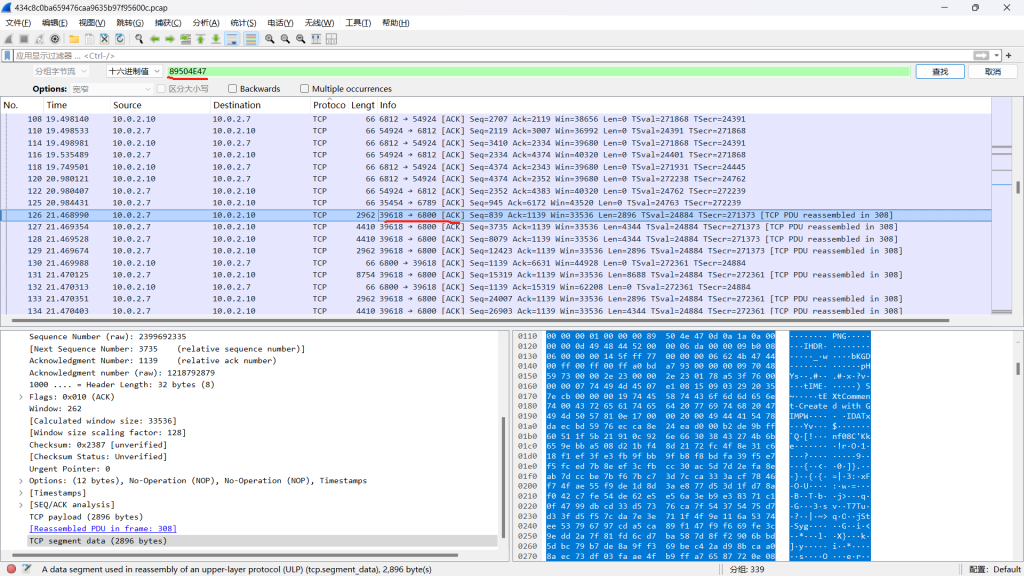
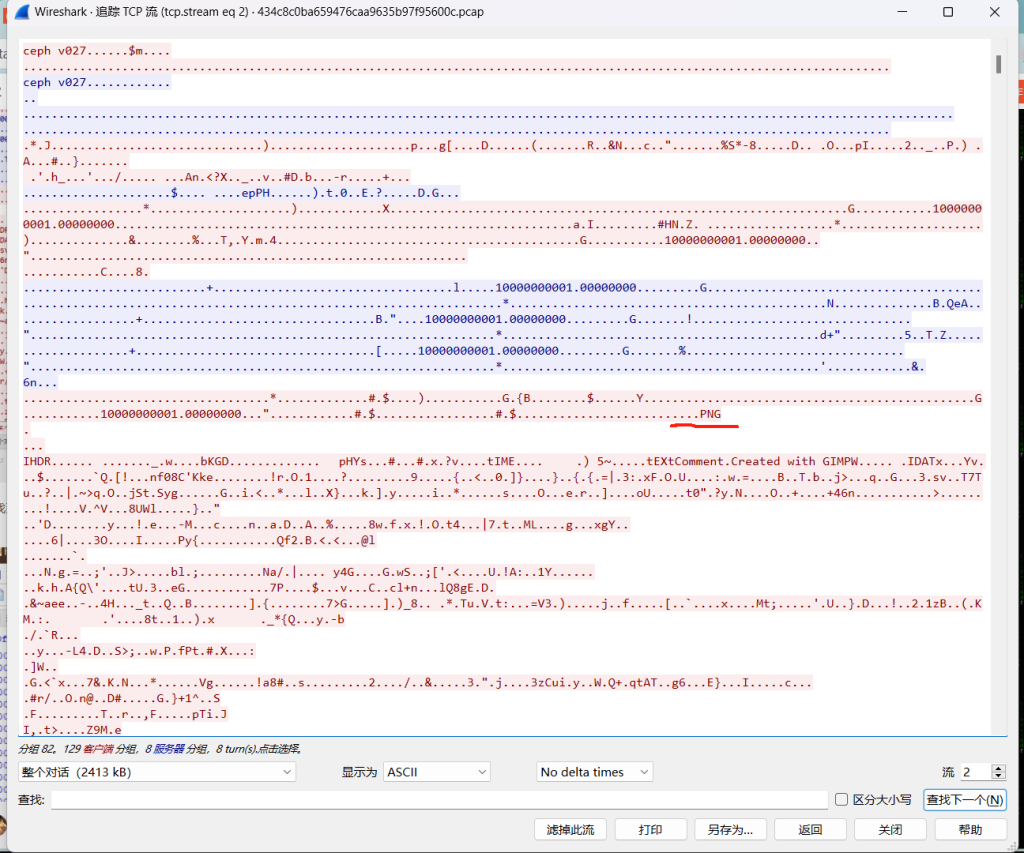
追踪文件头:
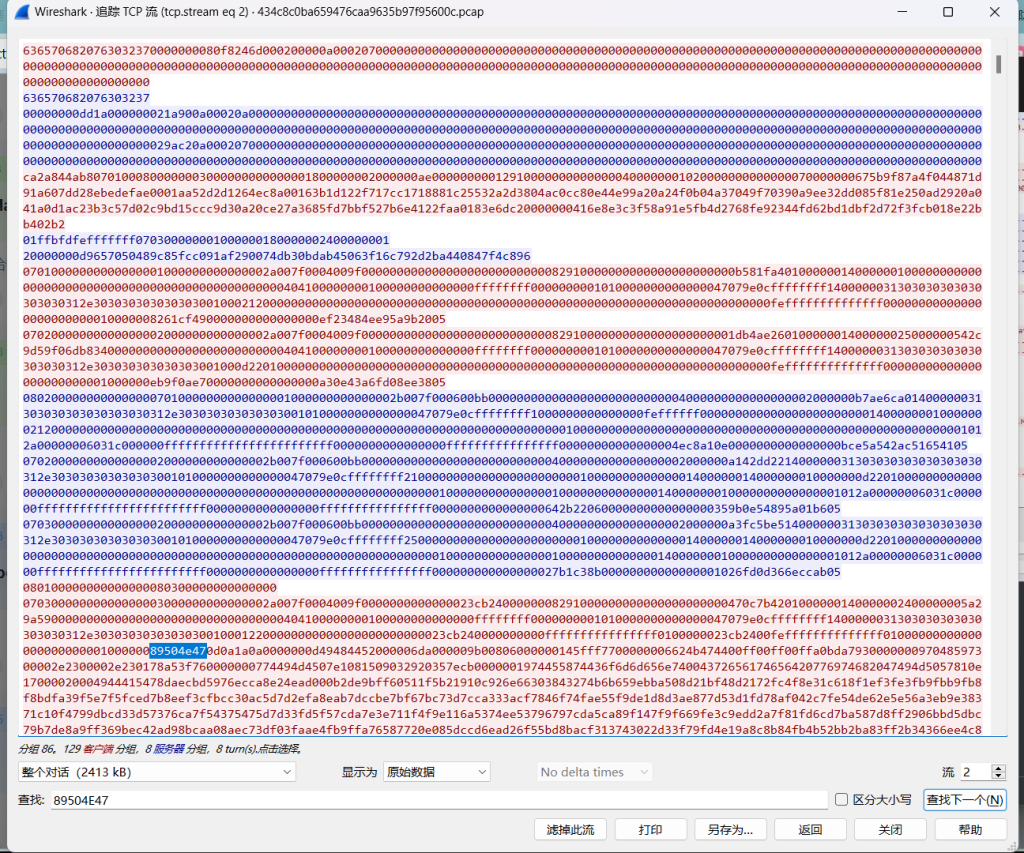
49454E44AE426082
追踪文件尾
导入010十六进制
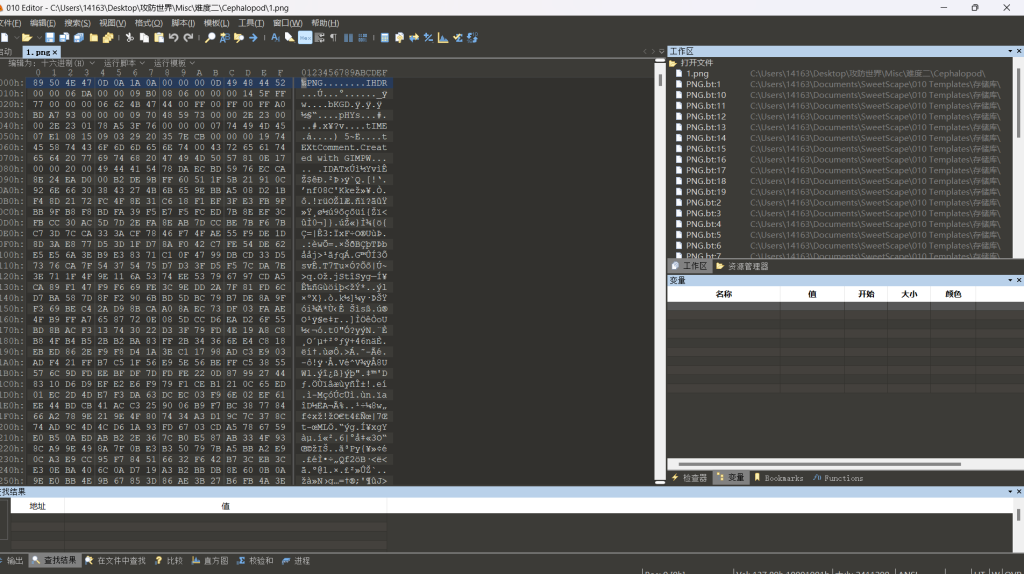
另存为1.png
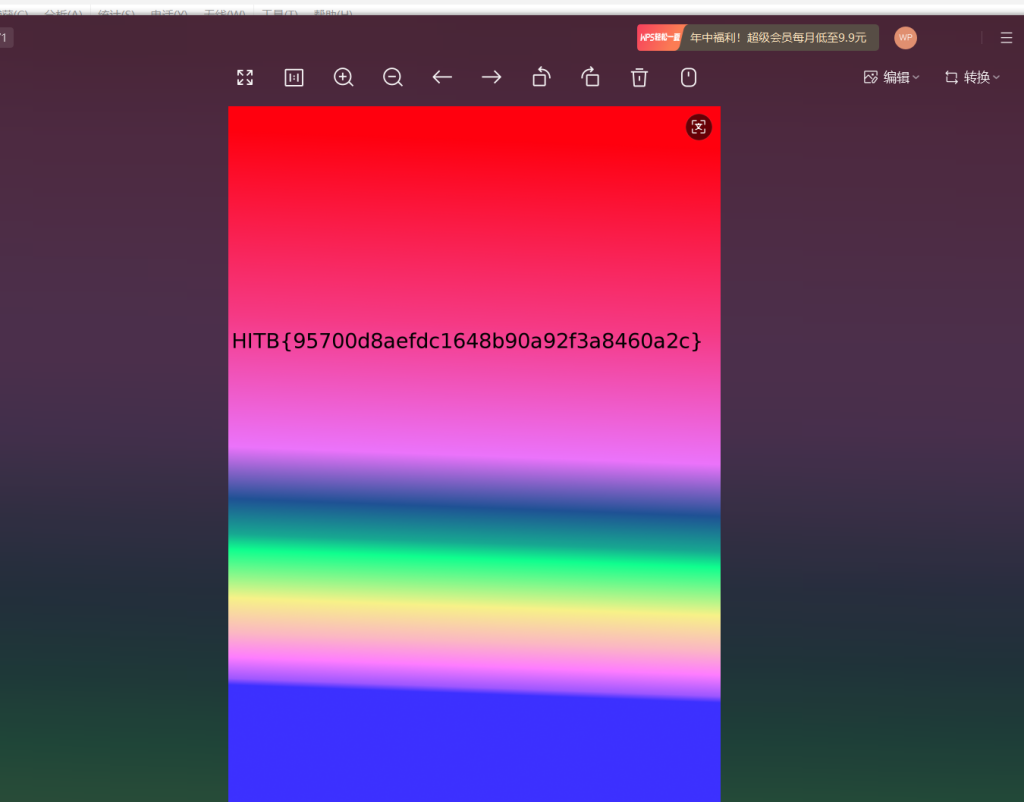
发现答案:
HITB{95700d8aefdc1648b90a92f3a8460a2c}11.Excaliflag
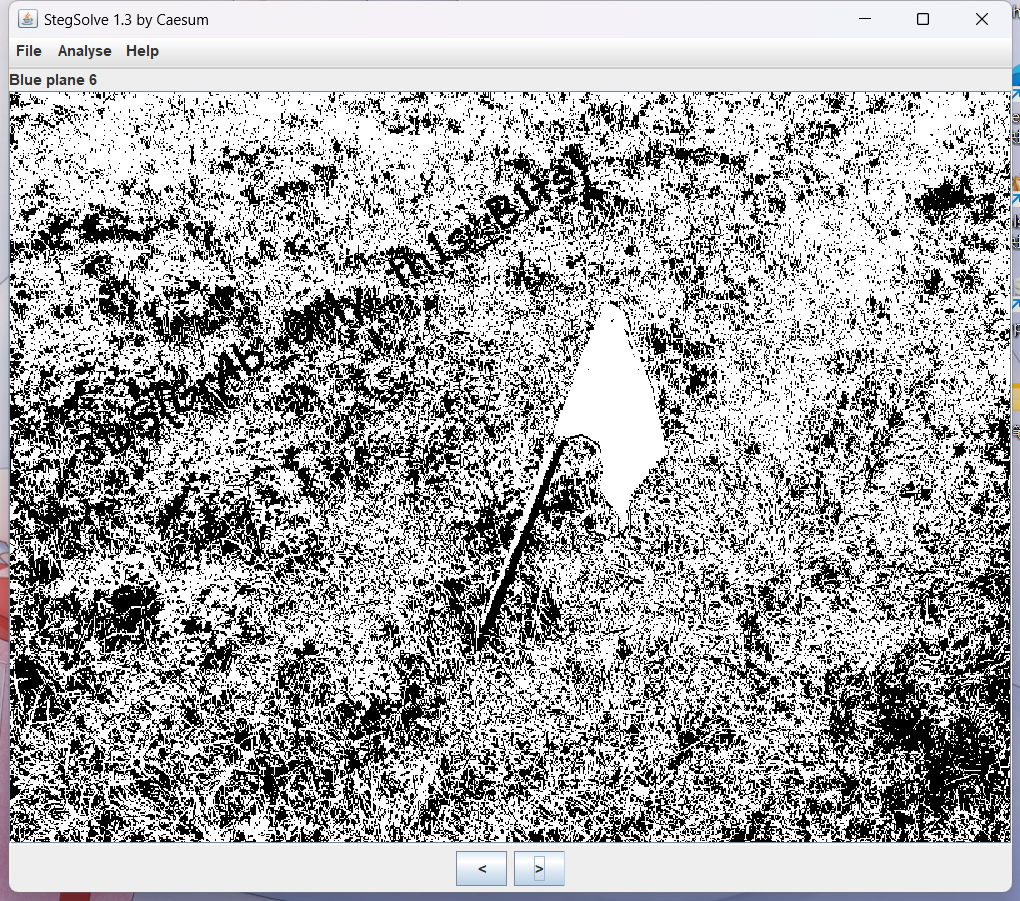
StegSolve 1.3 看看
发现答案
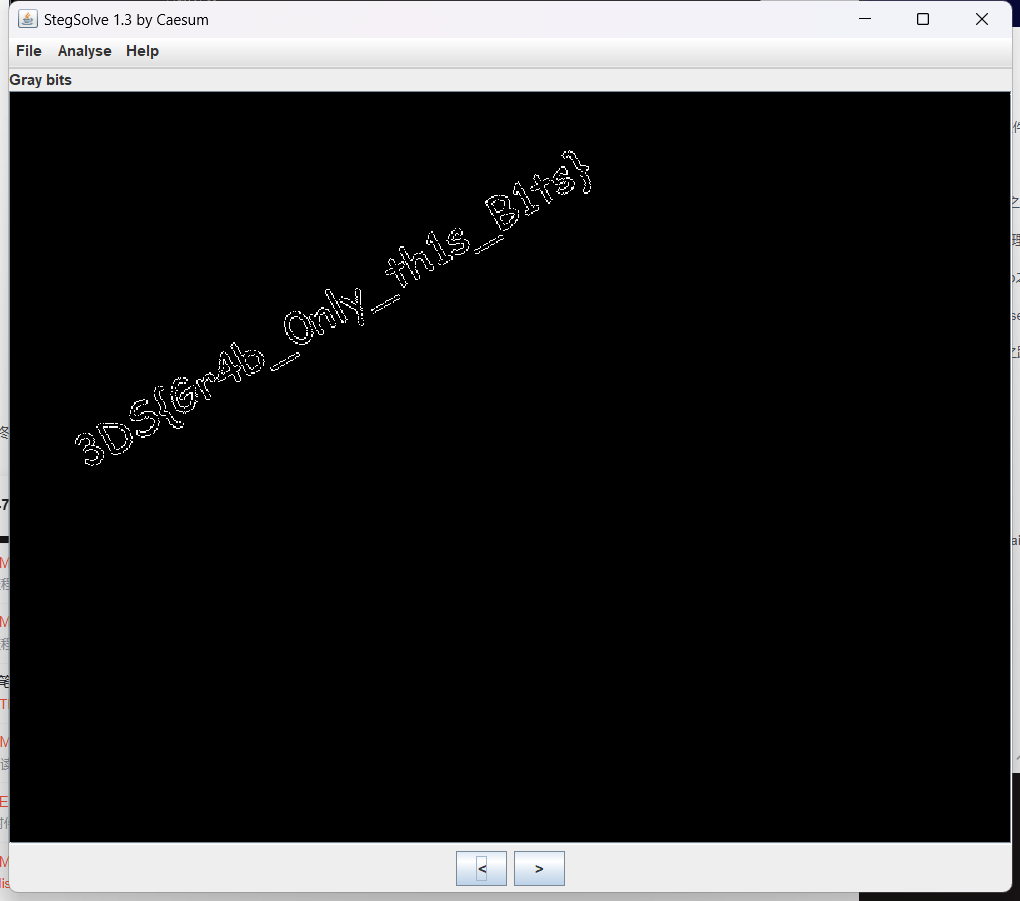
3DS{Gr4b_Only_th1s_B1ts}12.4-2
文件内容:
Eg qnlyjtcnzydl z umaujejmjetg qeydsn eu z bsjdtx tw sgqtxegc al kdeqd mgeju tw yrzegjsoj zns nsyrzqsx kejd qeydsnjsoj
Ew ltm fgtk jds kzl tw sgqtxegc m kerr csj jds wrzc kdeqd eu qrzuueqzr-qeydsn_eu_gtj_usqmnejl_du
词频分析这个网站可以解https://quipqiup.com/
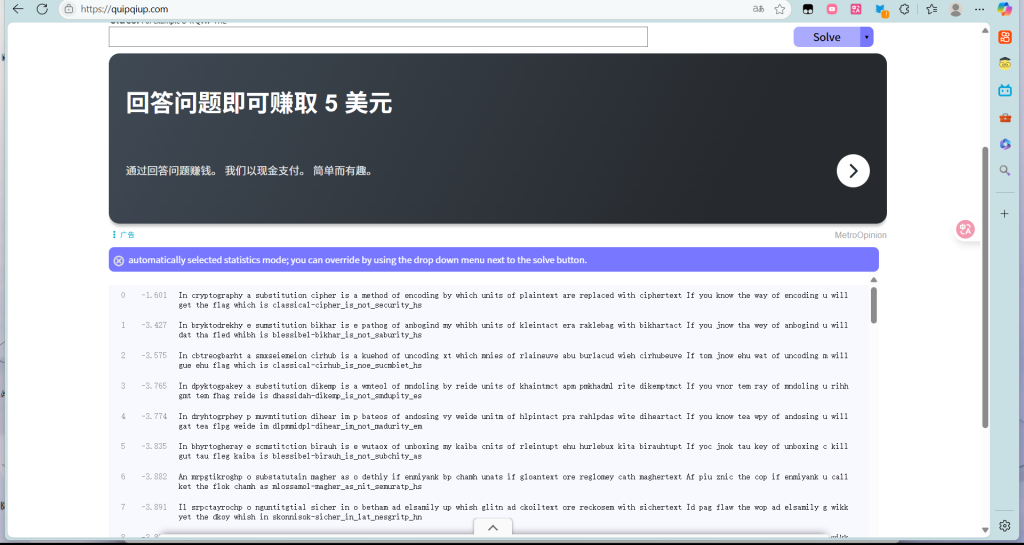
In cryptography a substitution cipher is a method of encoding by which units of plaintext are replaced with ciphertext If you know the way of encoding u will get the flag which is classical-cipher_is_not_security_hs
flag{classical-cipher_is_not_security_hs}13.easycap

直接追踪TCP
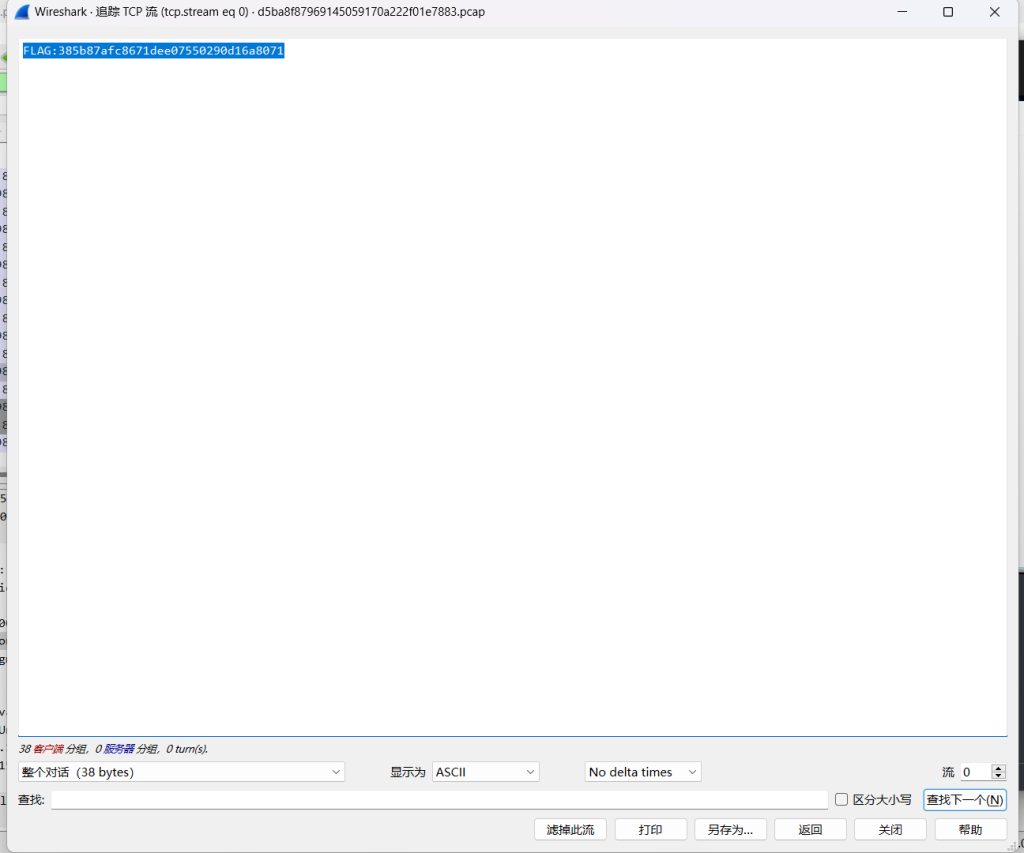
直接看到
FLAG:385b87afc8671dee07550290d16a807114.stage1
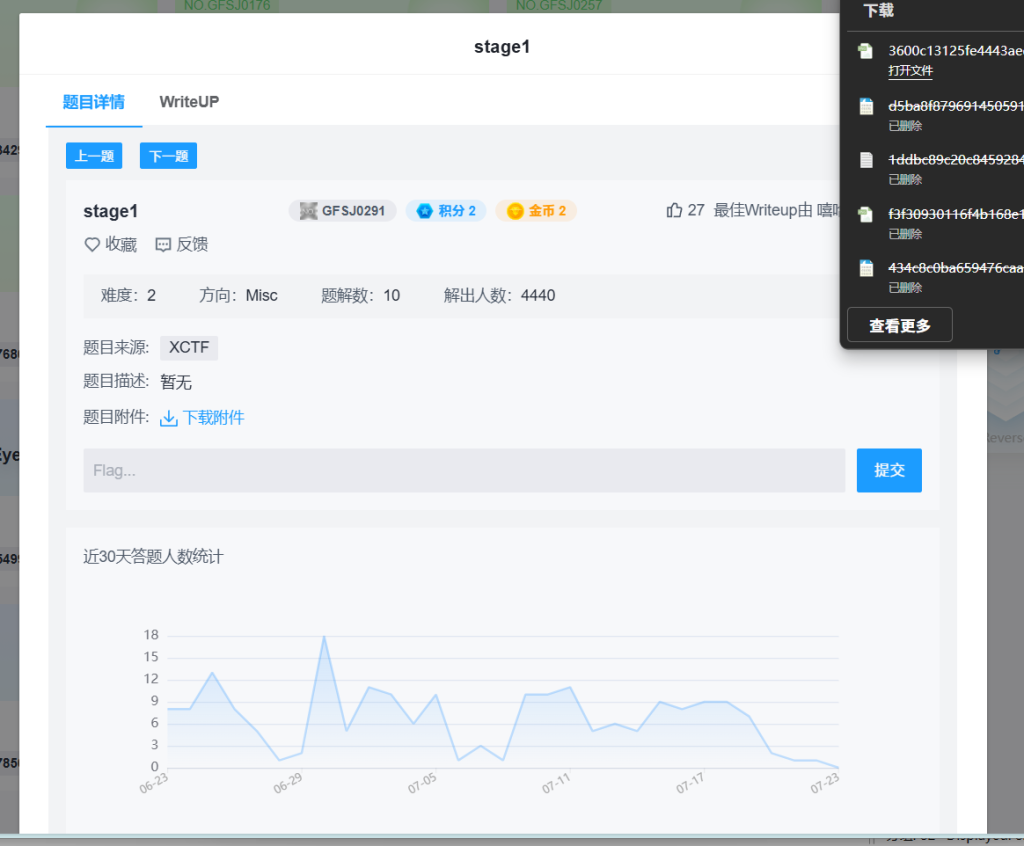
根据stage这个直接工具
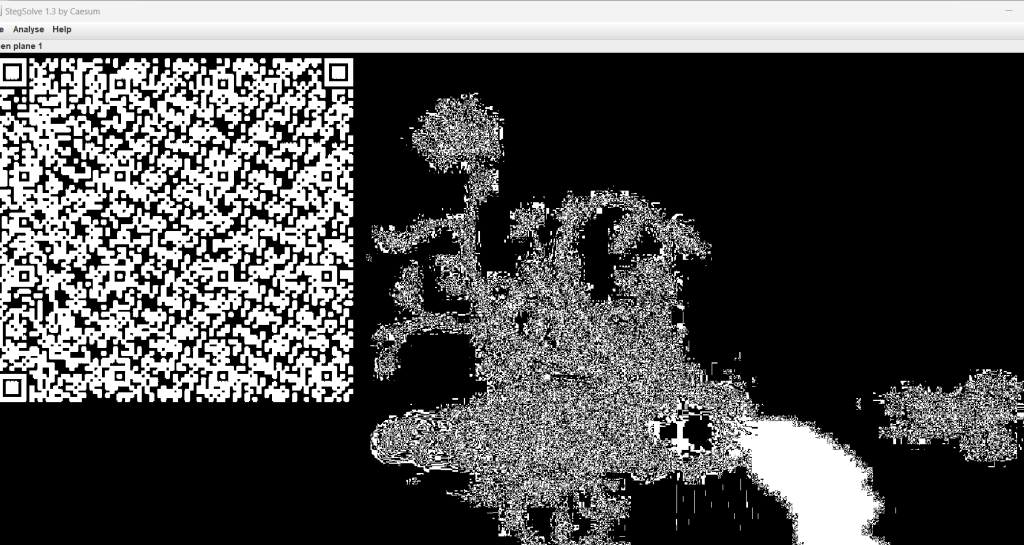
发现二维码
这个是不是重复了在难度一好像有一样的题
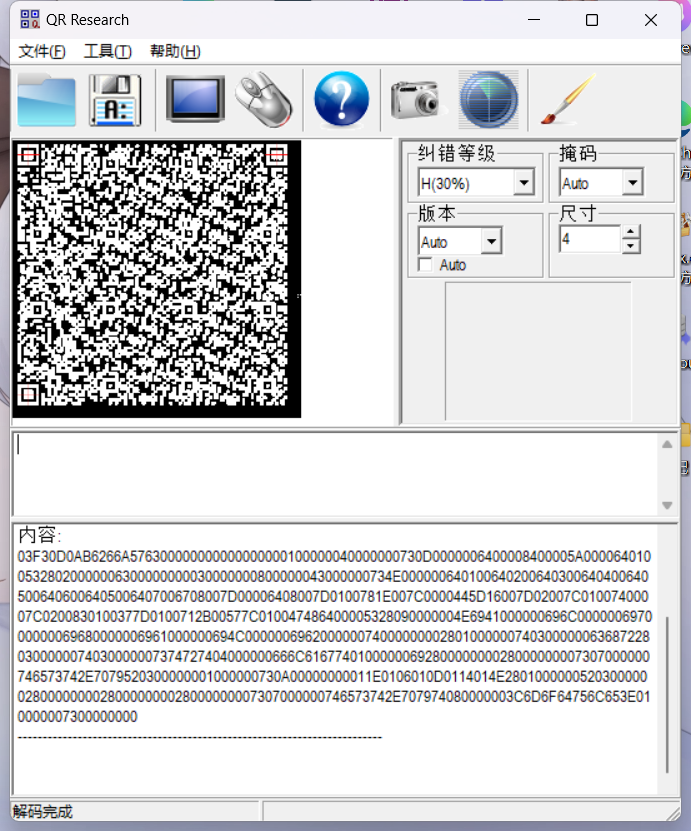
03F30D0AB6266A576300000000000000000100000040000000730D0000006400008400005A00006401005328020000006300000000030000000800000043000000734E0000006401006402006403006404006405006406006405006407006708007D00006408007D0100781E007C0000445D16007D02007C01007400007C0200830100377D0100712B00577C010047486400005328090000004E6941000000696C000000697000000069680000006961000000694C0000006962000000740000000028010000007403000000636872280300000074030000007374727404000000666C6167740100000069280000000028000000007307000000746573742E7079520300000001000000730A00000000011E0106010D0114014E280100000052030000002800000000280000000028000000007307000000746573742E707974080000003C6D6F64756C653E010000007300000000十六进制
创建个.txt文件把内容复制过去
010在文件内容导入十六进制
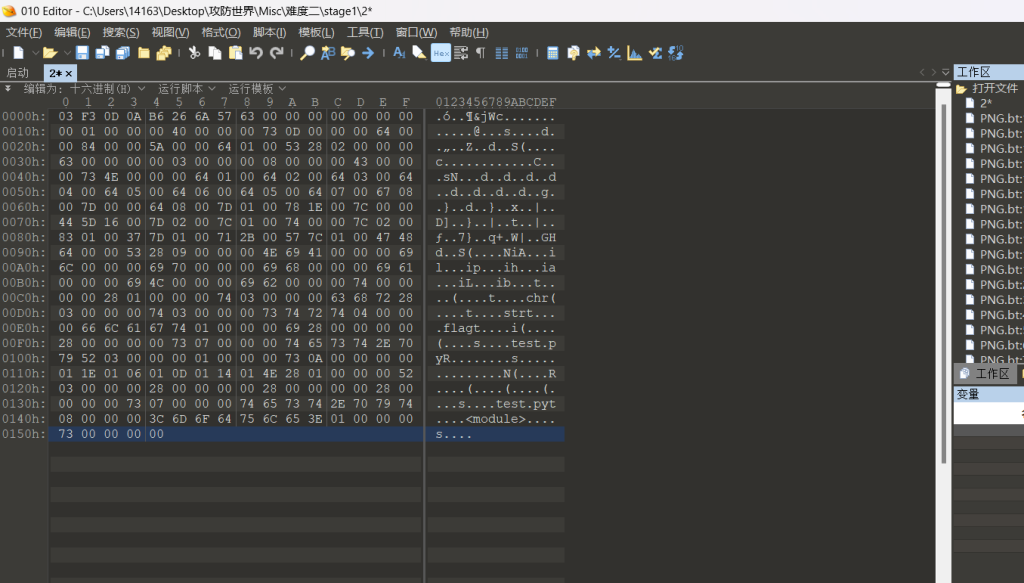
.pyc反编译
https://tool.lu/pyc/ 这个网站直接反编译就行
def flag():
    str = [
        65,
        108,
        112,
        104,
        97,
        76,
        97,
        98]
    flag = ''
    for i in str:
        flag += chr(i)
    print(flag)

flag()  # 正确调用函数
运行
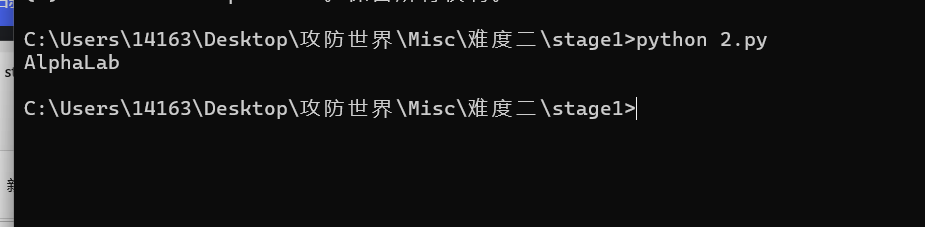
AlphaLab在难度一中(适合作为桌面)原题
15.Miscellaneous-200

就是一个RGB转图片
什么是RGB
RGB色彩模式是工业界的一种颜色标准,是通过对红(R)、绿(G)、蓝(B)三个颜色通道的变化以及它们相互之间的叠加来得到各式各样的颜色的,RGB即是代表红、绿、蓝三个通道的颜色,这个标准几乎包括了人类视力所能感知的所有颜色,是运用最广的颜色系统之一。方法一:代码转换
py3:
from PIL import Image
import numpy as np
import math

# 读取RGB数据
with open('62f4ea780ecf4e6bbef5f40d674ec073.txt', 'r') as f:
    lines = f.readlines()

# 解析RGB值
pixels = []
for line in lines:
    line = line.strip()
    if line:
        try:
            r, g, b = map(int, line.split(','))
            pixels.append((r, g, b))
        except ValueError:
            continue  # 跳过无效行

# 计算图像尺寸
total_pixels = len(pixels)
print(f"Total pixels: {total_pixels}")

# 尝试计算合适的宽度和高度
width = 0
height = 0
sqrt = math.isqrt(total_pixels)

# 从平方根开始寻找最佳尺寸
for w in range(sqrt, 0, -1):
    if total_pixels % w == 0:
        width = w
        height = total_pixels // w
        print(f"Found dimensions: {width}x{height}")
        break

# 如果没有找到合适的尺寸,使用1行布局
if width == 0:
    width = total_pixels
    height = 1
    print("Using 1-row layout")

# 创建图像
img = Image.new('RGB', (width, height))
img.putdata(pixels)

# 保存图像
img.save('output_image.png')
print("Image saved as output_image.png")

# 可选:显示图像
# img.show()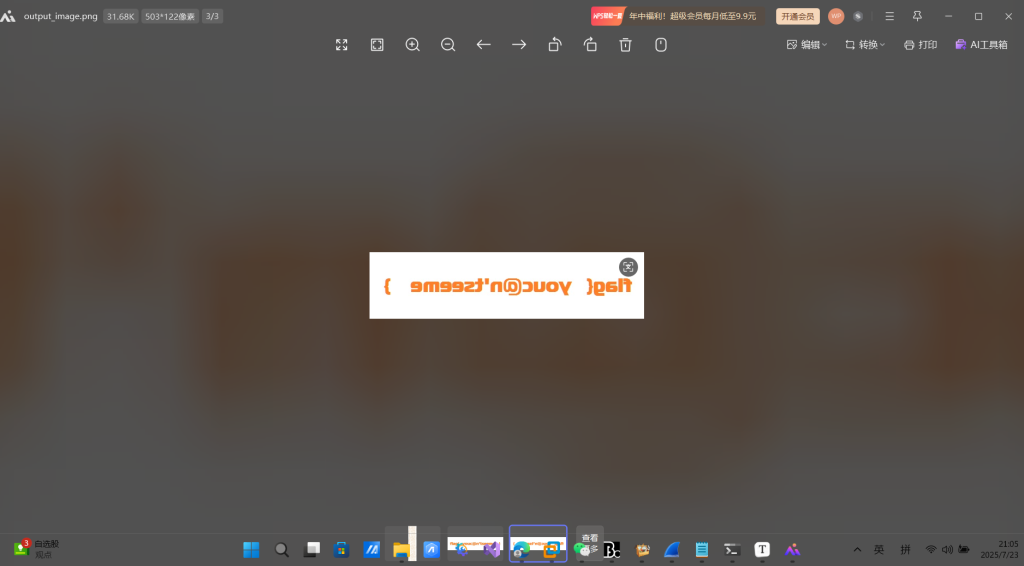
是个反转图片
Windows图片自带反转
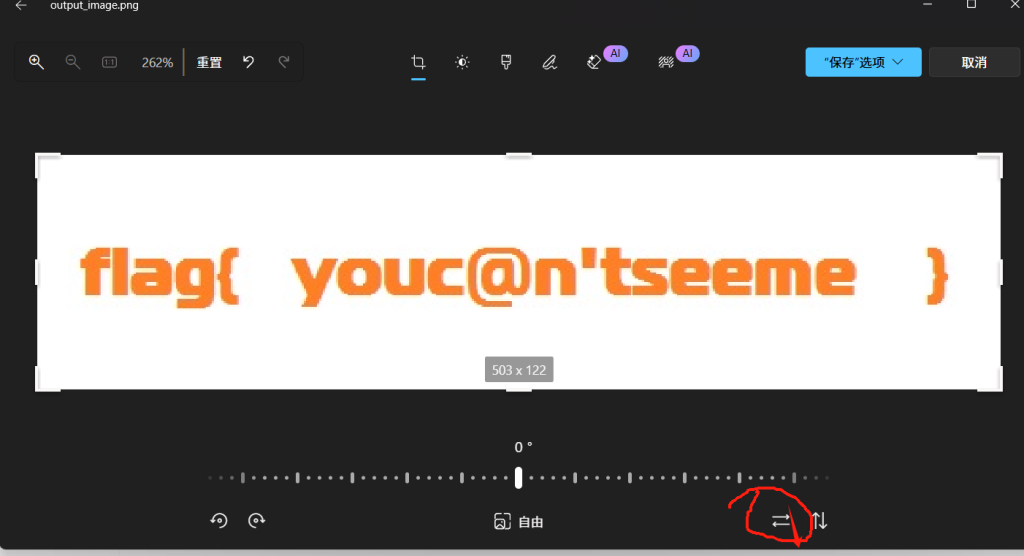
反转就行
方法二:
直接随波逐流:
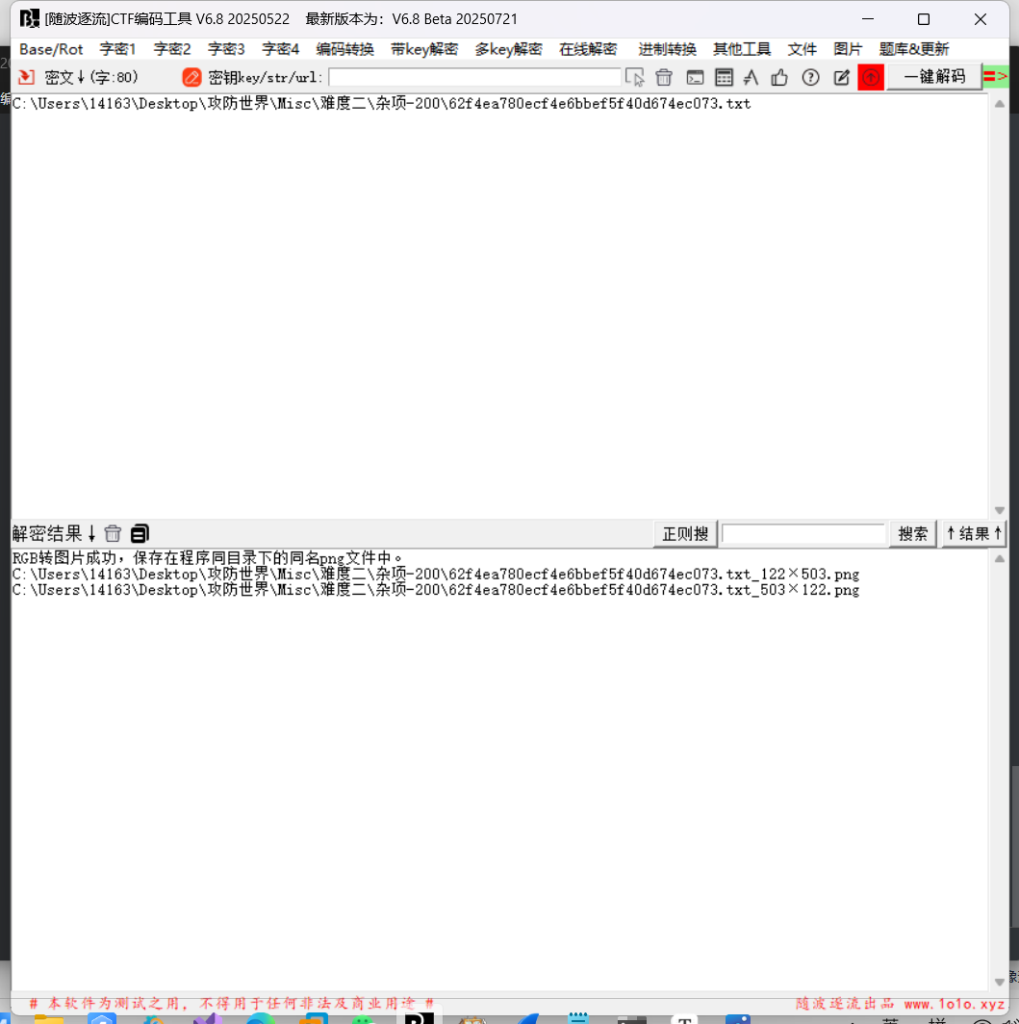
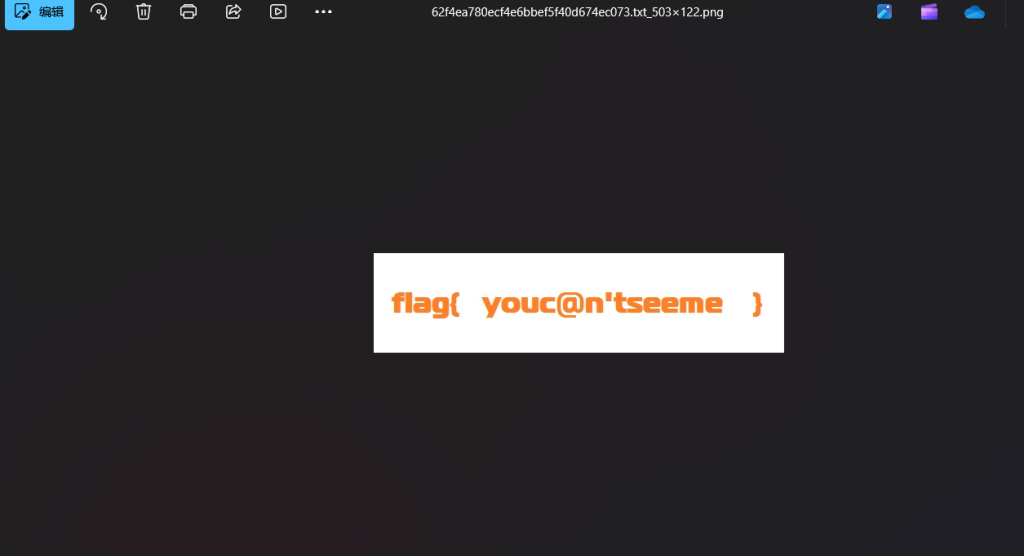
flag{ youc@n'tseeme }16.Hear-with-your-Eyes
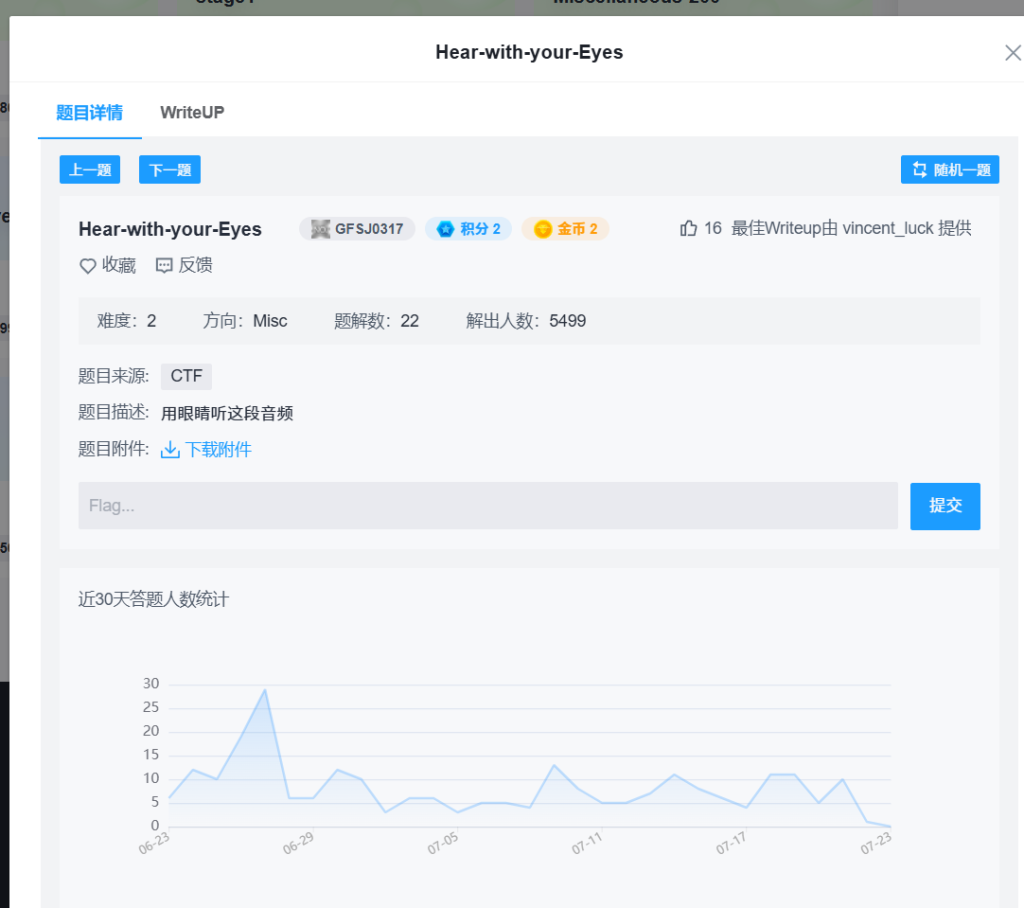
直接Audacity工具就行
然后看波形图
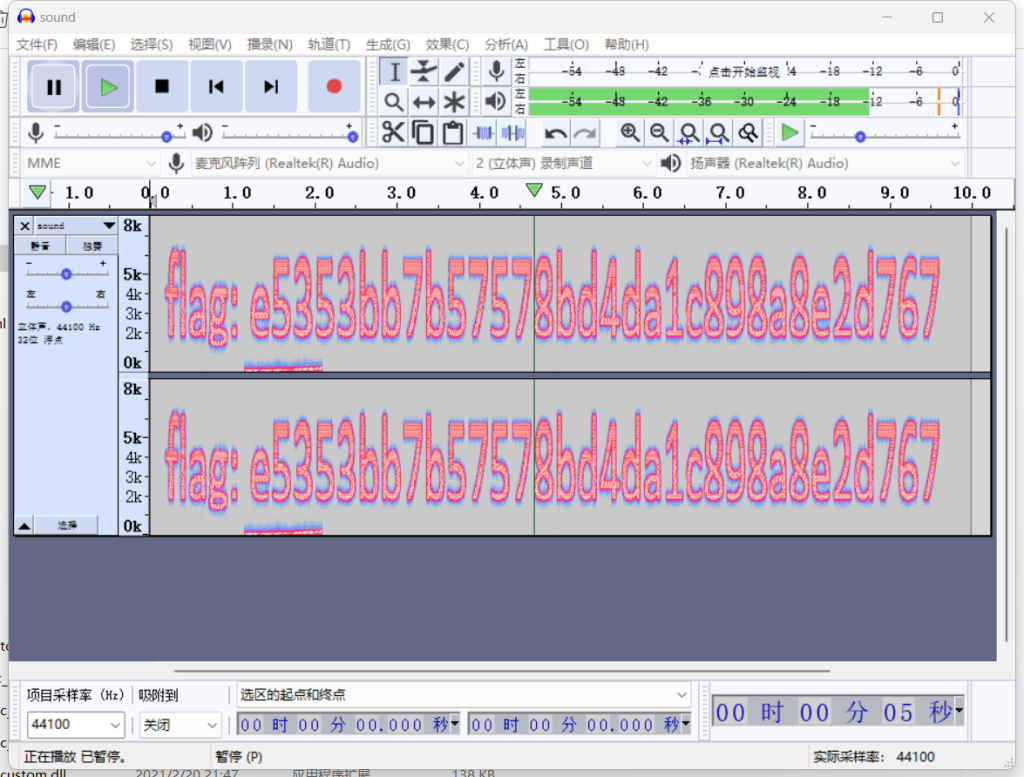
flag{e5353bb7b57578bd4da1c898a8e2d767}
发现不对
输入这个才行e5353bb7b57578bd4da1c898a8e2d76717.Hidden-Message

追踪UDP发现
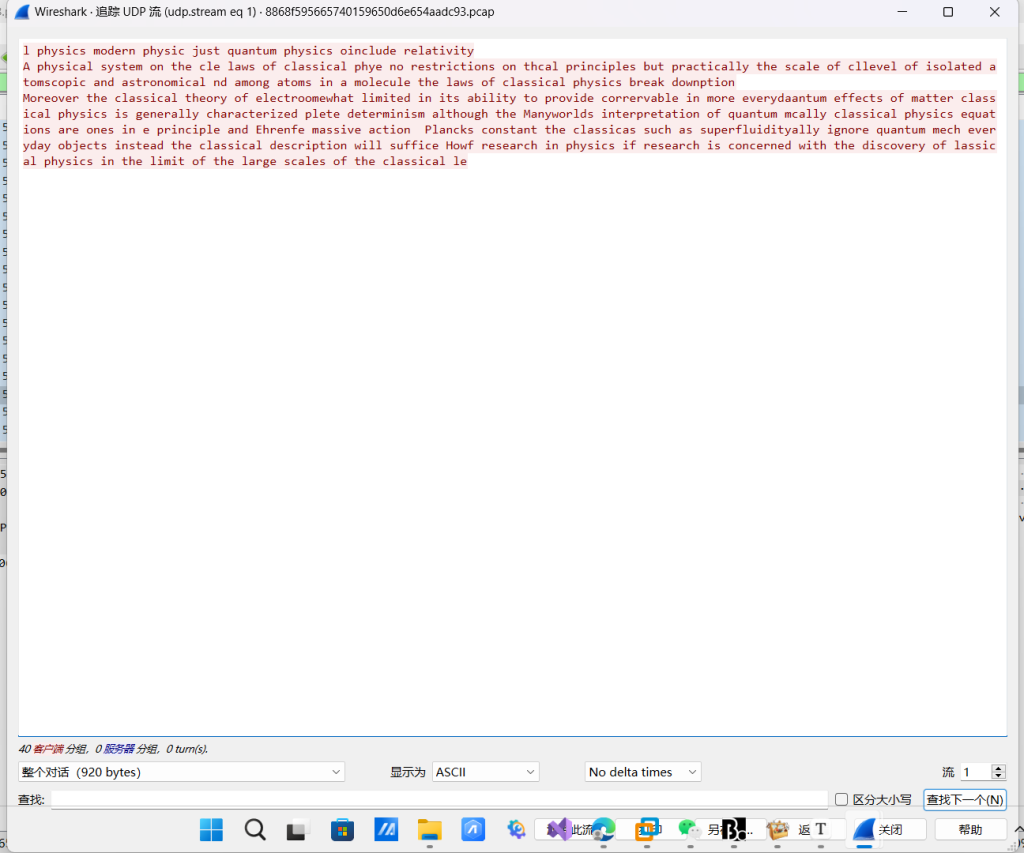
l physics modern physic just quantum physics oinclude relativity
A physical system on the cle laws of classical phye no restrictions on thcal principles but practically the scale of cllevel of isolated atomscopic and astronomical nd among atoms in a molecule the laws of classical physics break downption
Moreover the classical theory of electroomewhat limited in its ability to provide corrervable in more everydaantum effects of matter classical physics is generally characterized plete determinism although the Manyworlds interpretation of quantum mcally classical physics equations are ones in e principle and Ehrenfe massive action  Plancks constant the classicas such as superfluidityally ignore quantum mech everyday objects instead the classical description will suffice Howf research in physics if research is concerned with the discovery of lassical physics in the limit of the large scales of the classical le
文章翻译:
物理学现代物理学只是量子物理学,包括相对论。一个关于经典物理定律的物理系统,对原理没有限制,但实际上是分子中原子之间孤立原子的克莱平和天文水平,经典物理定律的分解。此外,经典的电测理论限制了其提供可关联于物质经典物理学的每一个效应的能力,通常被描述为完全决定论,尽管许多世界对量子经典物理方程的解释是原理和埃伦费斯大作用普朗克常数,经典,例如超流移性忽略量子机械日常物体,相反,经典描述将足以如何物理学研究关注在经典大尺度极限内发现经典物理学。发现什么也不是
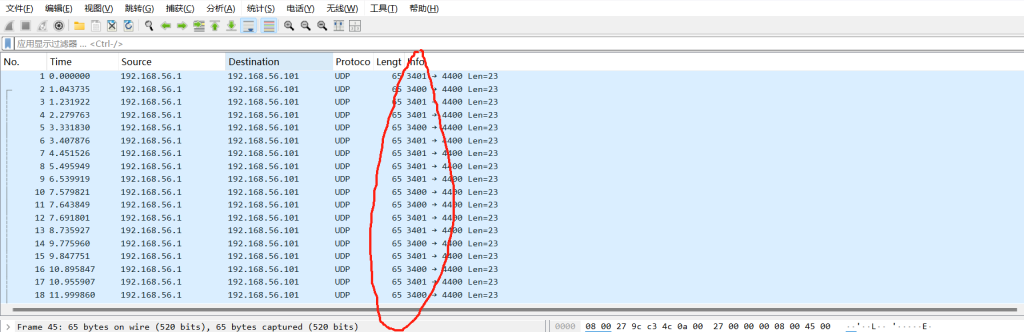
但是这个数字有变化
应该是二进制
可以手动直接输入也可以kali
# 使用tshark过滤出源端口,使用cut裁取端口的最后一位
tshark -r 8868f595665740159650d6e654aadc93.pcap -Tfields -e udp.srcport | cut -c 4
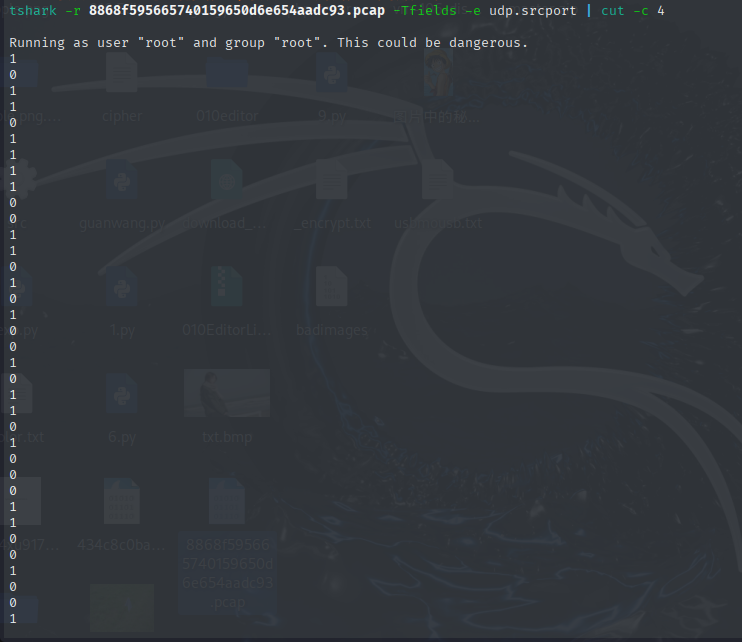
10110111100110101001011010001100100110101001000110011101100110101000110110011000将0和1相互替换一下
01001000011001010110100101110011011001010110111001100010011001010111001001100111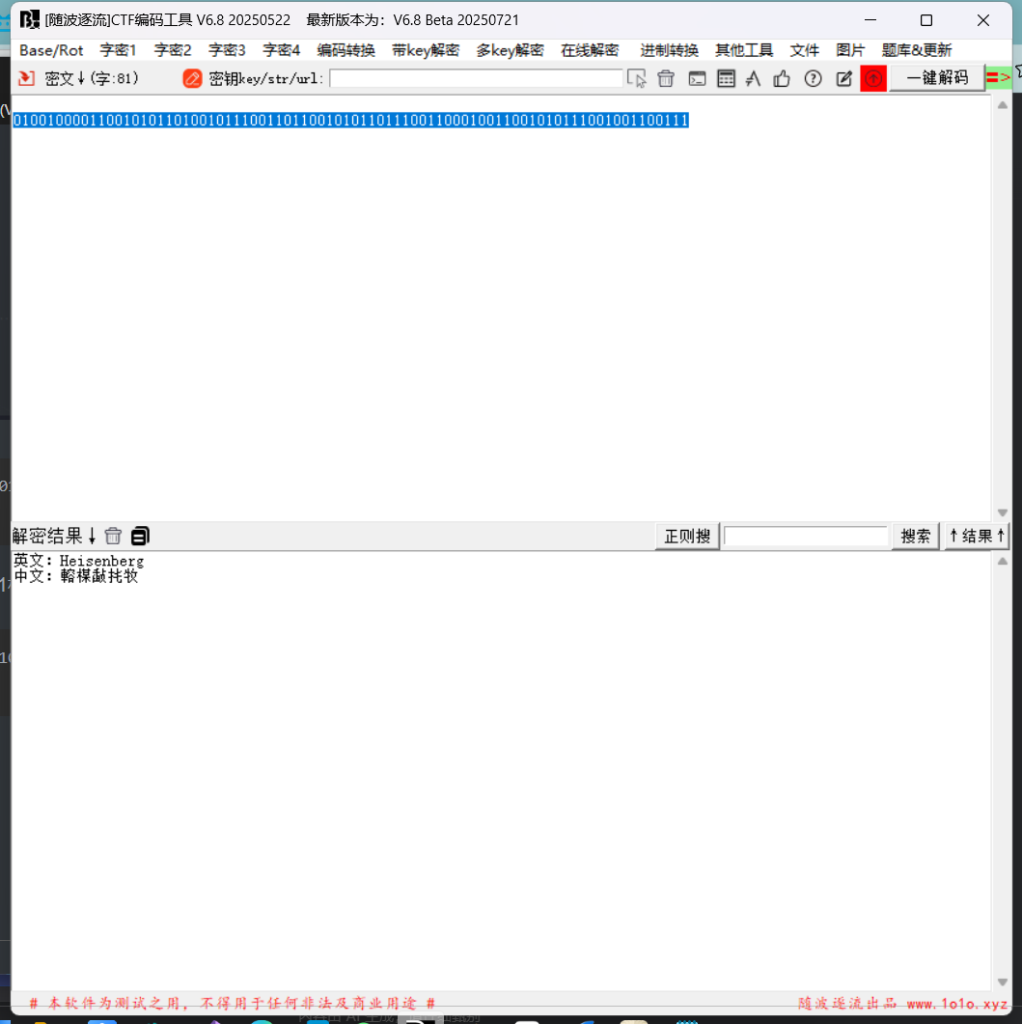
Heisenberg18.Recover-Deleted-File
恢复磁盘
kali
fls disk-image 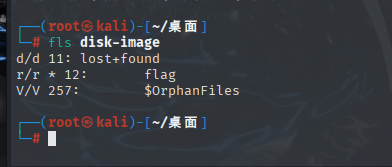
恢复文件
extundelete --restore-all disk-image 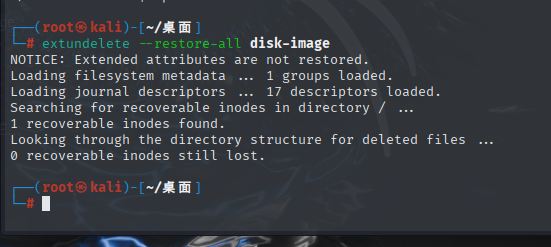
是个执行文件
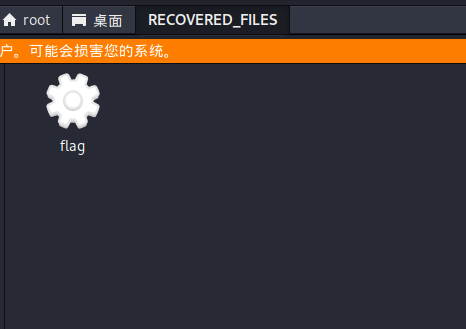
修改文件权限可执行
chmod +x flag执行文件:
./flag 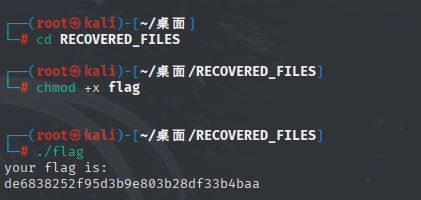
┌──(root㉿kali)-[~/桌面]
└─# cd RECOVERED_FILES

┌──(root㉿kali)-[~/桌面/RECOVERED_FILES]
└─# chmod +x flag

┌──(root㉿kali)-[~/桌面/RECOVERED_FILES]
└─# ./flag
your flag is:
de6838252f95d3b9e803b28df33b4baa
flag
de6838252f95d3b9e803b28df33b4baa19.What-is-this

两张图片直接组合一下就行
工具

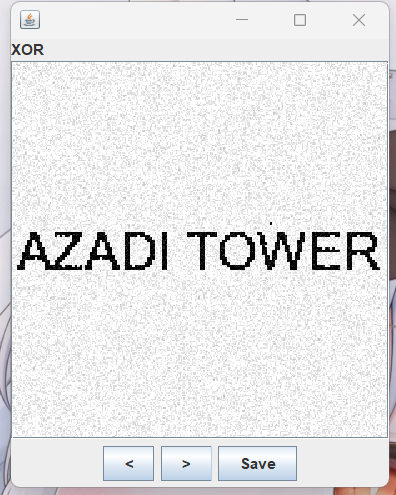
AZADI TOWER20.很普通的数独

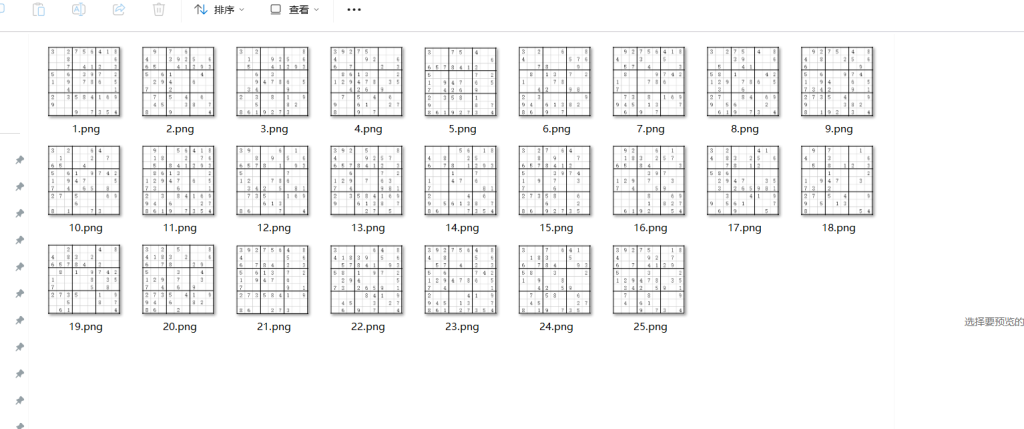
图片按5×5排列,然后把有数字的格记为数字1(代表黑色),没有的记为0(代表白色)
二维码分成了25部分,把有数字的涂黑,拼到一起就能组成一个二维码
参考大佬的wp
py3代码如下:
# 此脚本用于从数独图片获取密码,有值为1,无值为0
import os
import cv2
import numpy as np
from PIL import Image

black = (0,0,0) # 黑色RGB
white = (255,255,255) # 白色RGB

# 获取给定路径图片的结果数组
def getBin(picPath):
    image = cv2.imread(picPath)
    height = image.shape[0]  # 图片宽度
    wide = image.shape[1]  # 图片高度
    formWide = (wide-6)/9  # 每一格宽度
    res = [] # 结果数组
    tem = '' # 暂存数组
    for i in range(9):
        for j in range(wide-6):
            px = image[int(i*(formWide-1)+(formWide/2)), j+3]
            if (px == white).all() and (j+3)%formWide > (formWide*3/4) and (j+3)/formWide > len(tem):
                tem += '0'
            if (px == black).all() and (j+3) % formWide > (formWide/4) and (j+3) % formWide < (3*formWide/4) and (j+3)/formWide > len(tem):
                tem += '1'
        res.append(tem)
        tem = ''
    return res

# 获取整合25张图片,获取最终结果
def getRes():
    tem = [] # 临时存储返回值
    res = [] # 存储结果数组
    for i in range(5):
        for j in range(5):
            picPath = 'zip/' + str(i*5+j+1) + '.png' # 构造文件名
            tem = getBin(picPath)
            if len(res)==0:
                res = tem
            else:
                if len(res)==(i+1)*9:
                    for x in range(len(tem)):
                        res[(i*9)+x] += tem[x]
                else:
                    for x in range(len(tem)):
                        res.append(tem[x])
    return res

resList = getRes()
resImg = Image.new('RGB',(45,45))
# 绘制图片
for x in range(45):
    for y in range(45):
        if resList[x][y] == '0':
            resImg.putpixel((x,y),white)
        else:
            resImg.putpixel((x,y),black)
resImg.save('res.png')

或者:
from PIL import Image
path = input("输入图片路径")
img0 = Image.new("RGBA", (180, 180), "white")
box0 = (3, 3, 199, 199)
for i in range(45):
    for j in range(45):
        pngnum = i // 9 * 5 + j // 9 + 1
        img1 = Image.open(path + "\" + str(pngnum) + ".png")
        box = ((j % 9) * 22 + 11, (i % 9) * 22 + 11, (j % 9) * 22 + 18, (i % 9) * 22 + 18)
        img2 = img1.crop(box0).crop(box).load()
        sign = False
        for x in range(7):
            for y in range(7):
                if img2[x, y] != (255, 255, 255, 255):
                    sign = True
                    break
            if sign:
                break
        if sign:
            for x in range(4):
                for y in range(4):
                    img0.putpixel([i * 4 + x, j * 4 + y], (0, 0, 0))
img0.save(path + "\" + "result.png")
抓取数据
111111101010101000101000001111110000101111111
100000101100111101010011101100011001001000001
101110101110011111010011111101000101001011101
101110101101100010001010000011110001101011101
101110100011100100001111101111111011101011101
100000101100100000011000100001110100001000001
111111101010101010101010101010101011101111111
000000000011001101001000110100110011100000000
110011100100100001111111100100101000000101111
101001001011111111101110101011110101101001100
100000111100100100000110001101001101010001010
001100010011010001010011000100000010110010000
010110101010001111110100011101001110101101111
100011000100011100111011101101100101101110001
001100110100000000010010000111100101101011010
101000001011010111110011011111101001110100011
110111110111011001101100010100001110000100000
110101000010101000011101101101110101101001100
010011111110001011111010001000011011101101100
011001011001010101100011110101001100001010010
010111111111101011111111101101101111111111100
011110001100000100001000101000100100100011110
111110101110011100111010110100110100101010010
110010001011101011101000111100000011100010000
101011111011100111101111111100001010111110010
110100011000111000100111101101111101000100010
111101111110001001000011010110001111110111110
011001010101000110010100010001000101101010001
011101110101101101100100001101101000111101001
110110001001101100010101101111110100101100110
000011100111000000000100001010101111100010010
111010010011110011101110010100001011111010010
101001100010111111110100000100001010101010100
000010011001001101110101001111100101111101101
000010111101110001101011000001000101110100110
011110011010100010100000011011000001110010000
100110100100001101111111101100101110111110011
000000001111110101101000101011100100100011010
111111100011111011011010101101110011101011110
100000101110101101101000111110010001100010001
101110101011100001111111101101001000111111011
101110100110111101101000001001101100011101101
101110100000011101100001101010110010010010001
100000101011001011111011001011000011010110000
111111101010101001111011110101101110000101101
py3:
# -*- coding:utf-8 -*-
from PIL import Image
x = 45
y = 45

im = Image.new("RGB", (x, y))  # 创建图片
file = open('1.txt', 'r')  # 打开rbg值文件
for i in range(0, x):
    line = file.readline()  # 获取一行
    for j in range(0, y):
        if line[j] == '0':
            im.putpixel((i, j), (255, 255, 255))  # rgb转化为像素
        else:
            im.putpixel((i, j), (0, 0, 0))  # rgb转化为像素
im.show()
扫不出来快红温了
ps改改

这个微信可以扫扫
QR弄不出
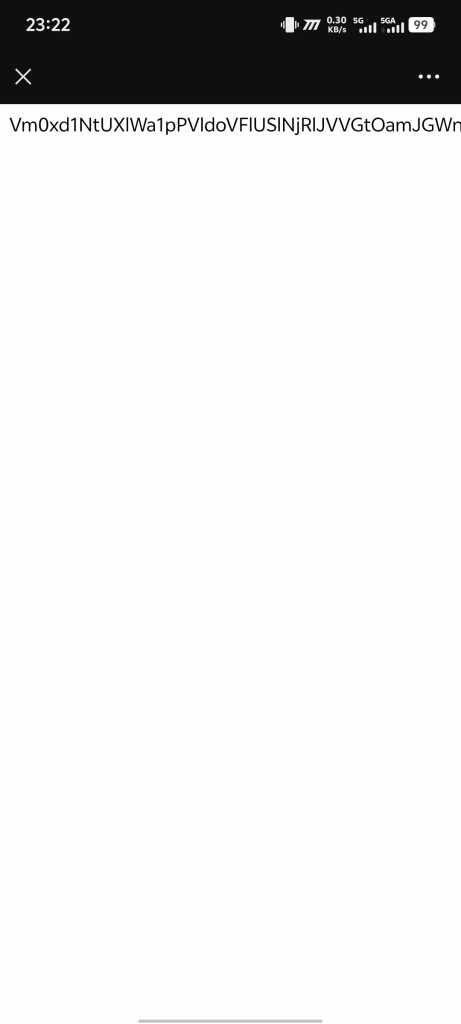
Vm0xd1NtUXlWa1pPVldoVFlUSlNjRlJVVGtOamJGWnlWMjFHVlUxV1ZqTldNakZIWVcxS1IxTnNhRmhoTVZweVdWUkdXbVZHWkhOWGJGcHBWa1paZWxaclpEUmhNVXBYVW14V2FHVnFRVGs9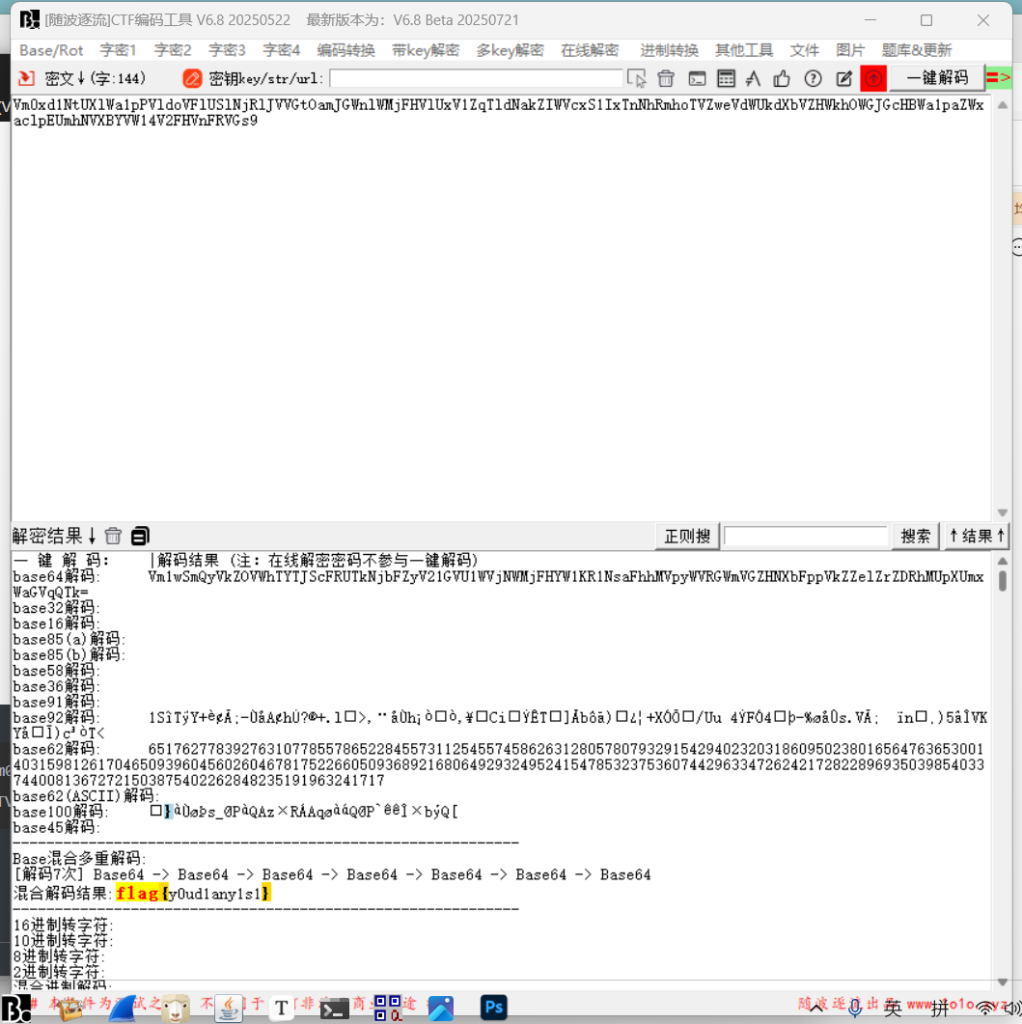
七次base64
flag{y0ud1any1s1}21.很普通的Disco
当你把0的那个起点放大就能看到这些
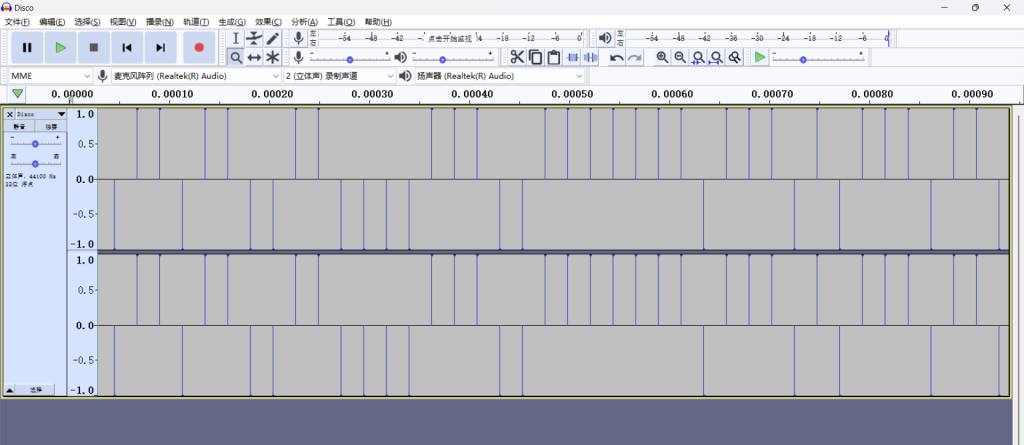
将其理解为二进制
但是7位一组
110011011011001100001110011111110111010111011000010101110101010110011011101011101110110111011110011111101py3:
string = '110011011011001100001110011111110111010111011000010101110101010110011011101011101110110111011110011111101'

flag = ''
for i in range(0, len(string), 7):
    bin_str = string[i: i + 7]
    flag += chr(int(bin_str, 2))

print(flag)

flag{W0W*funny}22.就在其中

binwalk 发现有很多图片zip还有pdf
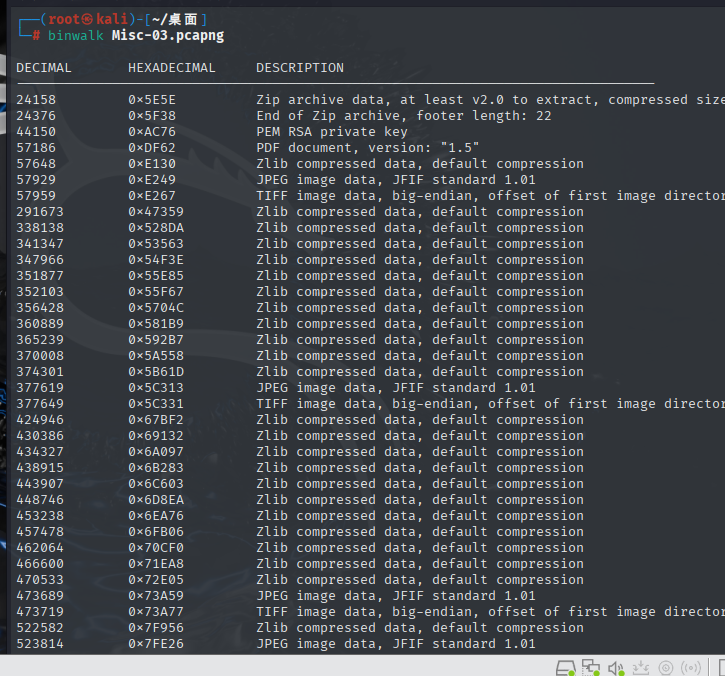
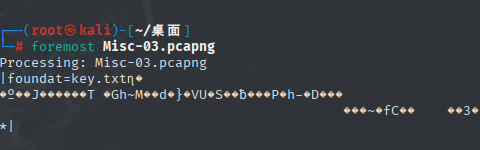
foremost提取一下
发现只有key.txt有用
刚好在
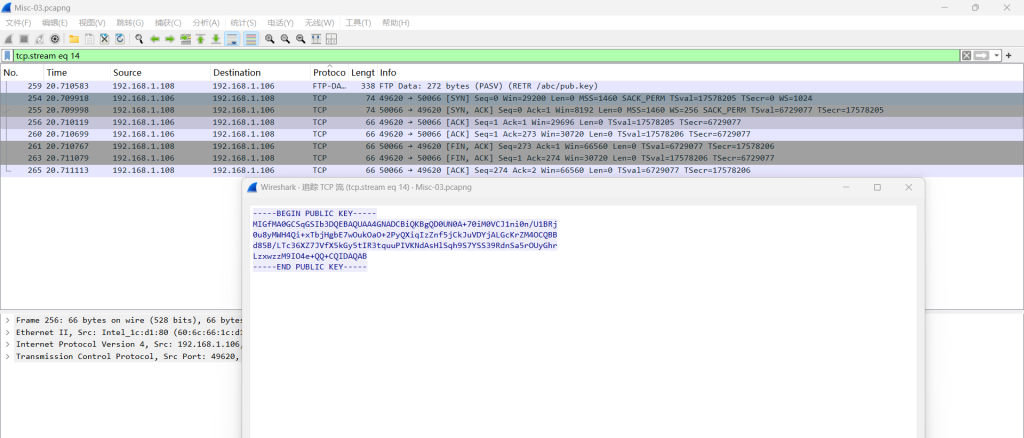
发现一个公钥
tcp.stream eq 20发现私钥
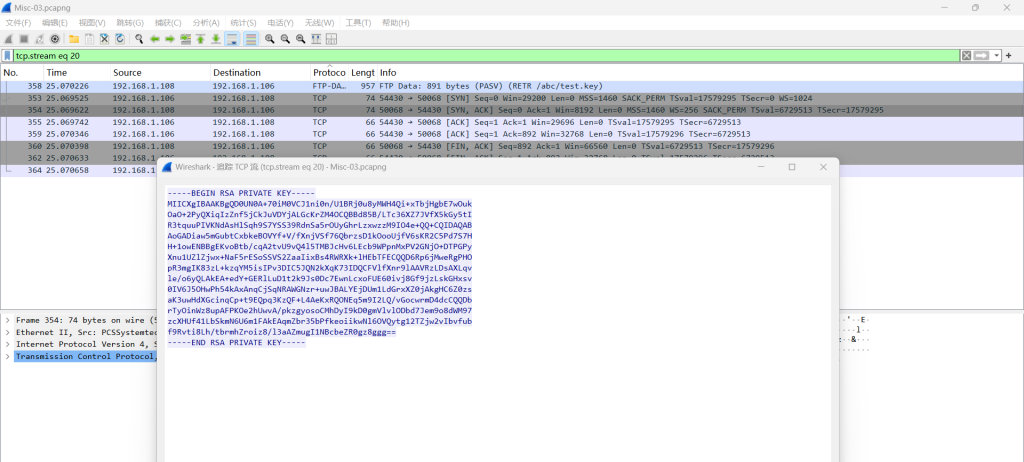
-----BEGIN RSA PRIVATE KEY-----
MIICXgIBAAKBgQD0UN0A+70iM0VCJ1ni0n/U1BRj0u8yMWH4Qi+xTbjHgbE7wOuk
OaO+2PyQXiqIzZnf5jCkJuVDYjALGcKrZM4OCQBBd85B/LTc36XZ7JVfX5kGy5tI
R3tquuPIVKNdAsHlSqh9S7YSS39RdnSa5rOUyGhrLzxwzzM9IO4e+QQ+CQIDAQAB
AoGADiaw5mGubtCxbkeBOVYf+V/fXnjVSf76QbrzsD1kOooUjfV6sKR2C5Pd7S7H
H+1owENBBgEKvoBtb/cqA2tvU9vQ4l5TMBJcHv6LEcb9WPpnMxPV2GNjO+DTPGPy
Xnu1UZlZjwx+NaF5rESoSSVS2ZaaIixBs4RWRXk+lHEbTFECQQD6Rp6jMweRgPHO
pR3mgIK83zL+kzqYM5isIPv3DIC5JQN2kXqK73IDQCFVlfXnr9lAAVRzLDsAXLqv
le/o6yQLAkEA+edY+GERlLuD1t2k9Js0Dc7EwnLcxoFUE60ivj8Gf9jzLskGHxsv
0IV6J5OHwPh54kAxAnqCjSqNRAWGNzr+uwJBALYEjDUm1LdGrxXZ0jAkgHC6Z0zs
aK3uwHdXGcinqCp+t9EQpq3KzQF+L4AeKxRQONEq5m9I2LQ/vGocwrmD4dcCQQDb
rTyOinWz8upAFPKOe2hUwvA/pkzgyosoCMhDyI9kD0gmVlvlODbd7Jem9o8dWM97
zcXHUf41LbSkmN6U6m1FAkEAqmZbr35bPfkeoiikwNl6OVQytg12TZjw2vIbvfub
f9Rvti8Lh/tbrmhZroiz8/l3aAZmugI1NBcbeZR0gz8ggg==
-----END RSA PRIVATE KEY-----
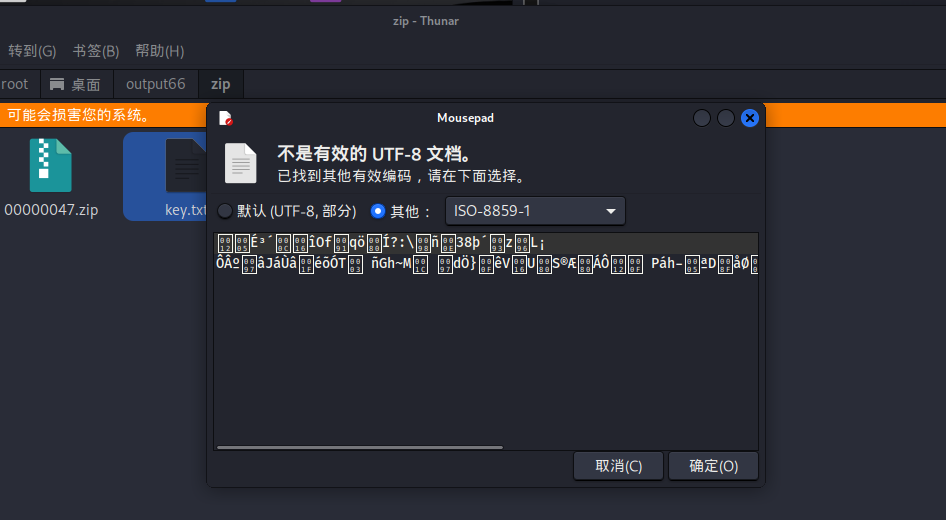
这个又被加密过
所以解密
openssl解密
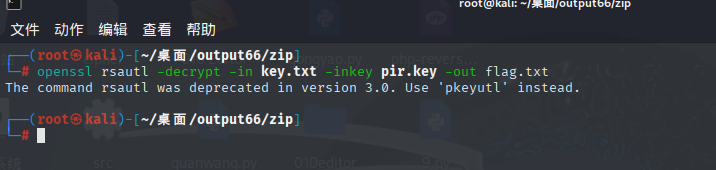
┌──(root㉿kali)-[~/桌面/output66/zip]
└─# openssl rsautl -decrypt -in key.txt -inkey pir.key -out flag.txt
The command rsautl was deprecated in version 3.0. Use 'pkeyutl' instead.
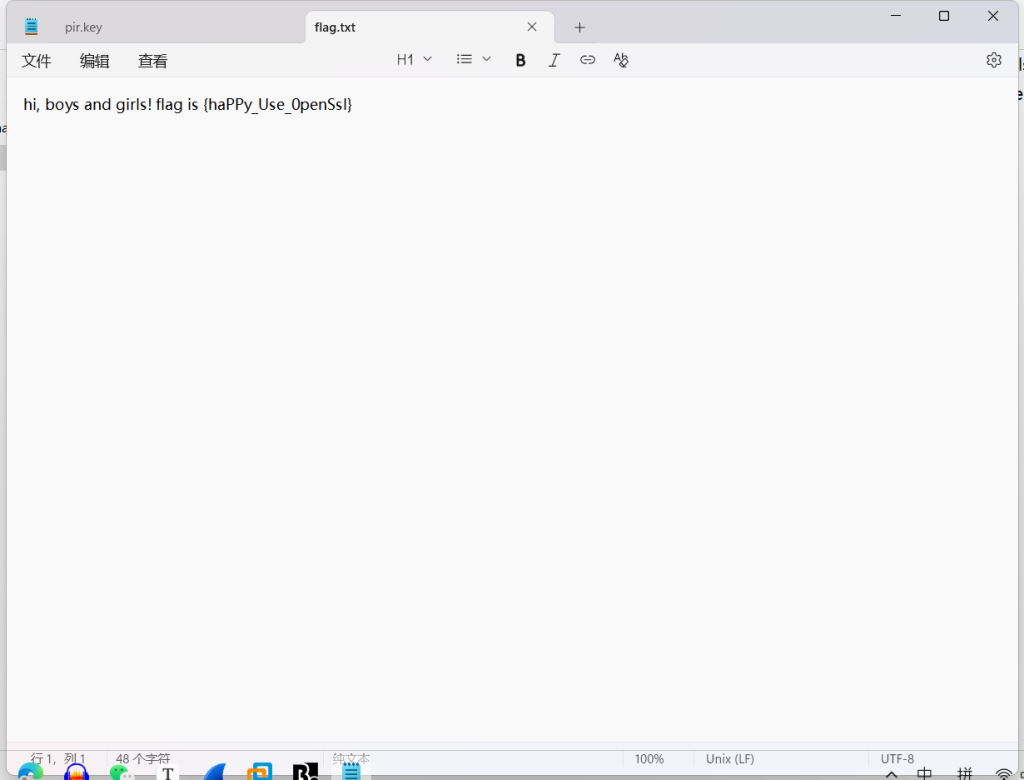
flag{haPPy_Use_0penSsI}23.再见李华
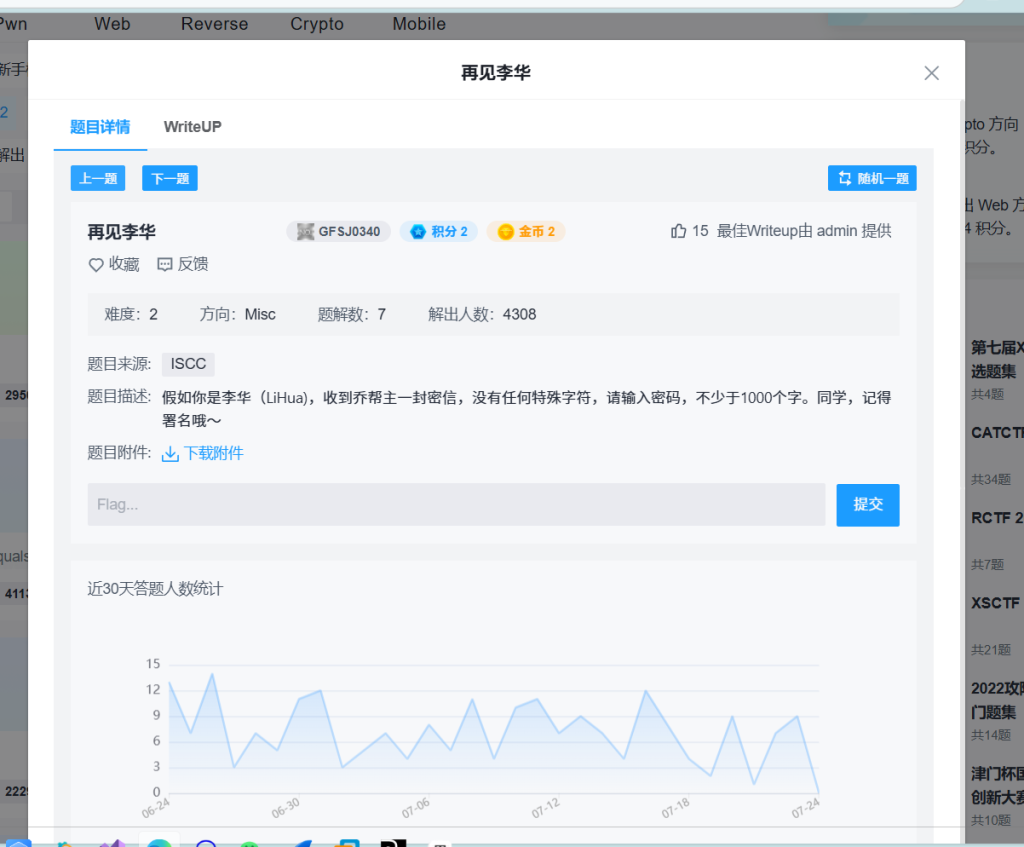
binwalk 发现有文件
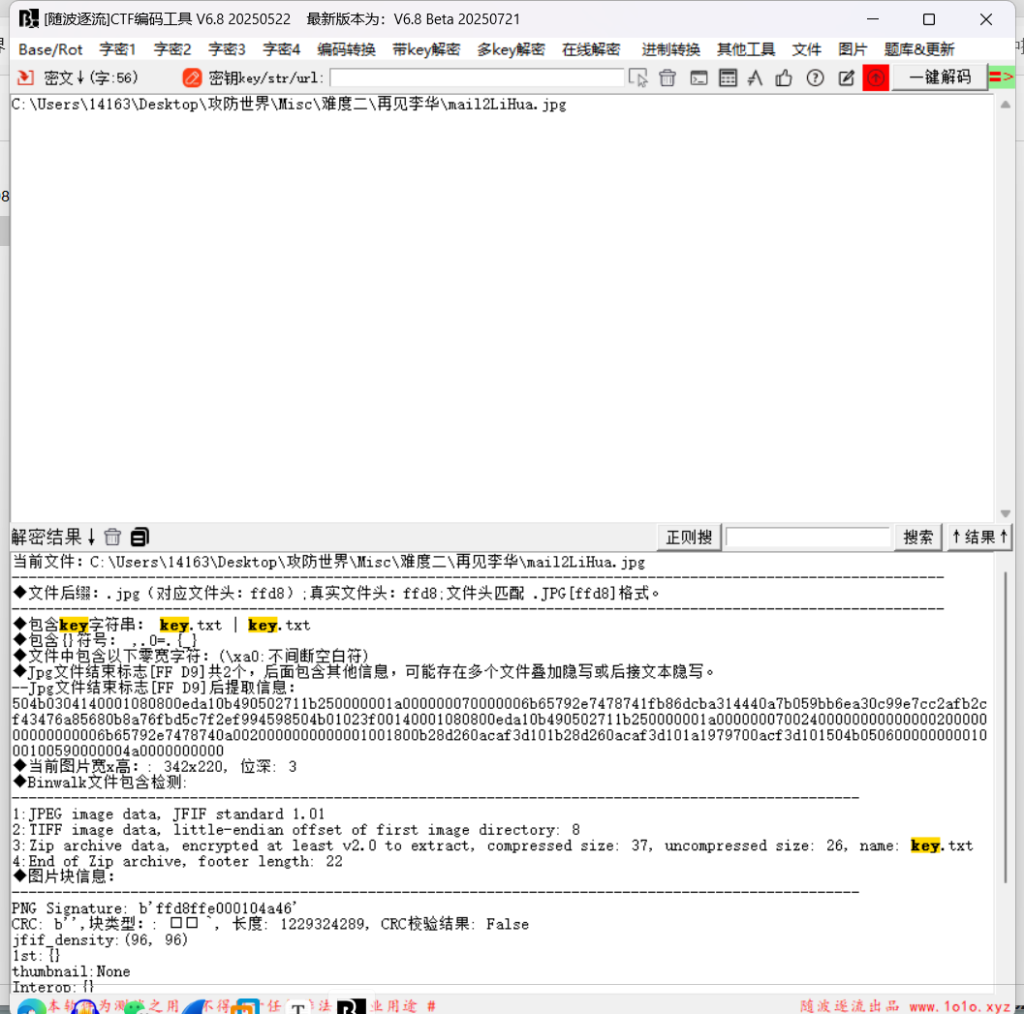
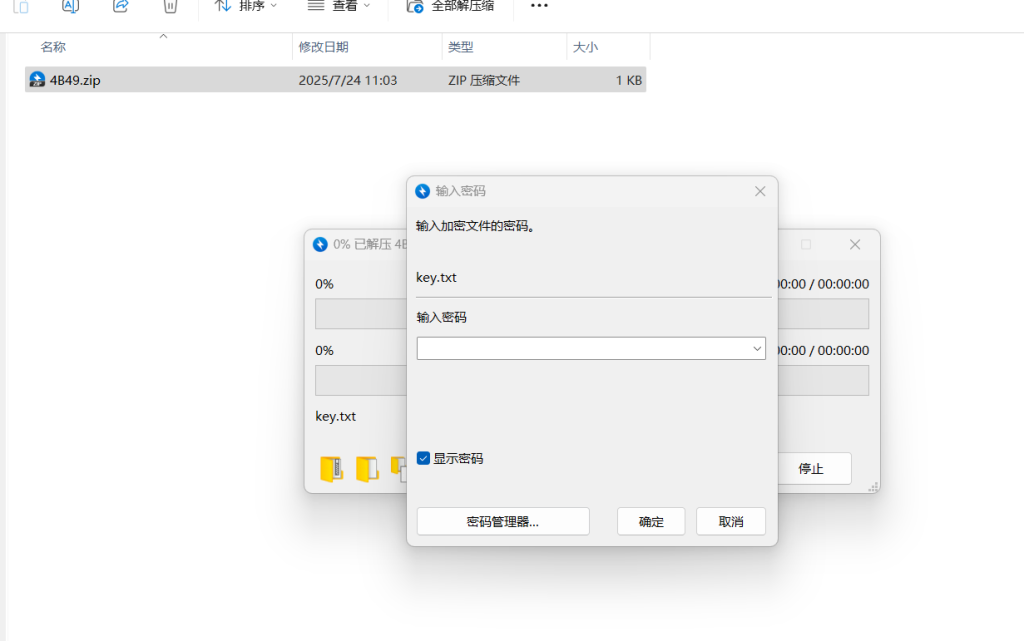
提取需要密码
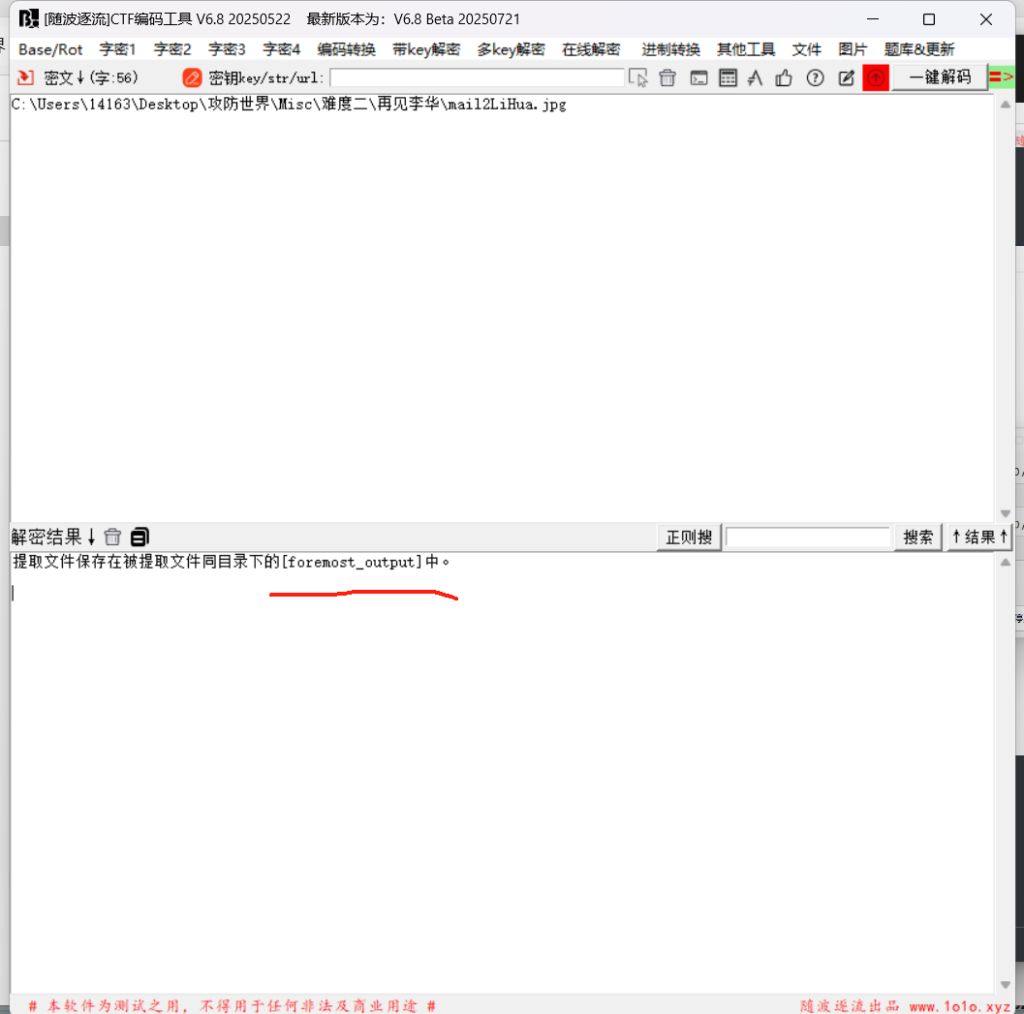
foremost提取一下
图片文字
md5:1a4fb3fb5ee12307发现这个不行
把那个压缩包暴力破解吧
????LiHua
掩码爆破
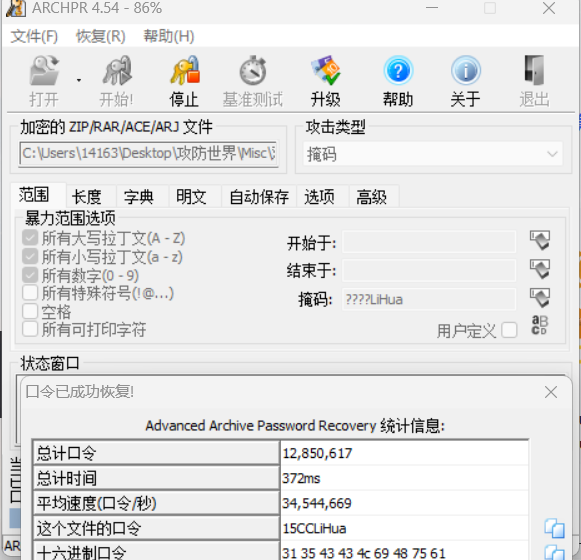
15CCLiHua
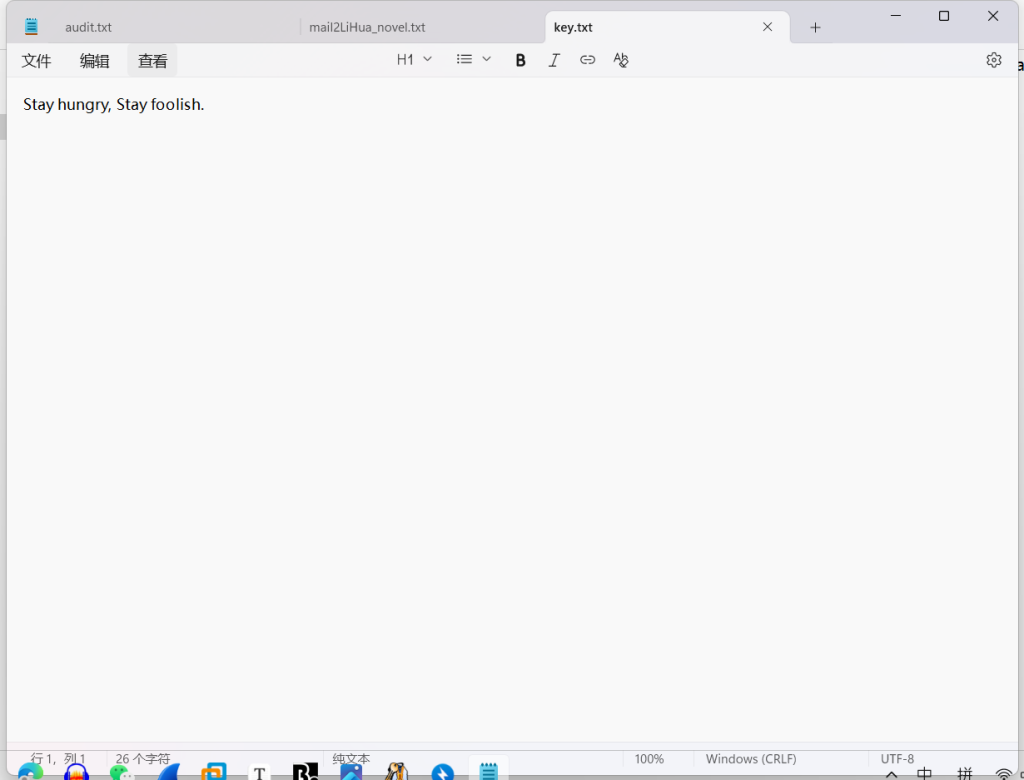
Stay hungry, Stay foolish.24.embarrass
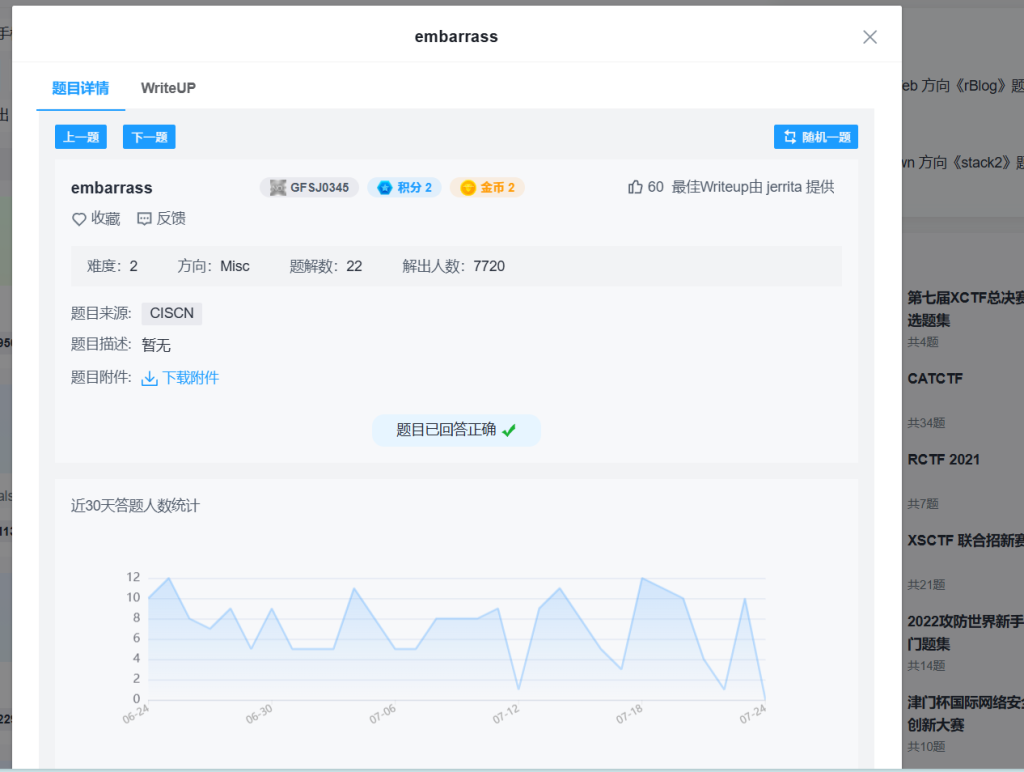
直接随波逐流
就直接看到flag了
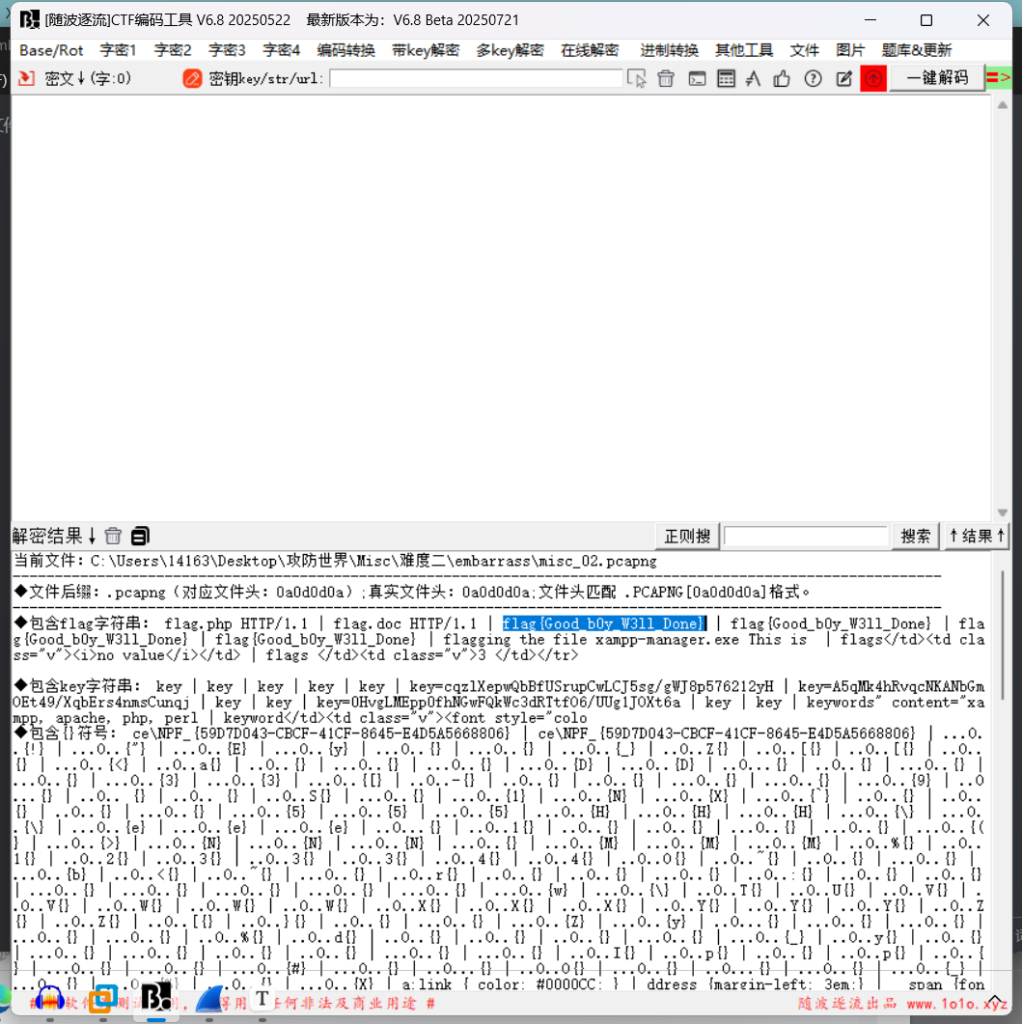
flag{Good_b0y_W3ll_Done}25.MISCall
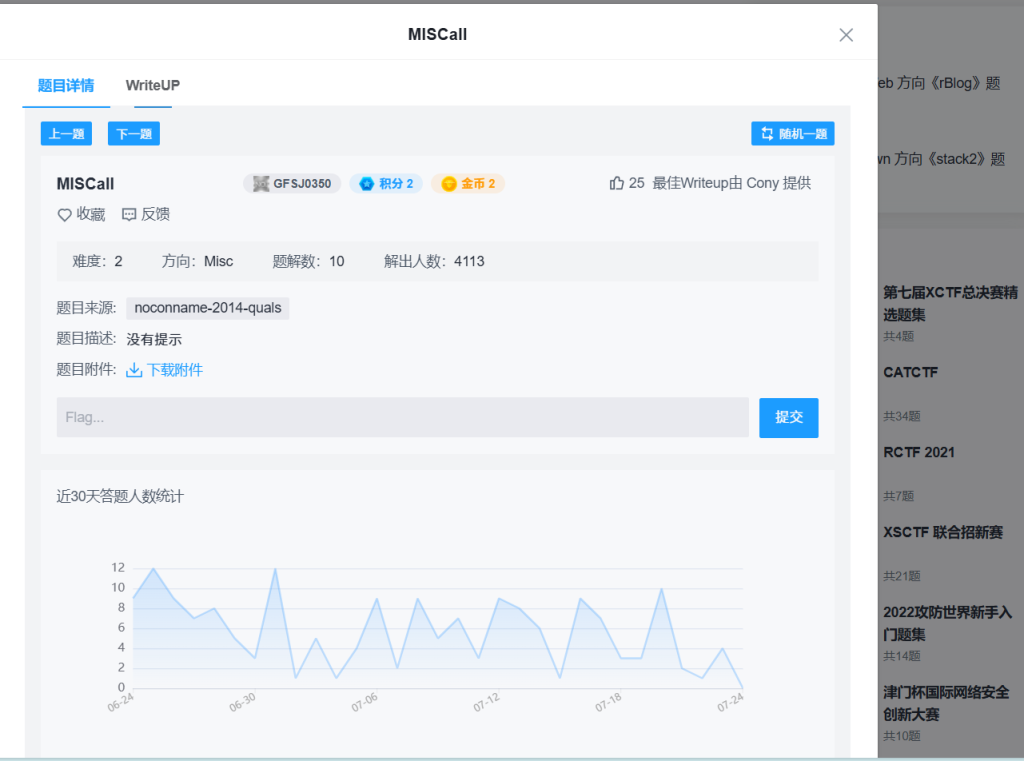
磁盘文件
直接7-zip打开
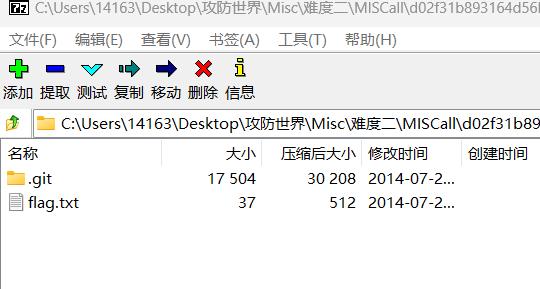
flag.txt什么都没有
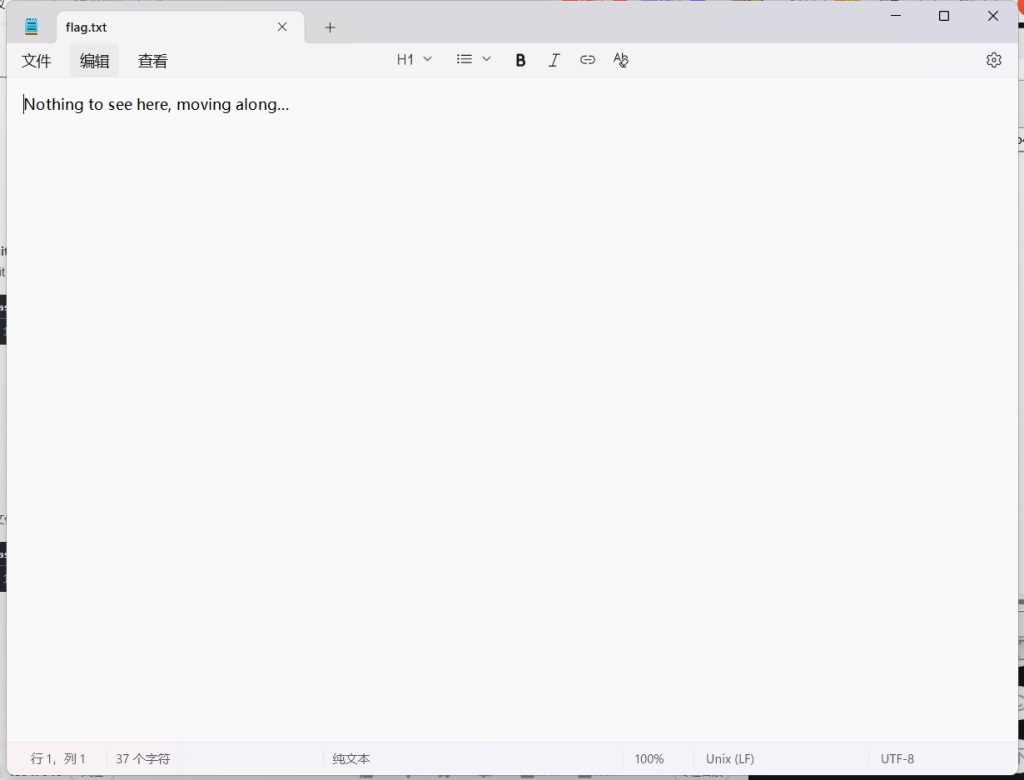
在kali看看
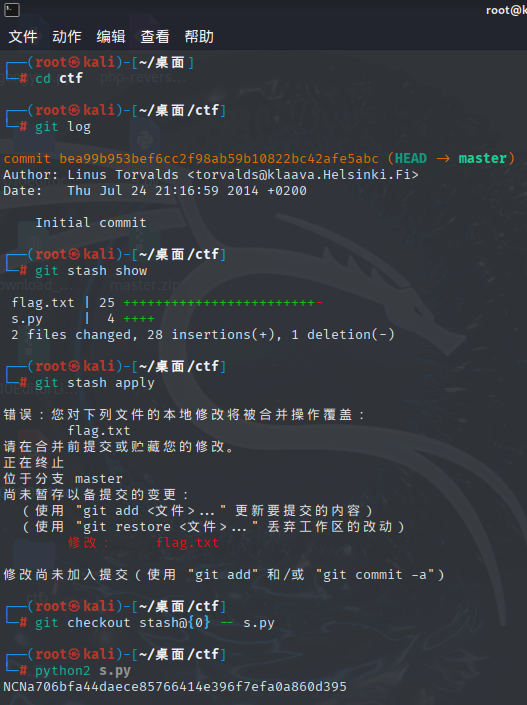
┌──(root㉿kali)-[~/桌面]
└─# cd ctf

┌──(root㉿kali)-[~/桌面/ctf]
└─# git log

commit bea99b953bef6cc2f98ab59b10822bc42afe5abc (HEAD -> master)
Author: Linus Torvalds <torvalds@klaava.Helsinki.Fi>
Date:   Thu Jul 24 21:16:59 2014 +0200

    Initial commit

┌──(root㉿kali)-[~/桌面/ctf]
└─# git stash show

 flag.txt | 25 ++++++++++++++++++++++++-
 s.py     |  4 ++++
 2 files changed, 28 insertions(+), 1 deletion(-)

┌──(root㉿kali)-[~/桌面/ctf]
└─# git stash apply

错误:您对下列文件的本地修改将被合并操作覆盖:
        flag.txt
请在合并前提交或贮藏您的修改。
正在终止
位于分支 master
尚未暂存以备提交的变更:
  (使用 "git add <文件>..." 更新要提交的内容)
  (使用 "git restore <文件>..." 丢弃工作区的改动)
        修改:     flag.txt

修改尚未加入提交(使用 "git add" 和/或 "git commit -a")

┌──(root㉿kali)-[~/桌面/ctf]
└─# git checkout stash@{0} -- s.py

┌──(root㉿kali)-[~/桌面/ctf]
└─# python2 s.py
NCNa706bfa44daece85766414e396f7efa0a860d395

┌──(root㉿kali)-[~/桌面/ctf]
└─# python3 s.py
  File "/root/桌面/ctf/s.py", line 4
    print "NCN" + sha1(fd.read()).hexdigest()
    ^^^^^^^^^^^^^^^^^^^^^^^^^^^^^^^^^^^^^^^^^
SyntaxError: Missing parentheses in call to 'print'. Did you mean print(...)?
NCNa706bfa44daece85766414e396f7efa0a860d395
发现不对……..
看看wp
是一样的啊
NCN4dd992213ae6b76f27d7340f0dde1222888df4d3这是为什么?跑出来答案不一样
真奇怪
26.Get-the-key.txt
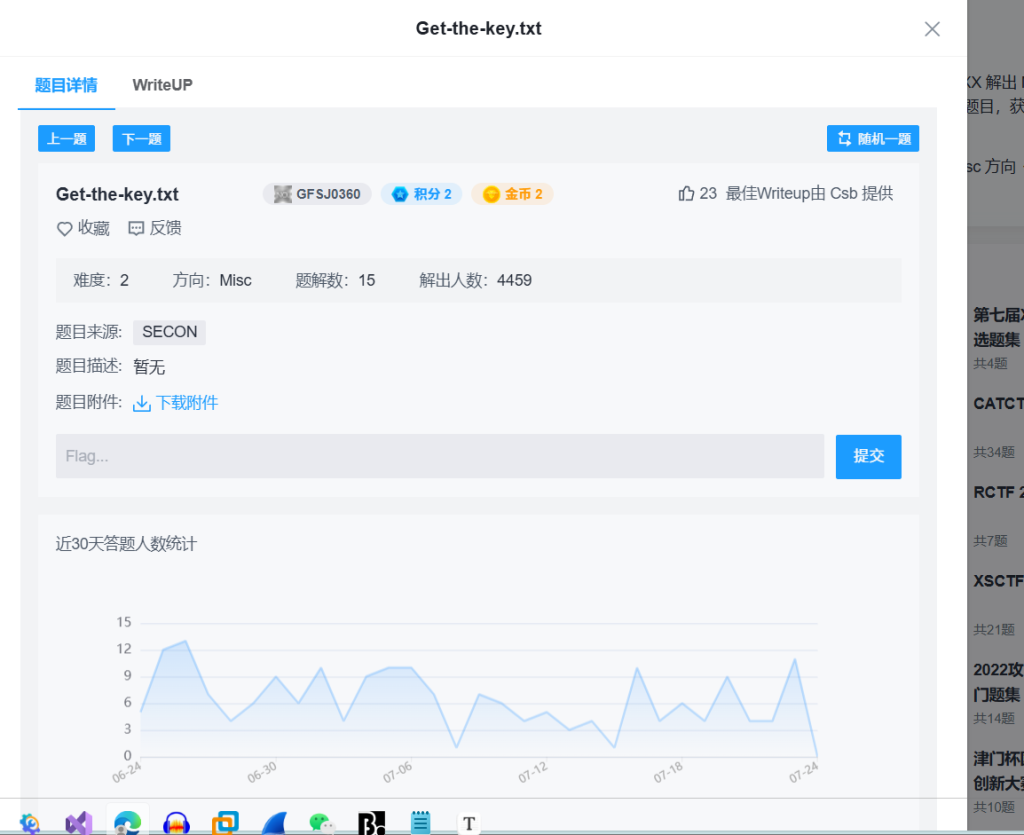
直接7-zip打开
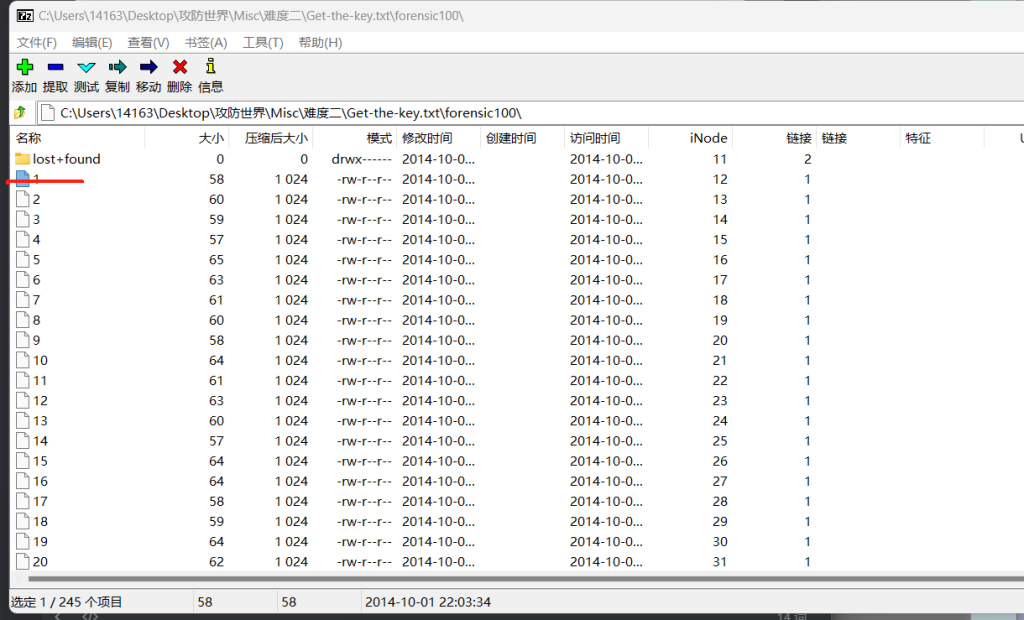
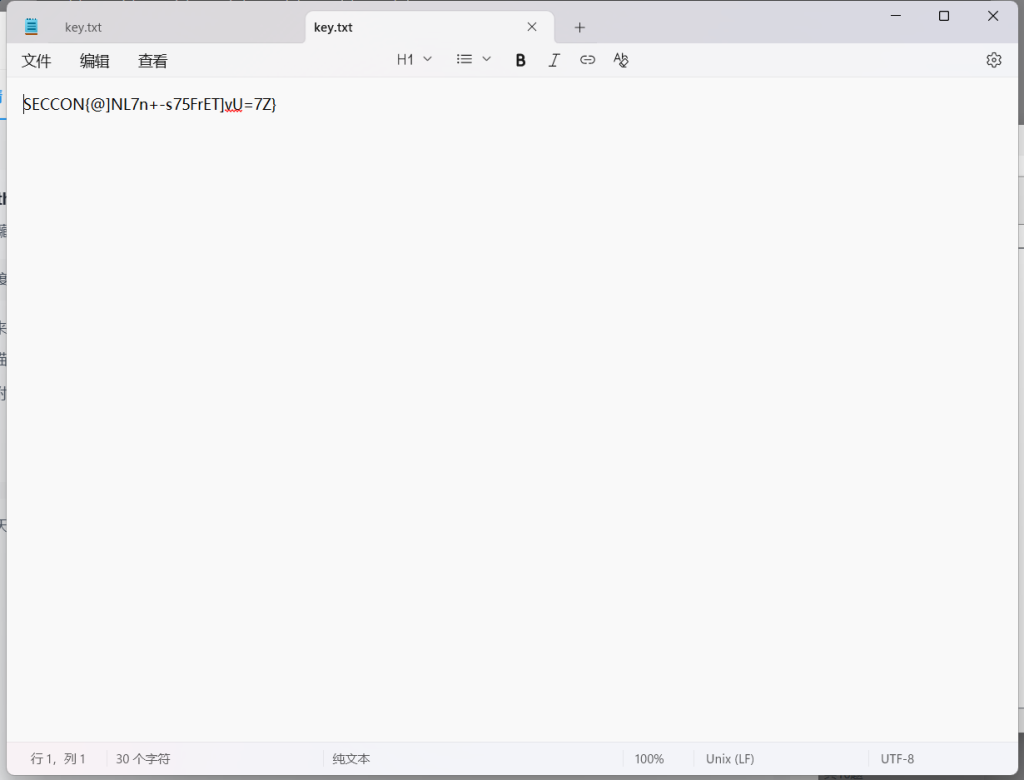
SECCON{@]NL7n+-s75FrET]vU=7Z}27.2-1
发现是个损坏的图片进行修复
010打开
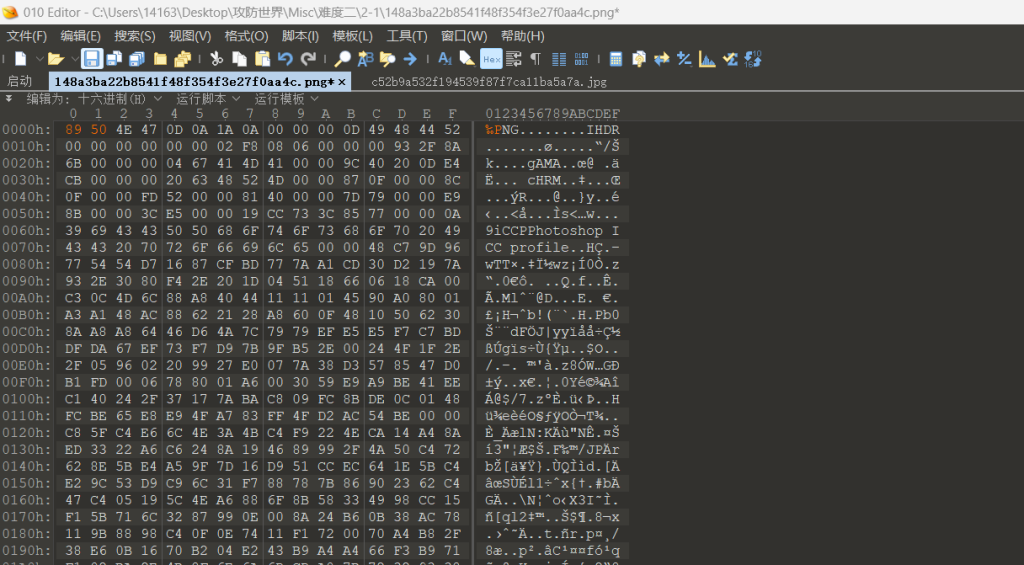
修改文件头
修复之后直接放到随波逐流梭哈
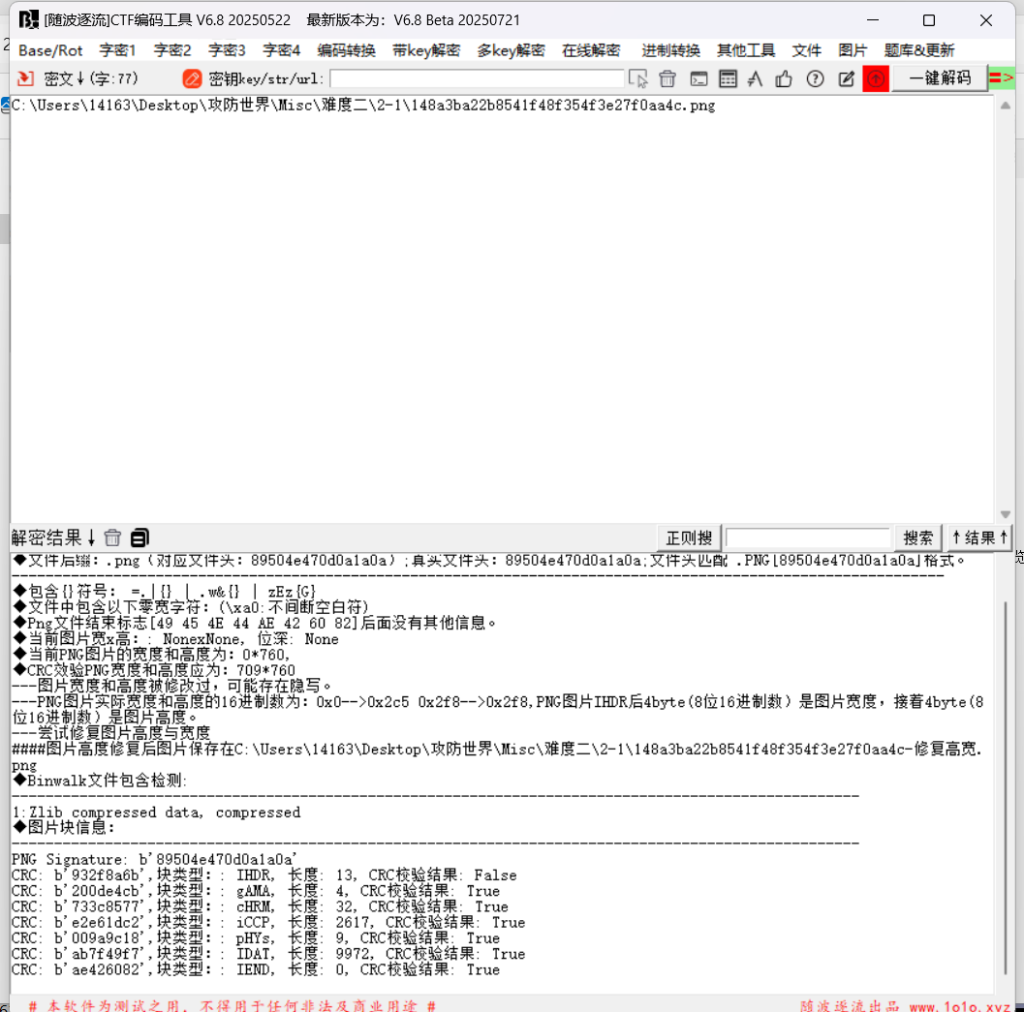
高度修改
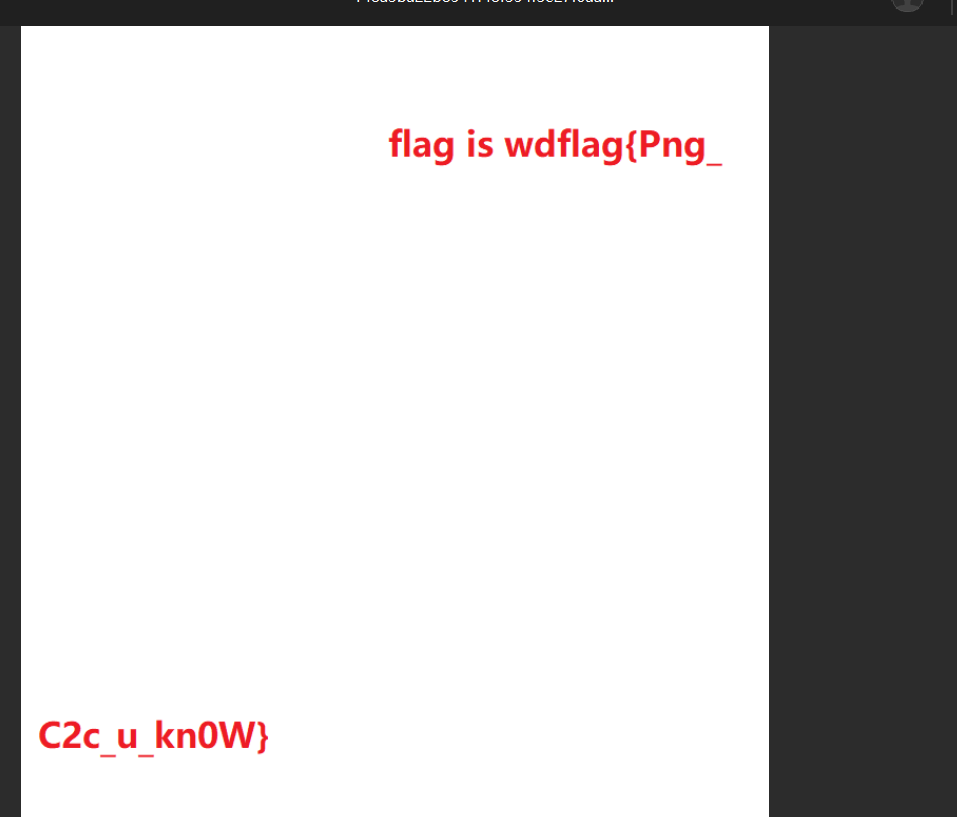
wdflag{Png_C2c_u_kn0W}28.3-11
随波逐流
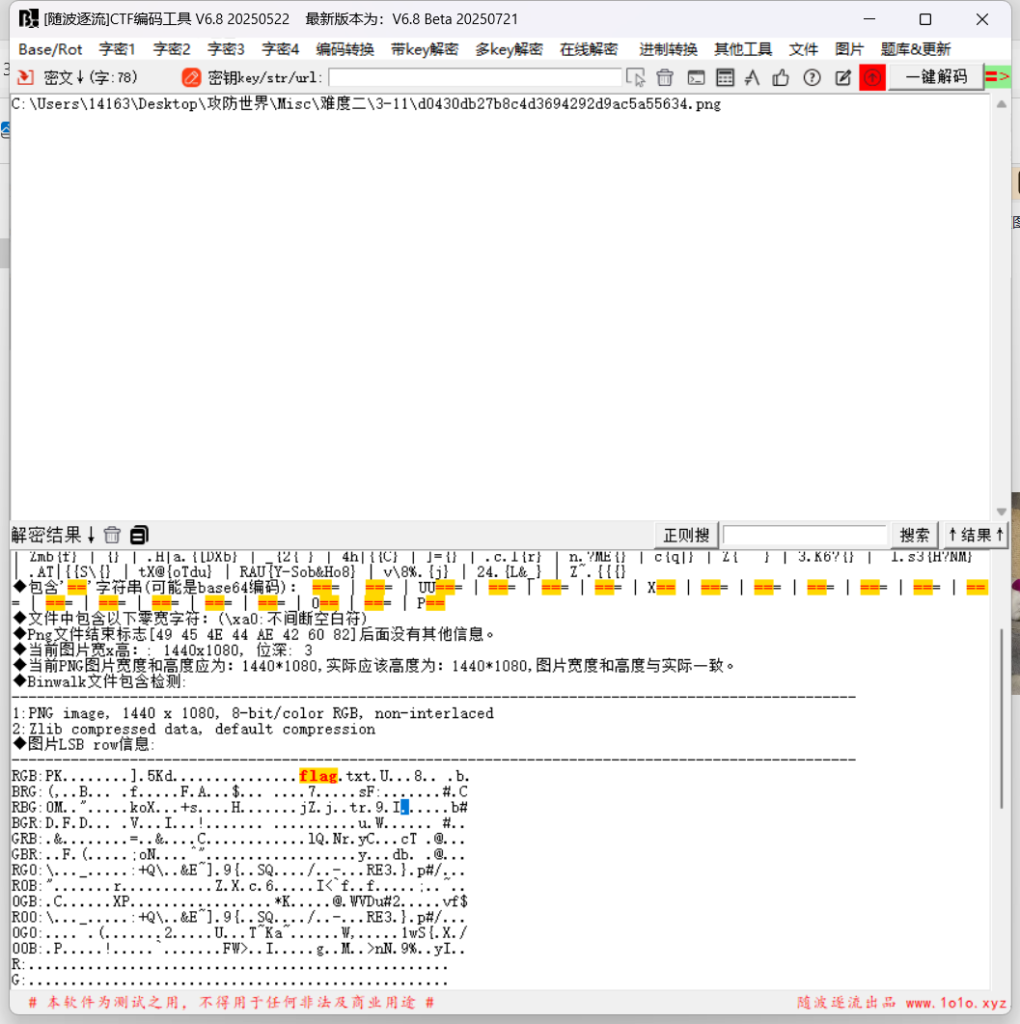
发现存在RGB隐写
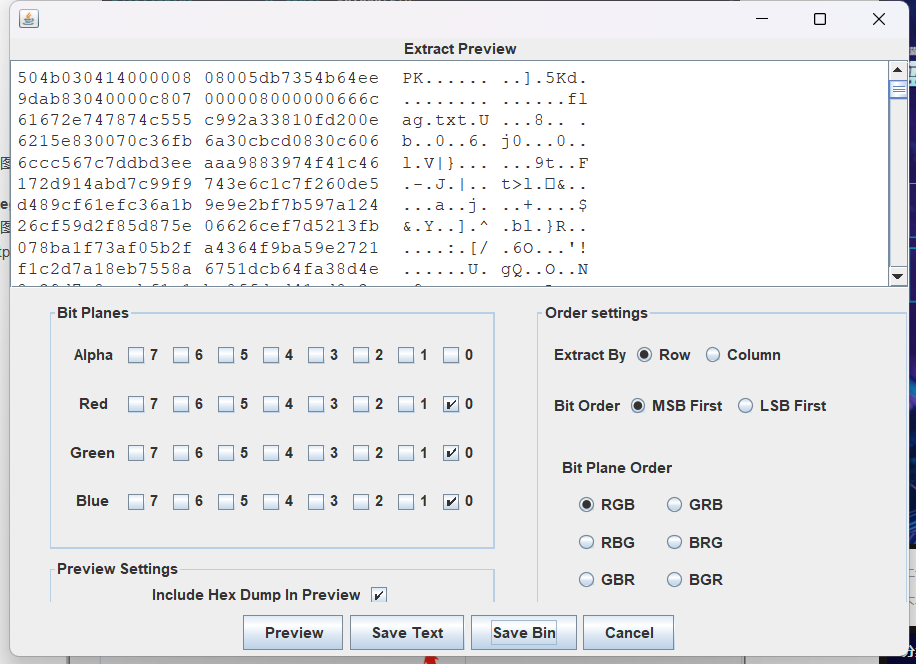
504b0304是个zip文件
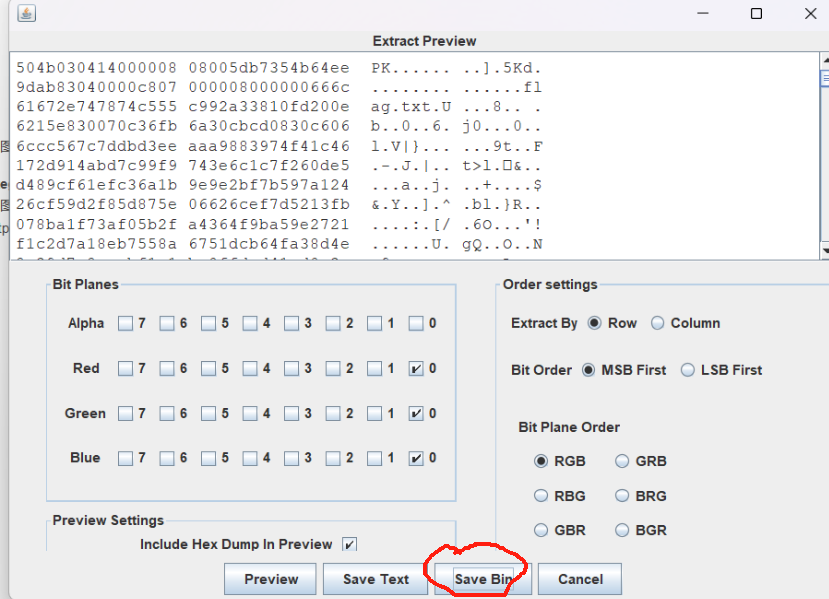
改成xx.zip就行
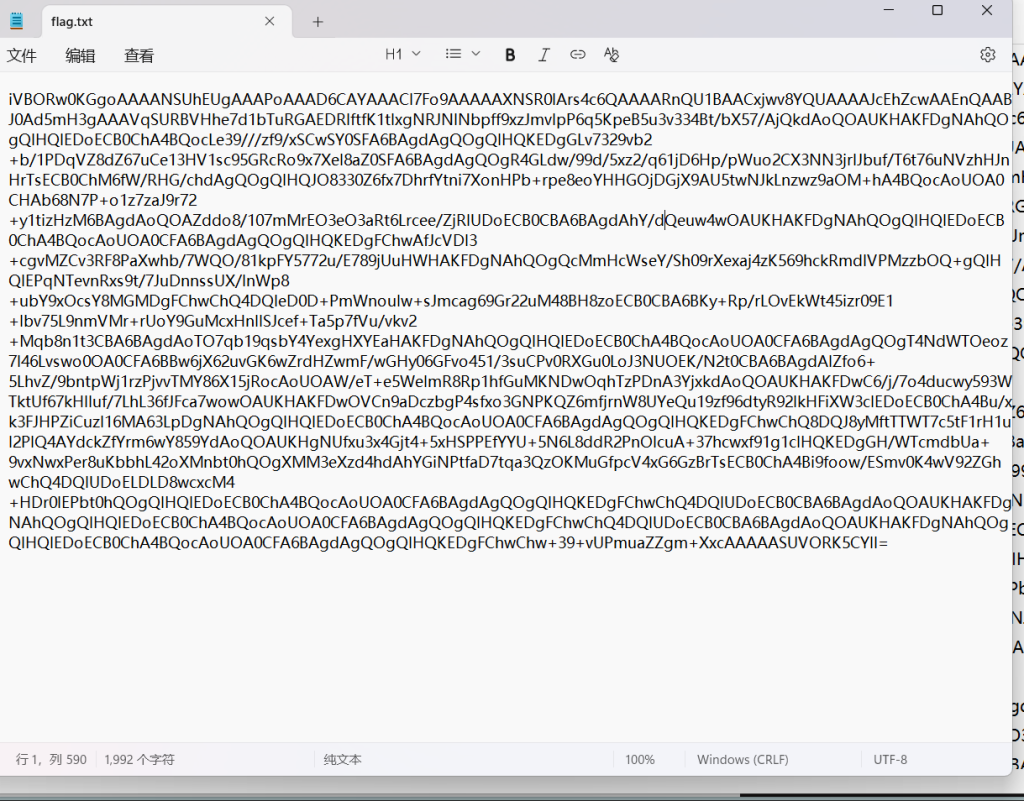
base64图片
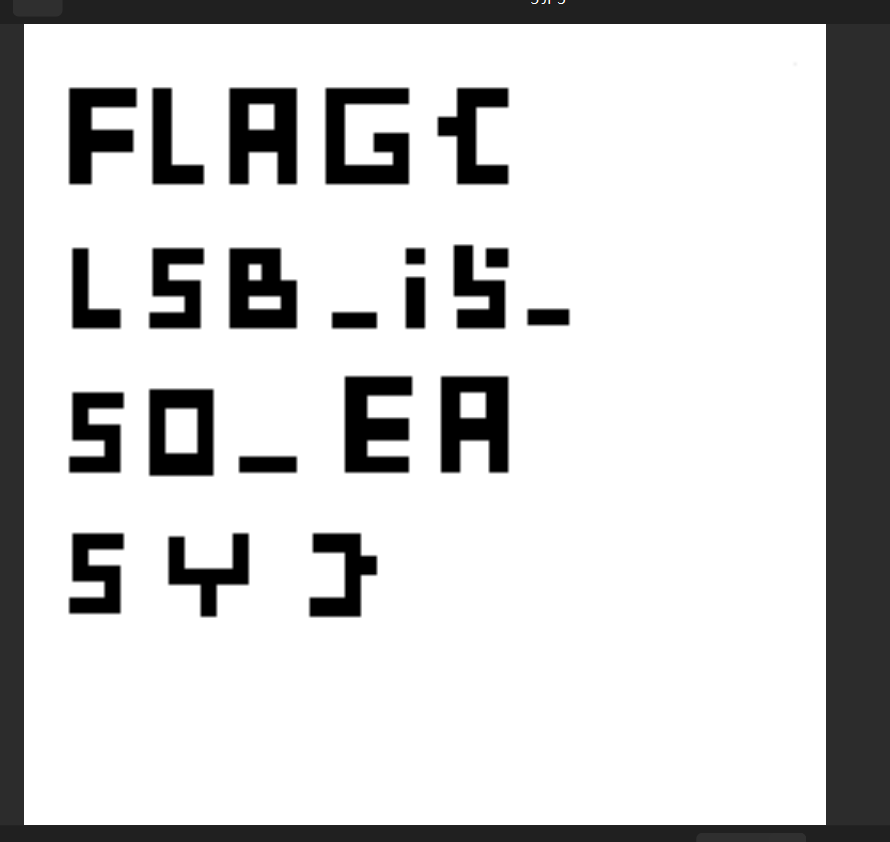
FLAG{LSB_i5_SO_EASY}29.我们的秘密是绿色的

binwalk
LSb无果
发现绿色字体
密码:0405111218192526
使用OurSecret工具
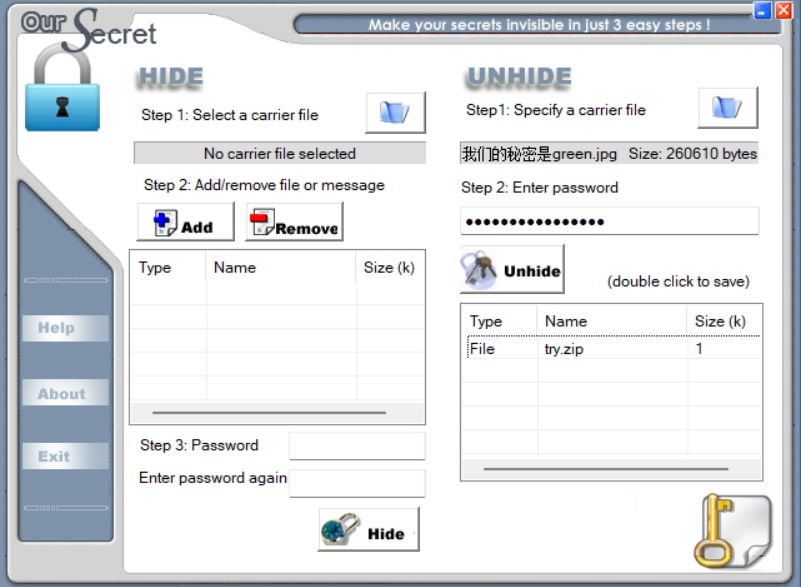
发现zip
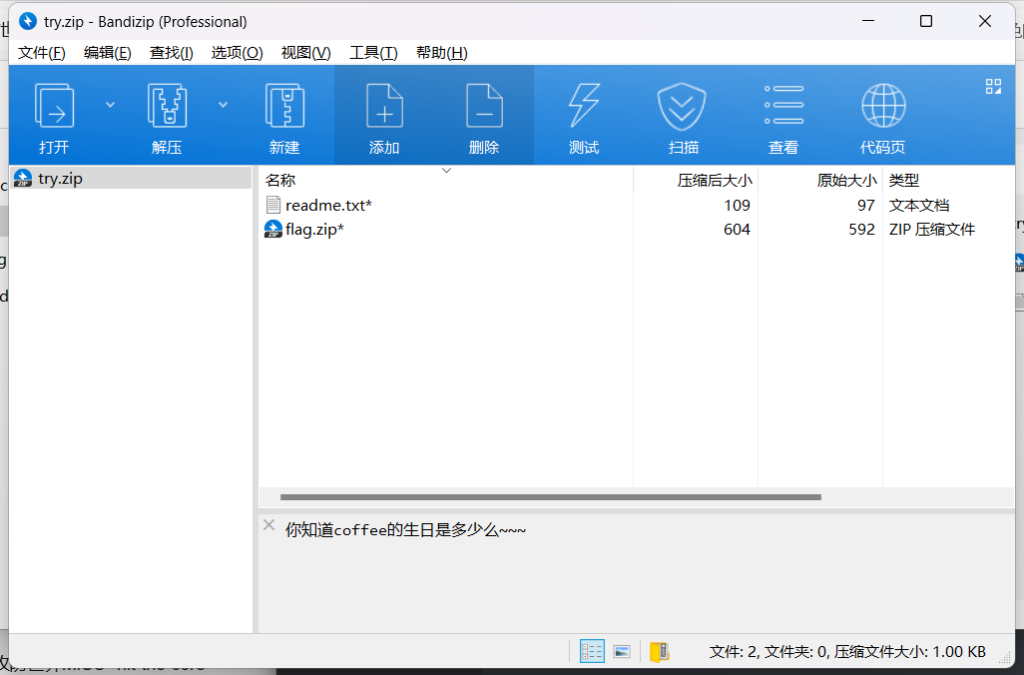
生日数字爆破
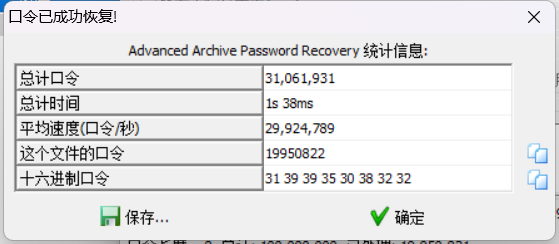
19950822
还有压缩密码明文攻击
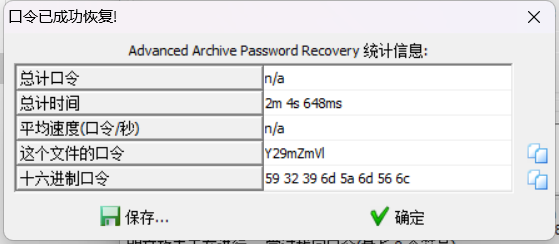
Y29mZmVl
解压还要密码
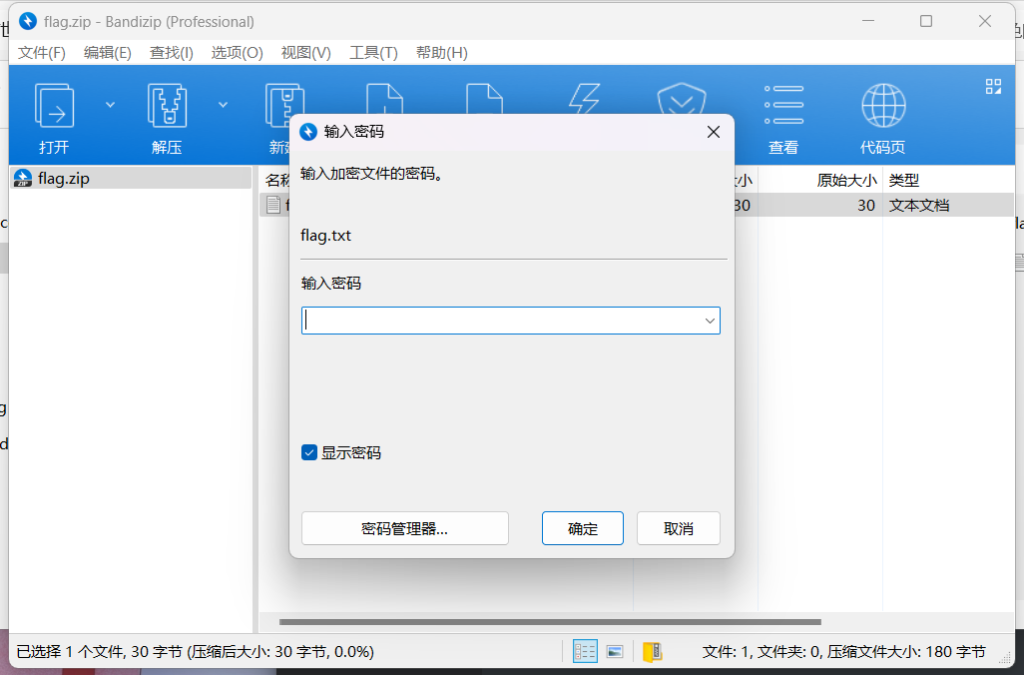

是个伪加密
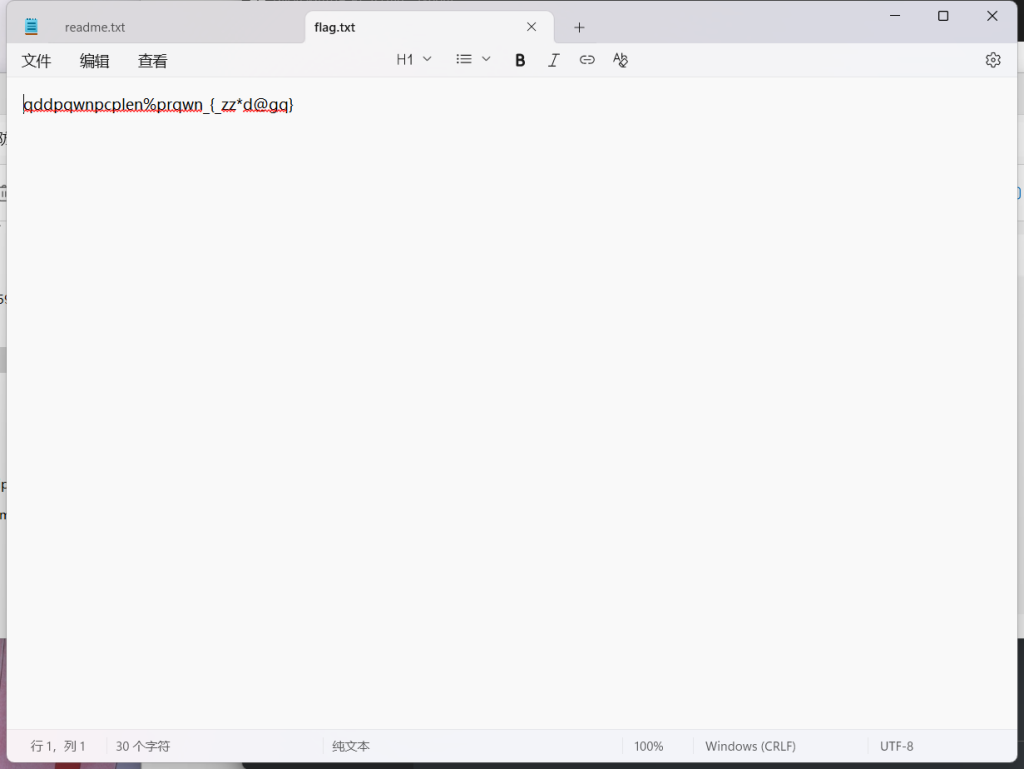
栅栏密码

qwlr{ddneq@dpnwzgpc%nzqqpp*}
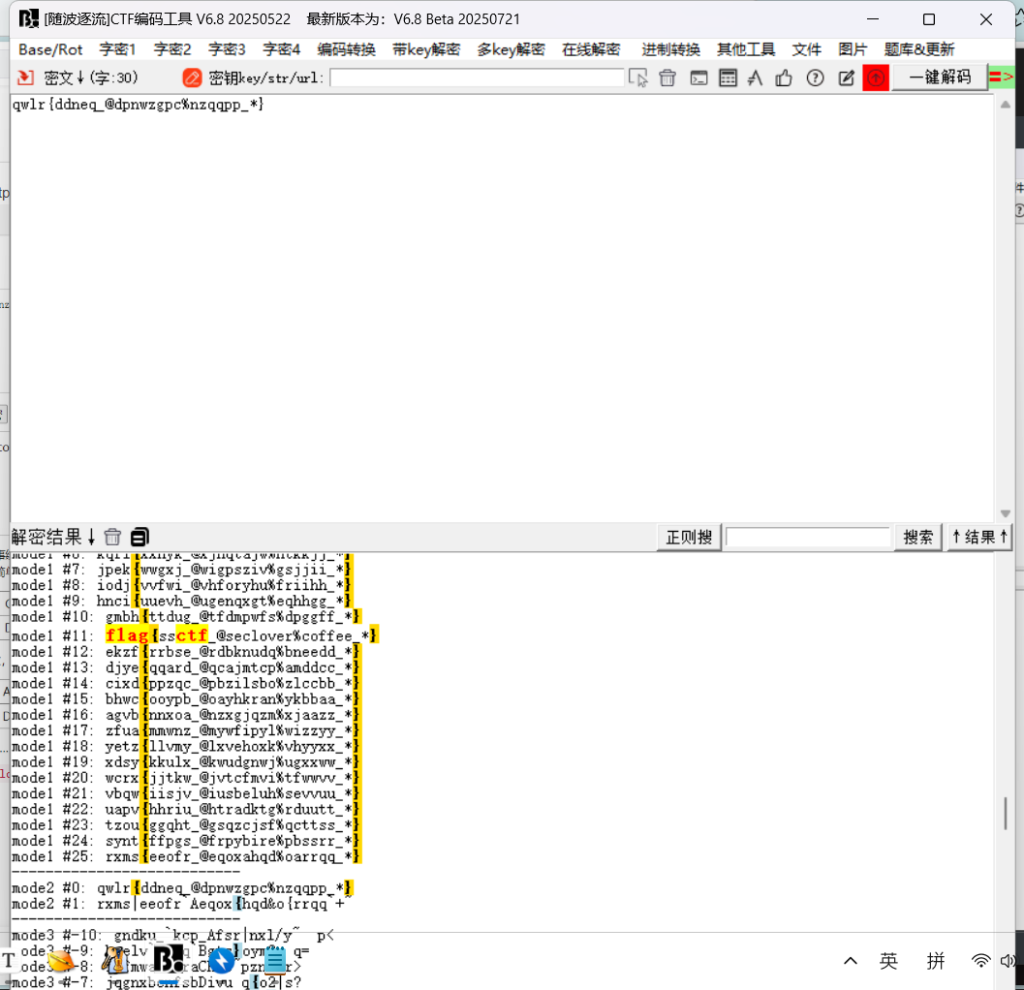
凯撒密码
flag{ssctf_@seclover%coffee_*}30.intoU

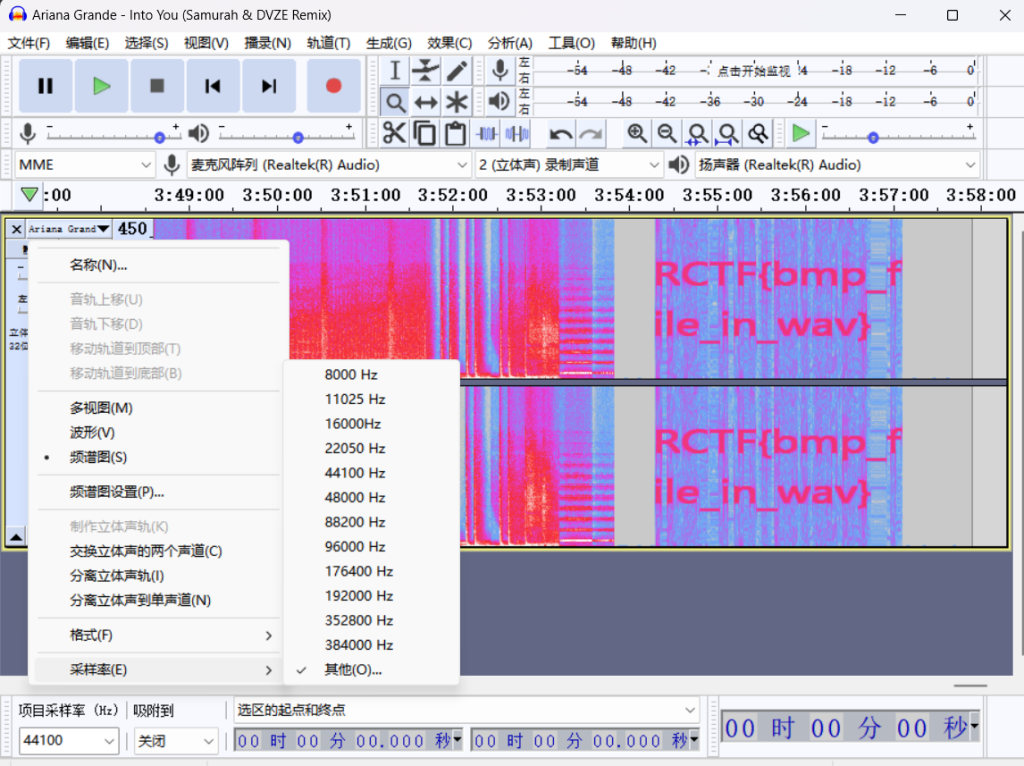
改成900就行
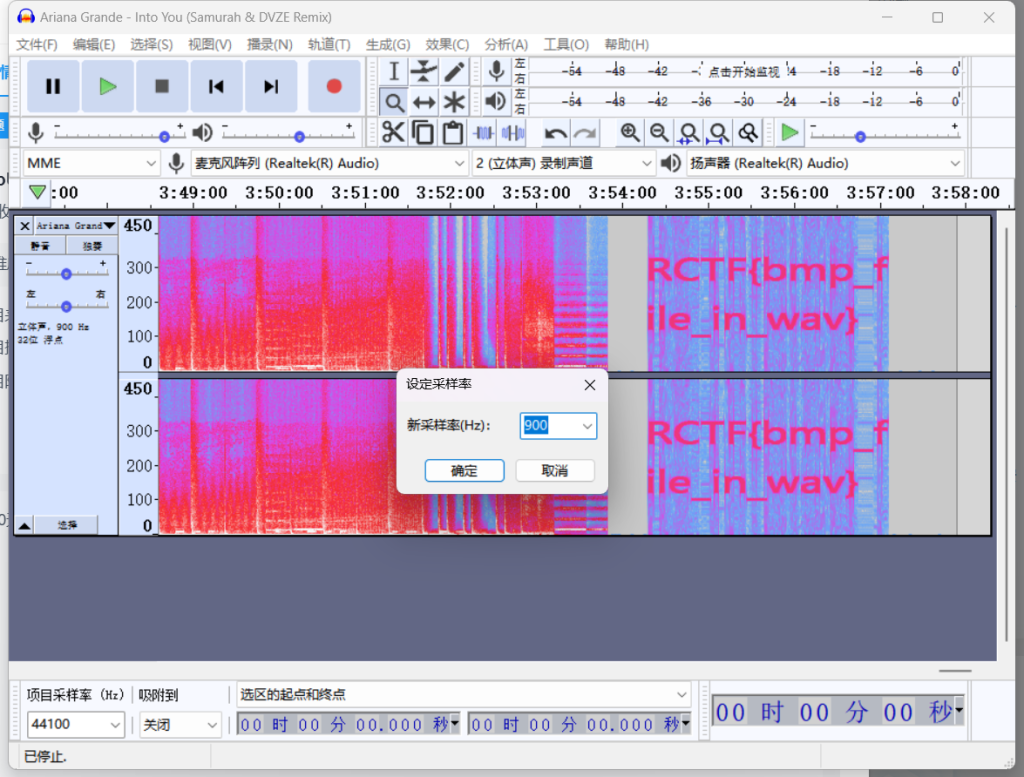
RCTF{bmp_file_in_wav}31.Just-No-One

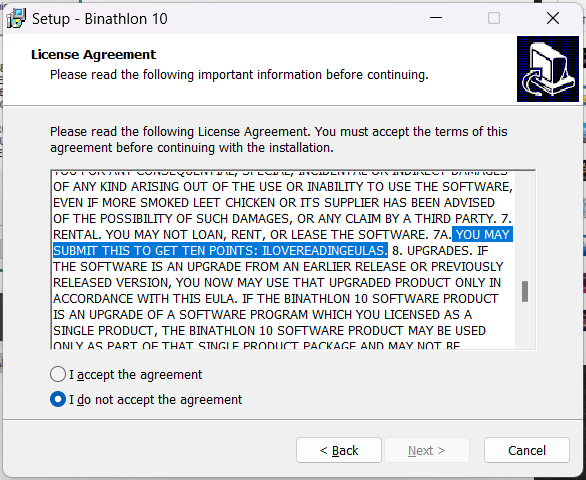
在协议里面
YOU MAY SUBMIT THIS TO GET TEN POINTS: ILOVEREADINGEULASILOVEREADINGEULAS32.this_is_flag
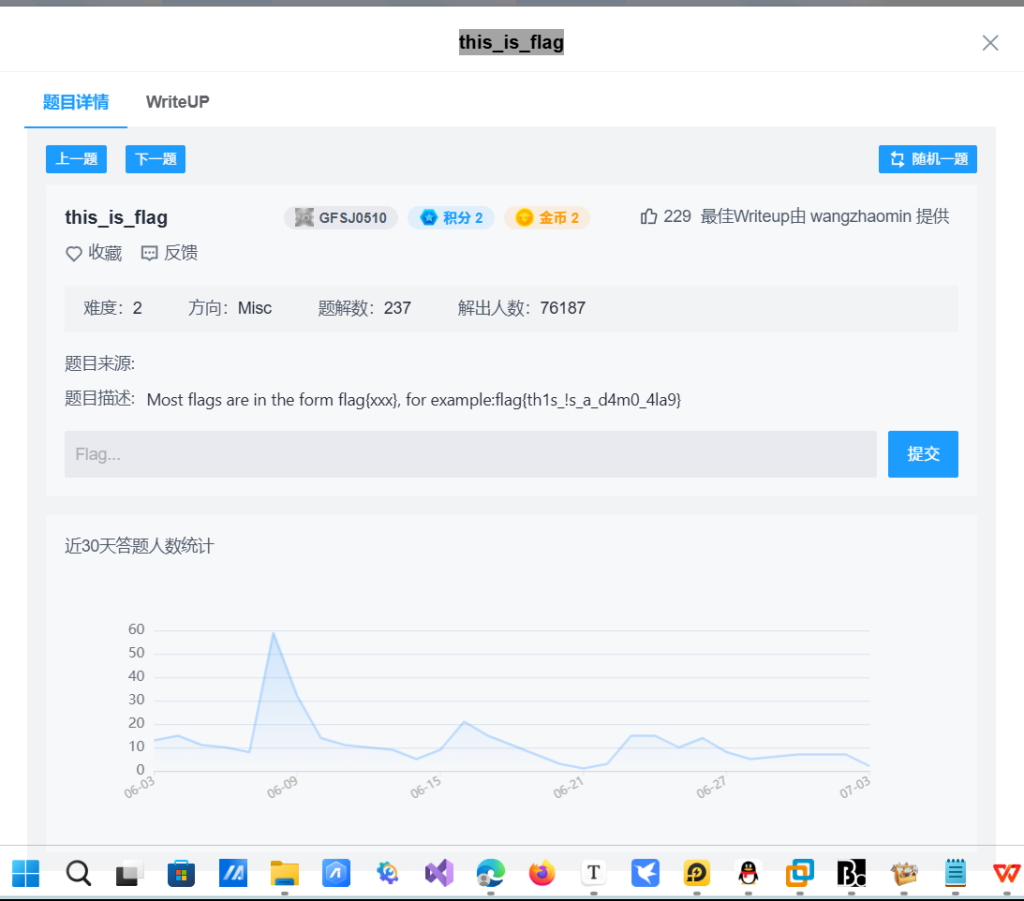
看题目描述直接出答案::flag{th1s_!s_a_d4m0_4la9}666这题演都不演了
33.red_green
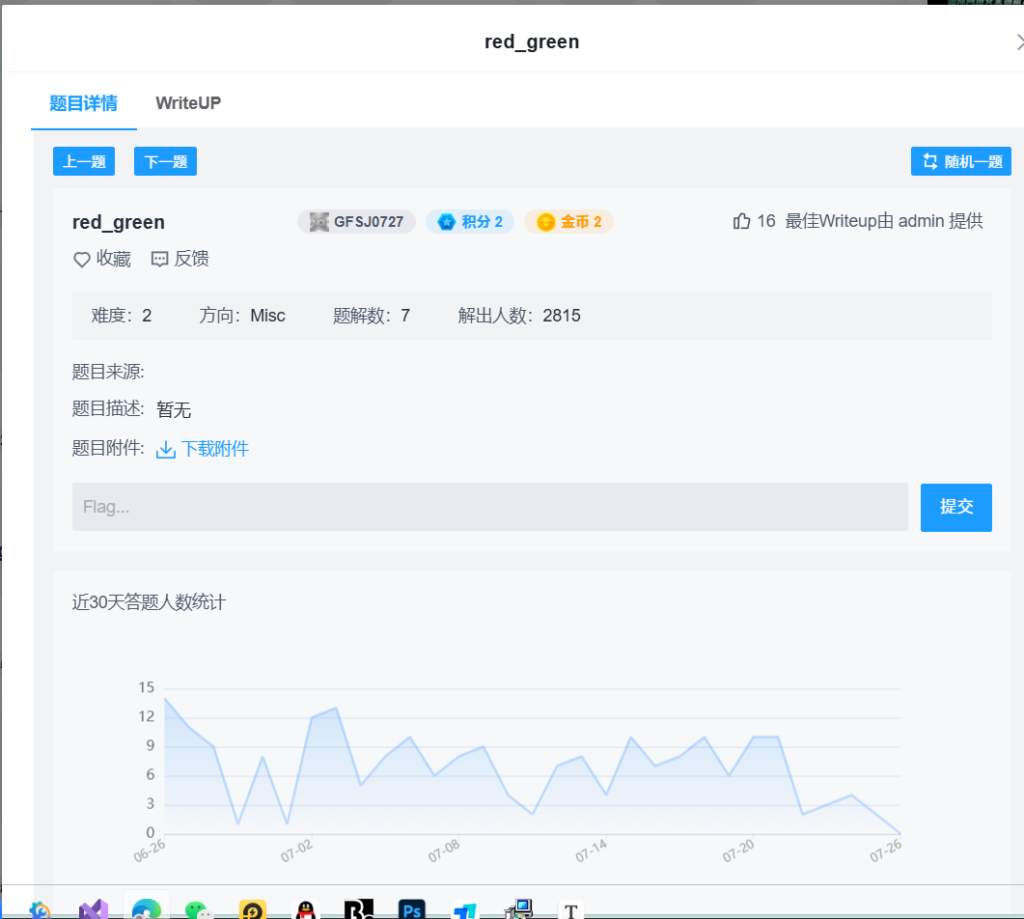
修复宽高吧应该看看吧
不对
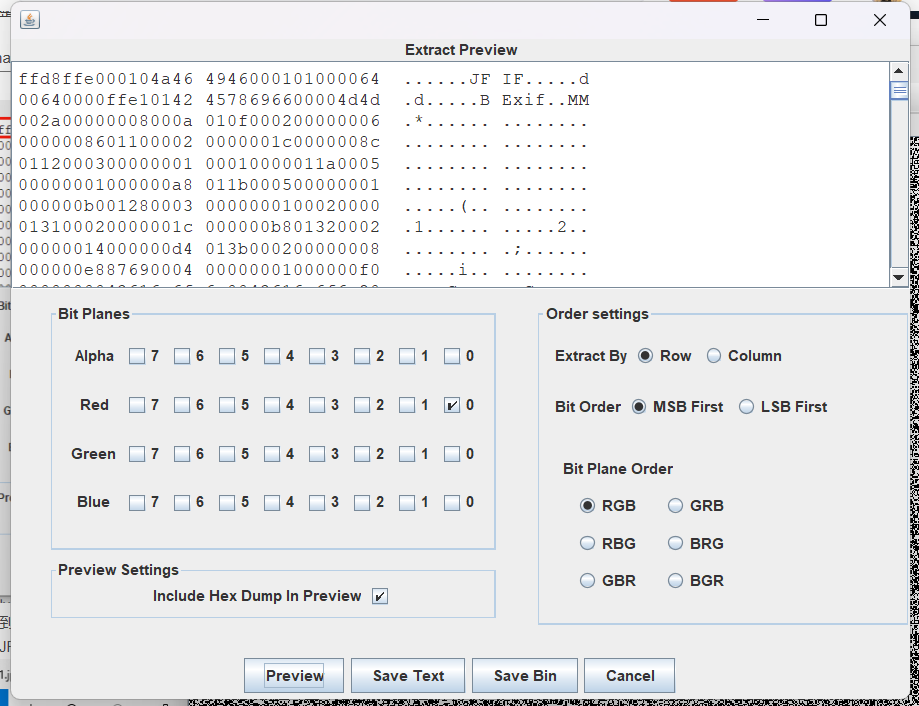
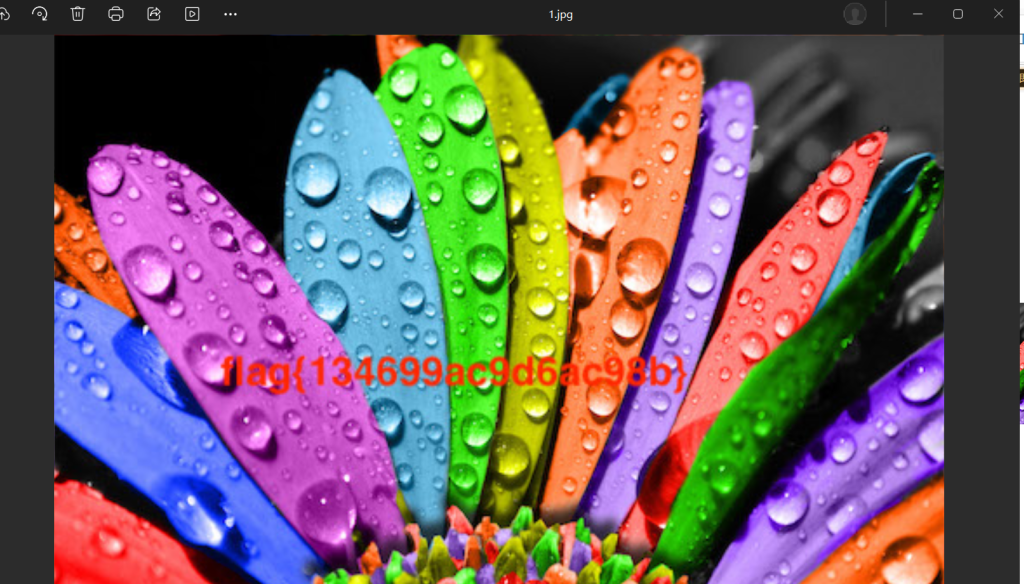
根据ff d8 ff
导出 .jpg就行
flag{134699ac9d6ac98b}34.funny_video
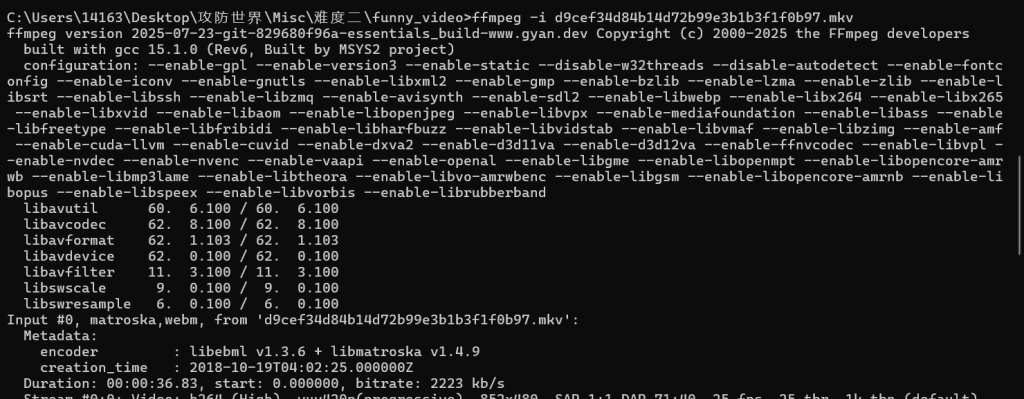
ffmpeg -i d9cef34d84b14d72b99e3b1b3f1f0b97.mkv看输出是两个文件
# 提取第一个音频流
ffmpeg -i input.mkv -map 0:1 -acodec copy audio1.mp3

# 提取第二个音频流
ffmpeg -i input.mkv -map 0:2 -acodec copy audio2.mp3
代码py3实现
import subprocess
import os

def extract_all_audio(input_file):
    """提取视频中的所有音频流"""
    if not os.path.exists(input_file):
        print(f"❌ 文件不存在: {input_file}")
        return False

    print(f"✅ 找到文件: {input_file}")

    # 获取音频流信息
    probe_command = [
        "ffprobe",
        "-v", "error",
        "-select_streams", "a",  # 只选择音频流
        "-show_entries", "stream=index",
        "-of", "csv=p=0",
        input_file
    ]

    try:
        # 获取音频流索引
        result = subprocess.run(probe_command, check=True, capture_output=True, text=True)
        audio_streams = result.stdout.strip().split('n')

        if not audio_streams or audio_streams[0] == '':
            print("⚠️ 文件中没有找到音频流")
            return False

        print(f"🔊 找到 {len(audio_streams)} 个音频流: {', '.join(audio_streams)}")

        # 为每个音频流创建输出文件
        base_name = os.path.splitext(os.path.basename(input_file))[0]
        output_dir = os.path.dirname(input_file) or "."

        success_count = 0

        for stream_index in audio_streams:
            output_file = os.path.join(output_dir, f"{base_name}_audio{stream_index}.mp3")

            extract_command = [
                "ffmpeg",
                "-i", input_file,
                "-map", f"0:{stream_index}",  # 选择特定音频流
                "-vn",             # 不要视频
                "-acodec", "copy", # 直接复制音频流
                output_file
            ]

            try:
                subprocess.run(extract_command, check=True, capture_output=True)
                print(f"✅ 音频流 {stream_index} 提取成功: {output_file}")
                success_count += 1
            except subprocess.CalledProcessError as e:
                print(f"⚠️ 音频流 {stream_index} 提取失败: {e.stderr.decode('utf-8')}")

        print(f"n🎧 完成! 成功提取 {success_count}/{len(audio_streams)} 个音频流")
        return success_count > 0

    except subprocess.CalledProcessError as e:
        print(f"❌ 获取音频流信息失败: {e.stderr.decode('utf-8')}")
        return False
    except FileNotFoundError:
        print("❌ 找不到ffprobe/ffmpeg,请确保已安装FFmpeg并添加到PATH")
        return False

if __name__ == "__main__":
    # 当前目录下的文件名
    input_file = "d9cef34d84b14d72b99e3b1b3f1f0b97.mkv"

    # 执行提取
    extract_all_audio(input_file)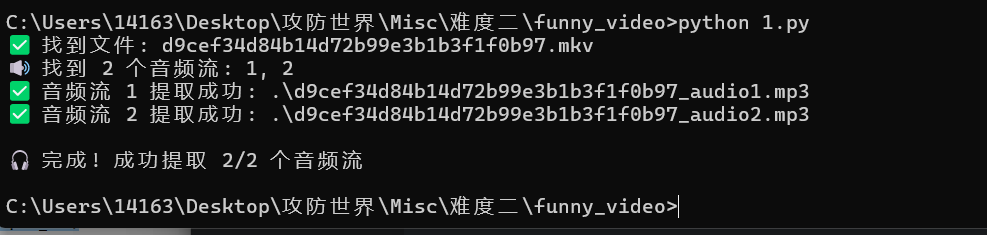
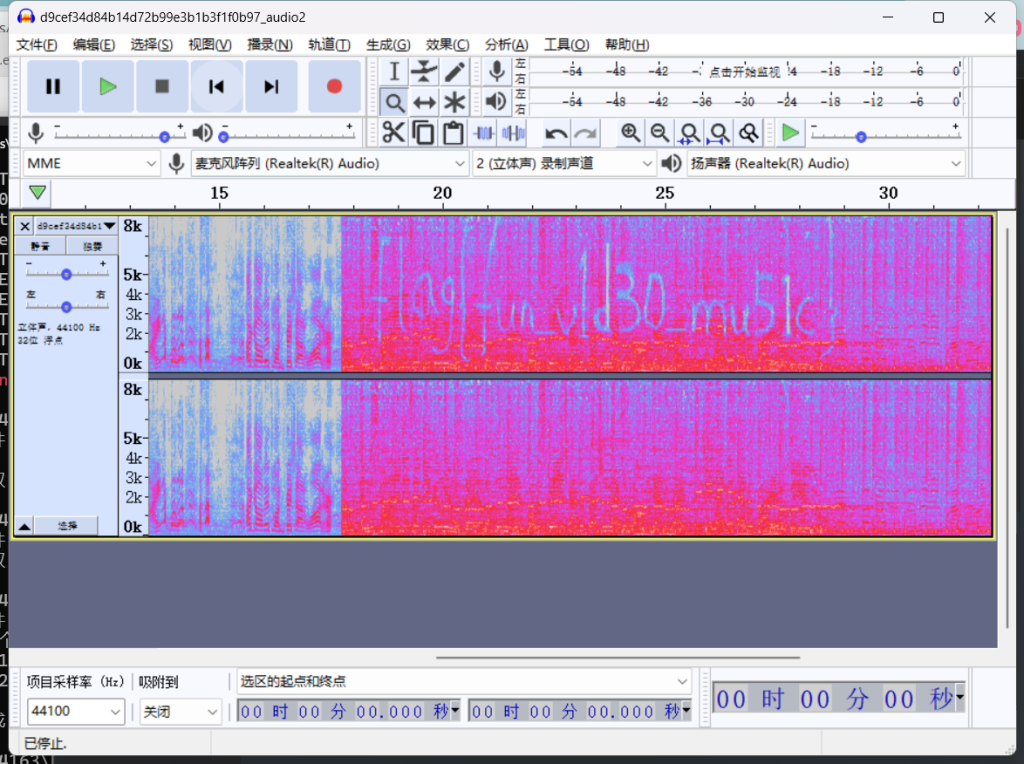
其中一个有答案
flag{fun_v1d30_mu51c}35.base64÷4
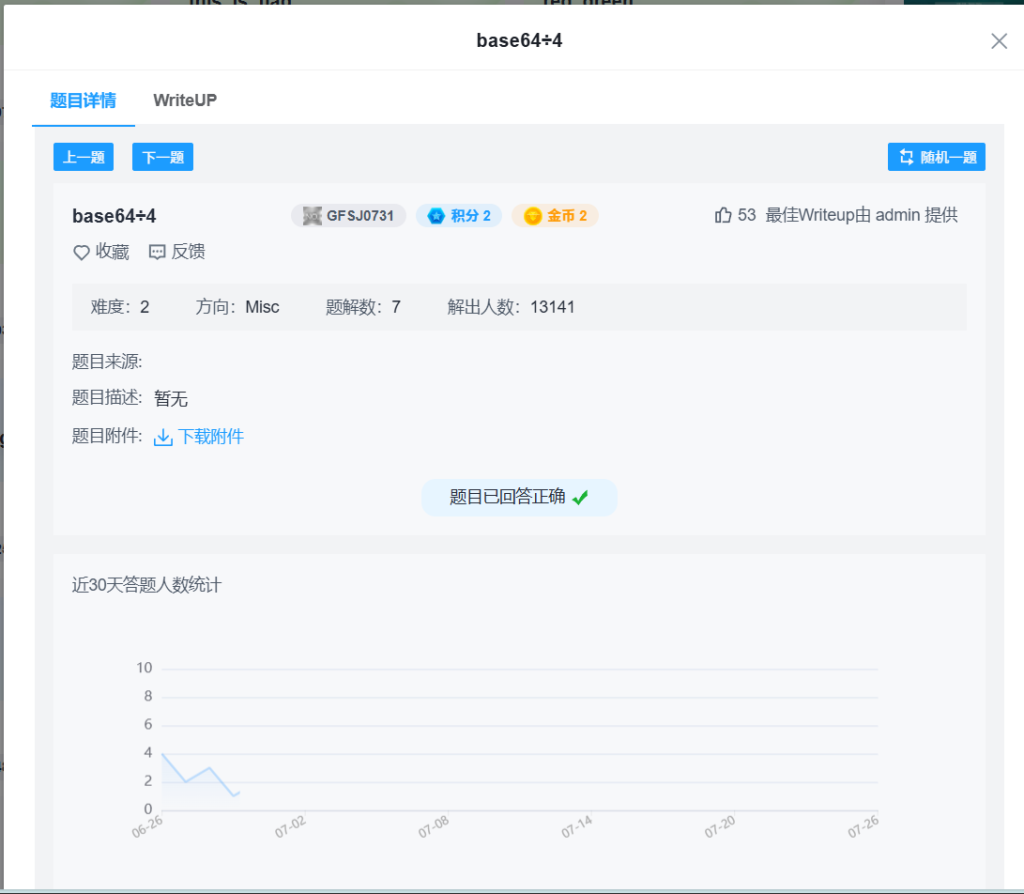
题目:
666C61677B45333342374644384133423834314341393639394544444241323442363041417D十六进制转ASCII码就行
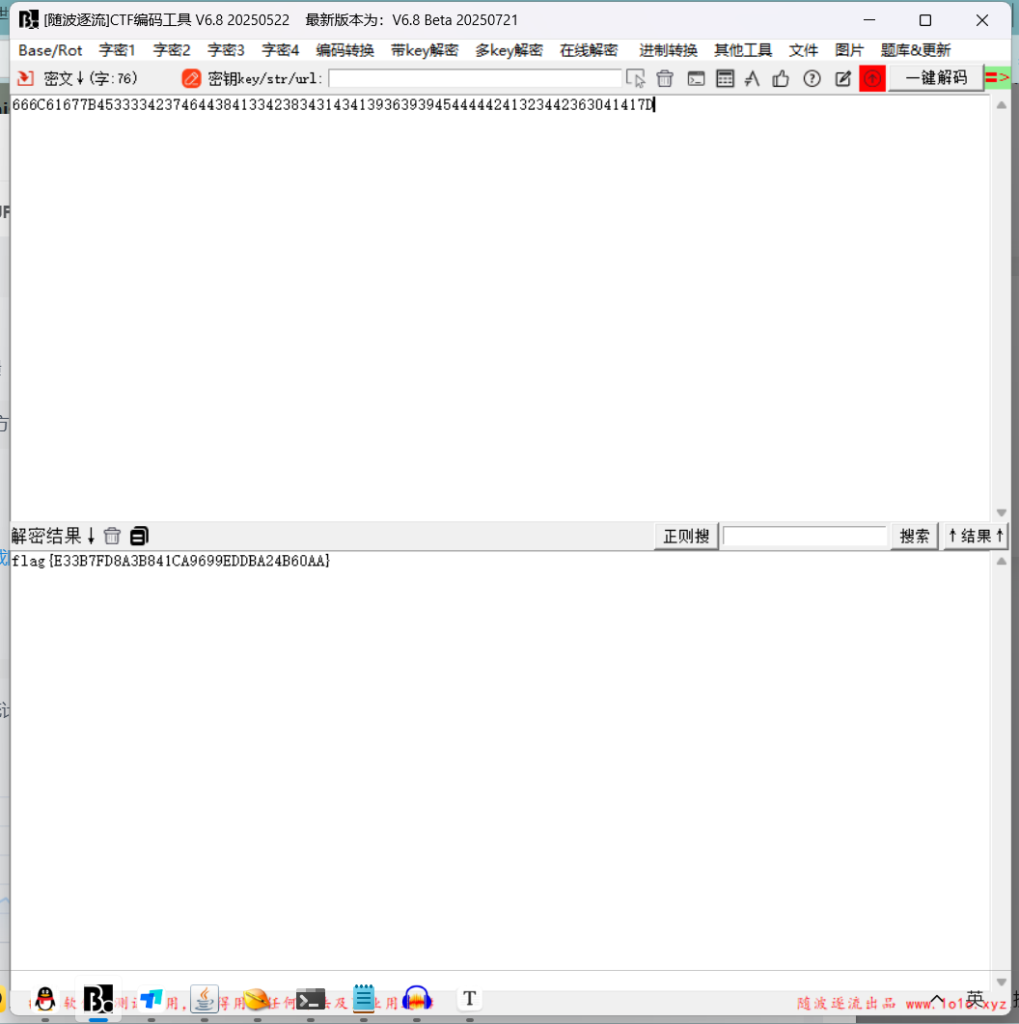
flag{E33B7FD8A3B841CA9699EDDBA24B60AA}py3代码实现:
hex_string = "666C61677B45333342374644384133423834314341393639394544444241323442363041417D"

# 将十六进制字符串转换为字节数据
byte_data = bytes.fromhex(hex_string)

# 尝试解码为UTF-8文本
try:
    decoded_text = byte_data.decode('utf-8')
    print("解码结果:", decoded_text)
except UnicodeDecodeError:
    print("无法解码为UTF-8文本")
    print("原始字节数据:", byte_data)
36.flag_universe

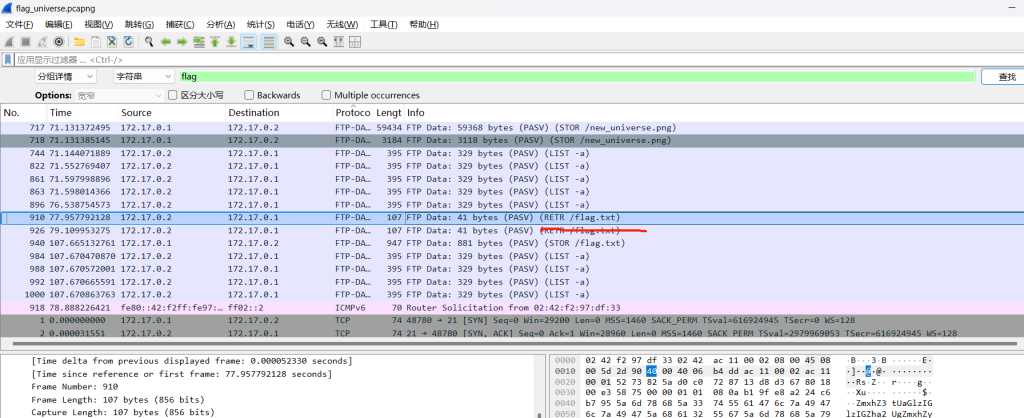
看看flag.txt
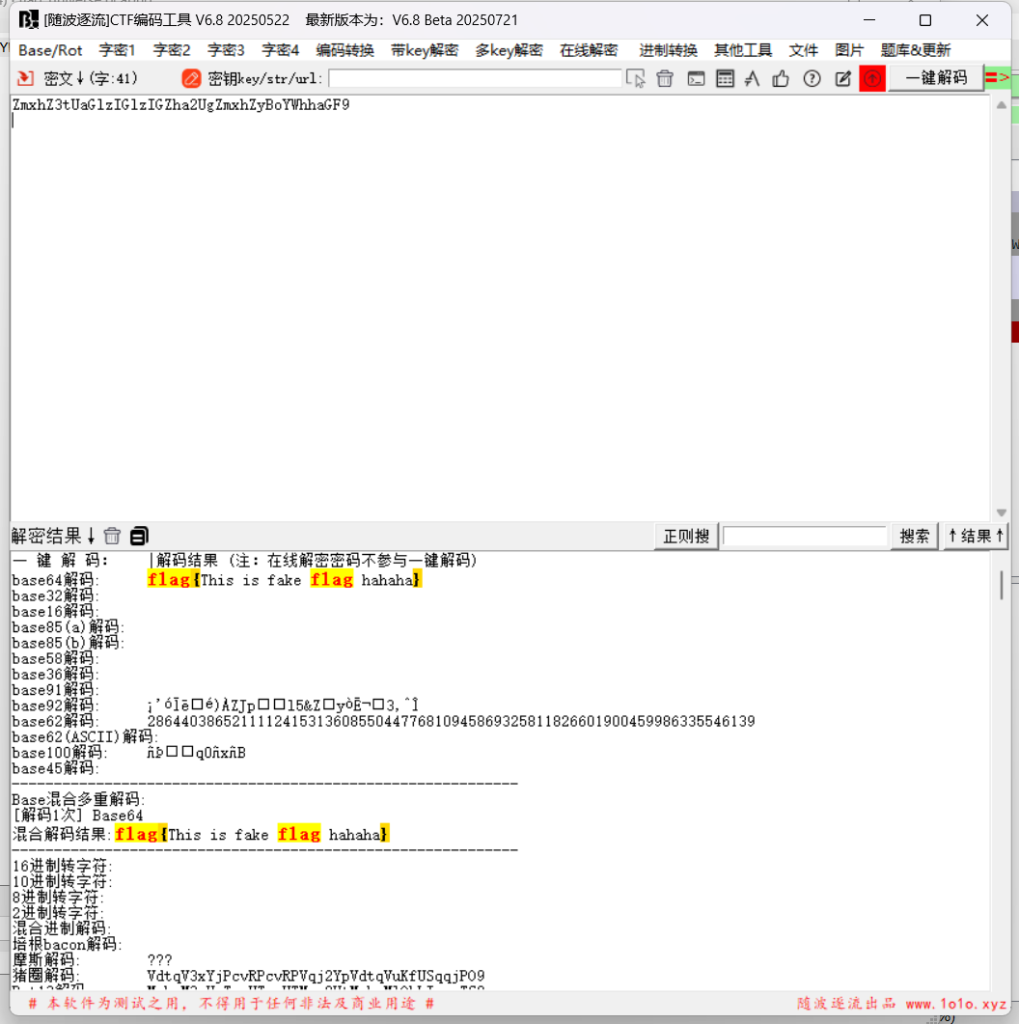
flag{This is fake flag hahaha}
答案不对
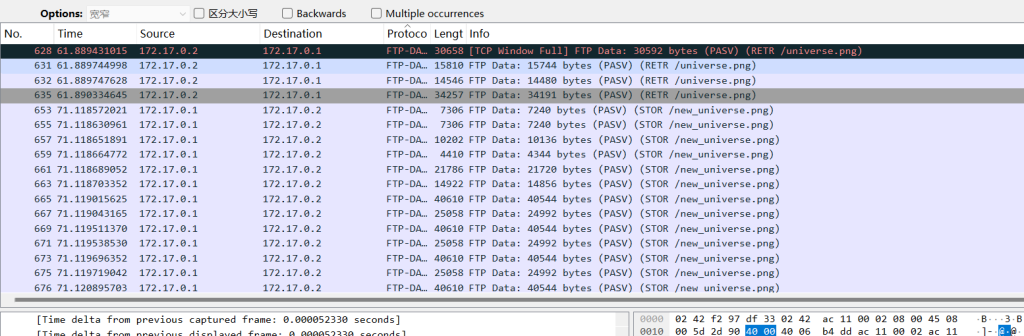
发现有.png图片
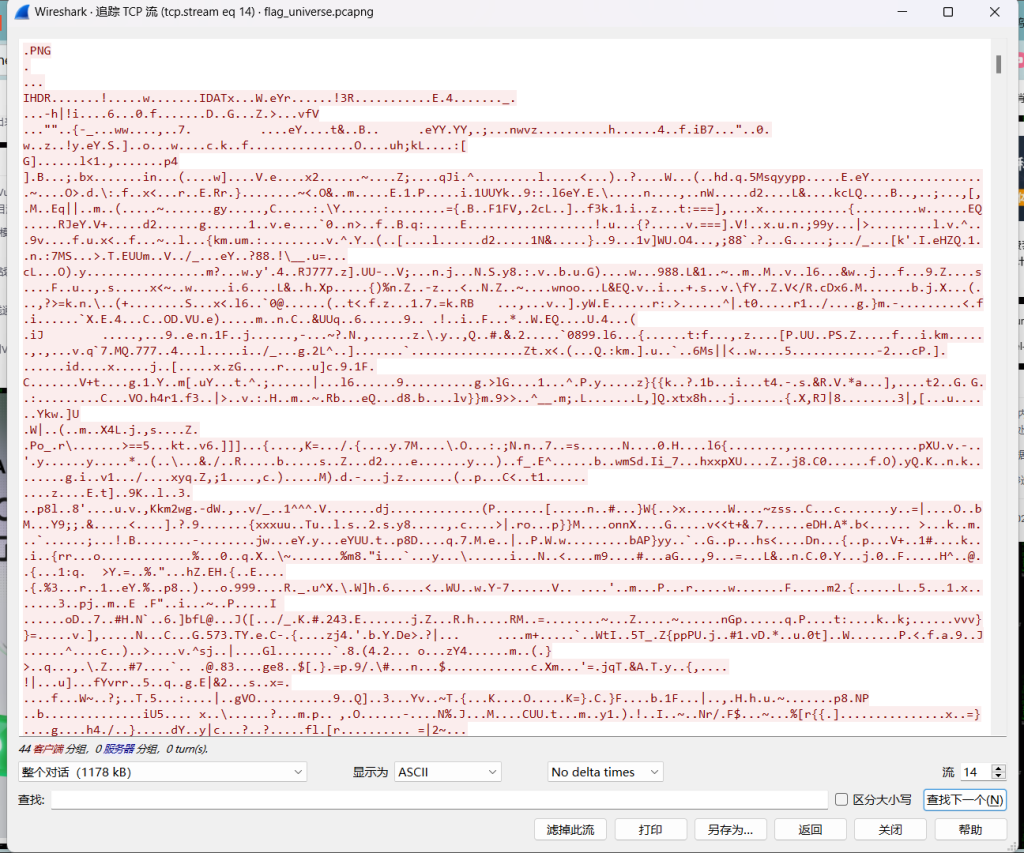
追踪导出原始数据
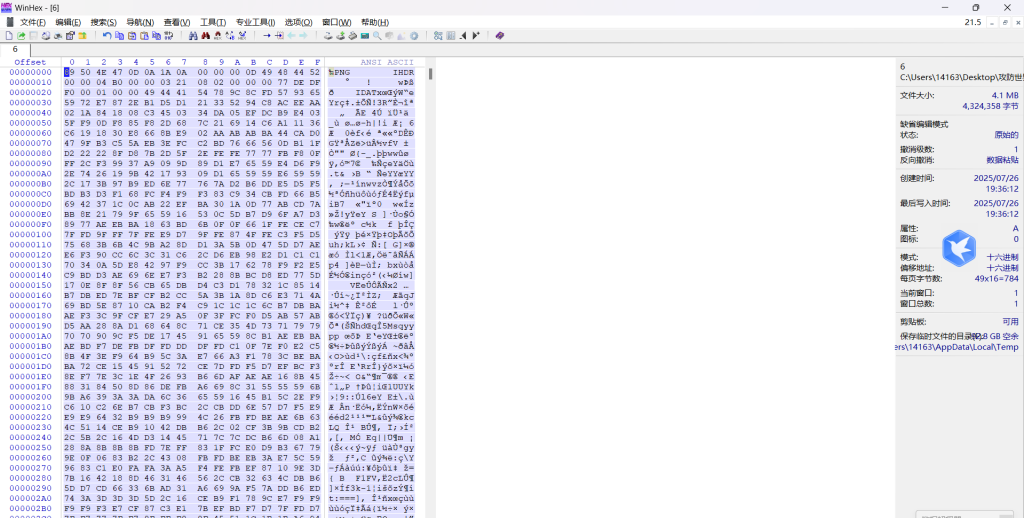
放到winhex 保存xx.png
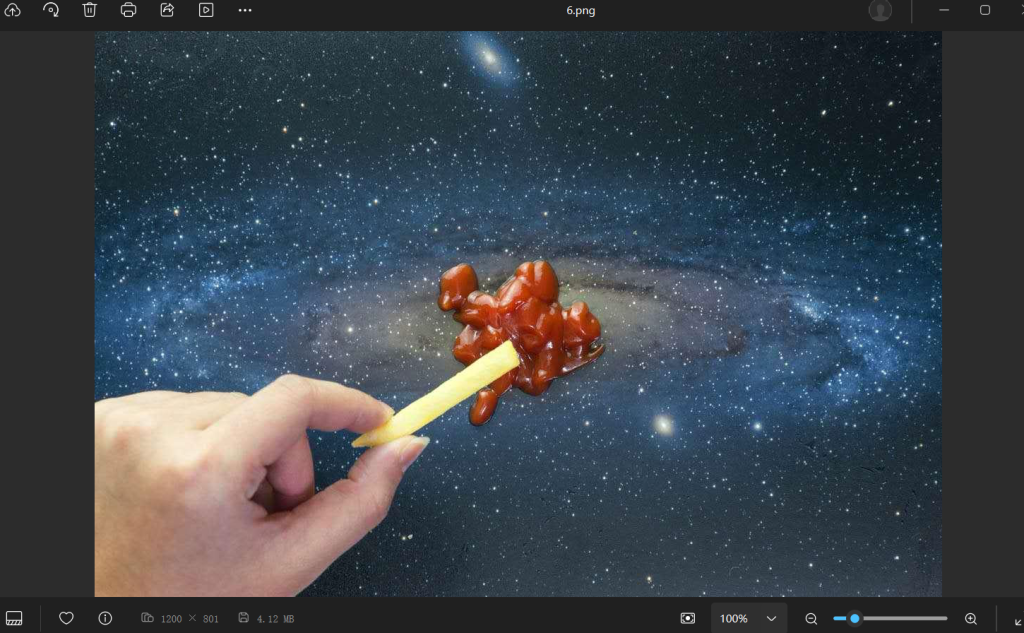
图片放到随波逐流,看到flag
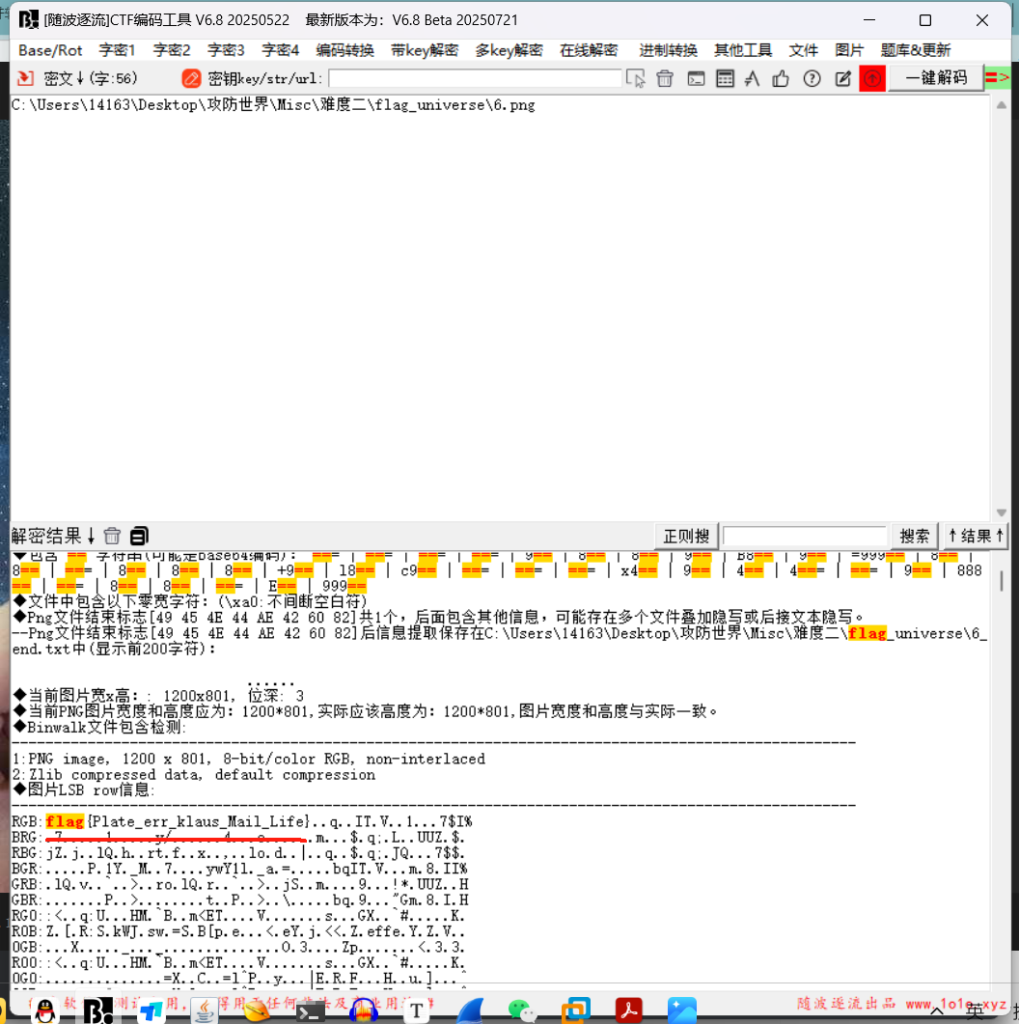
flag{Plate_err_klaus_Mail_Life}37.something_in_image
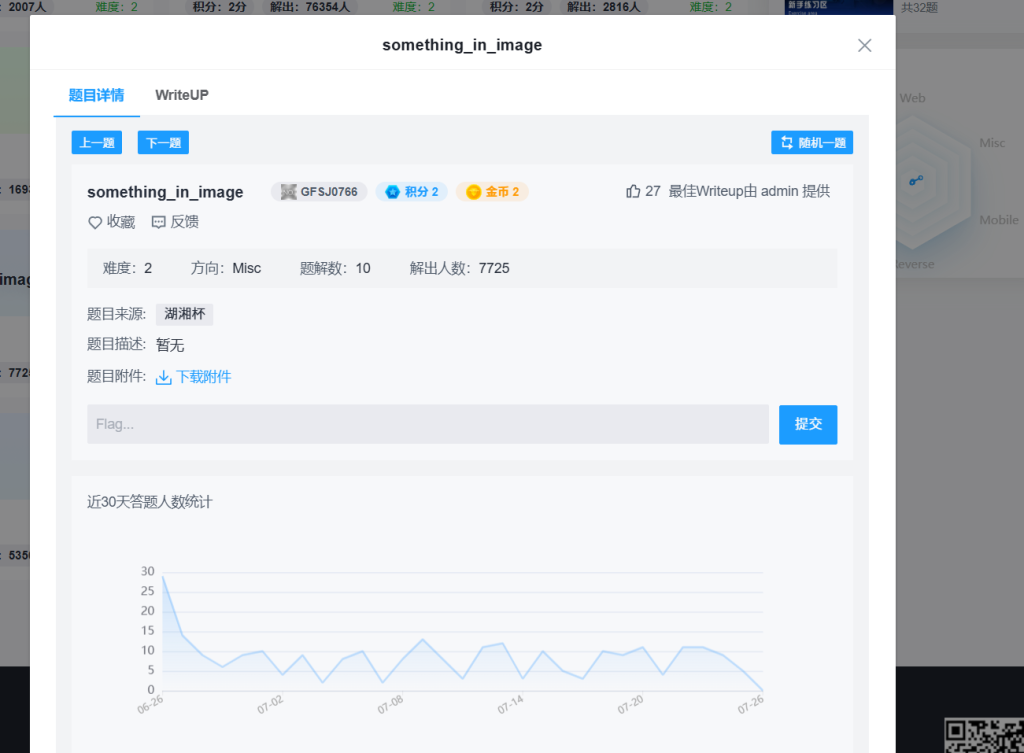
看来要修复文件
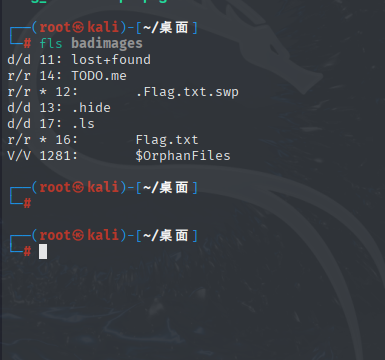
发现flag.txt
extundelete --restore-all badimages 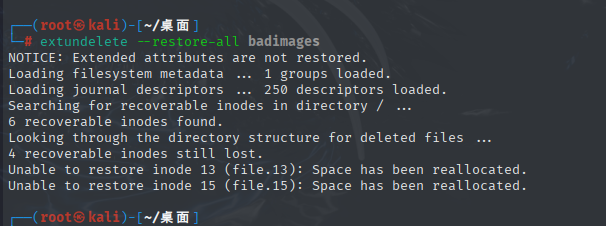
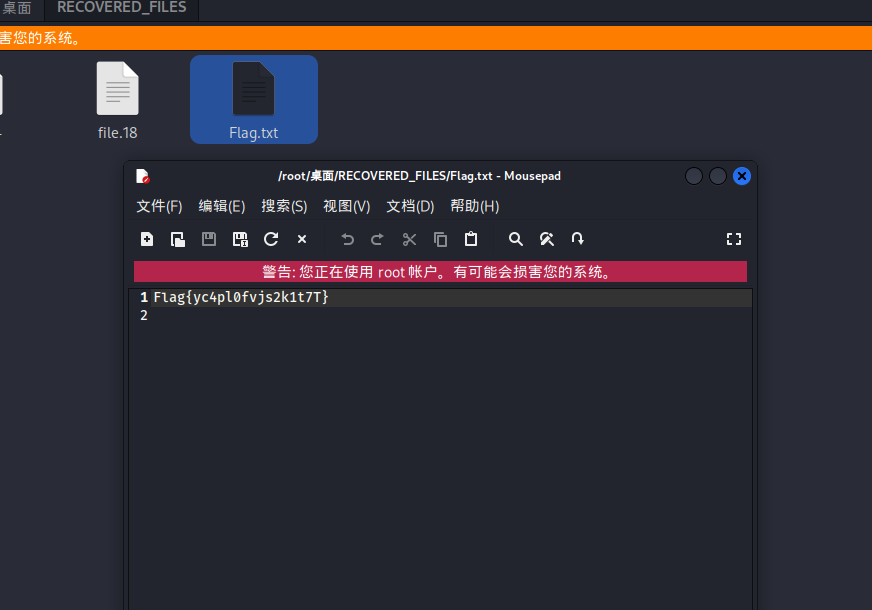
Flag{yc4pl0fvjs2k1t7T}38.打野
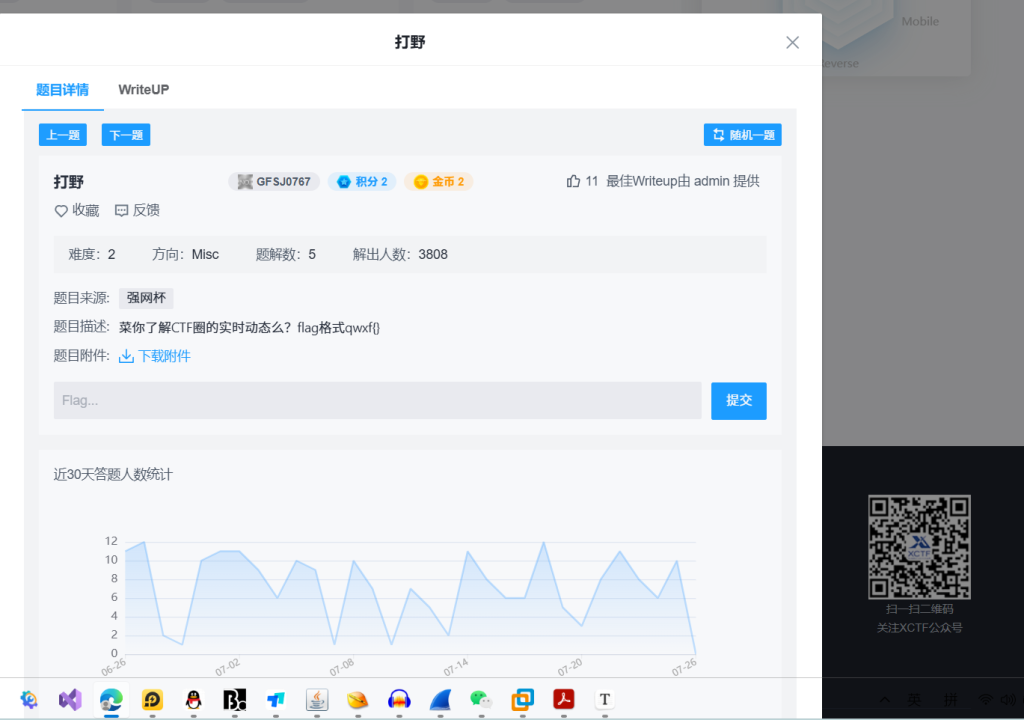
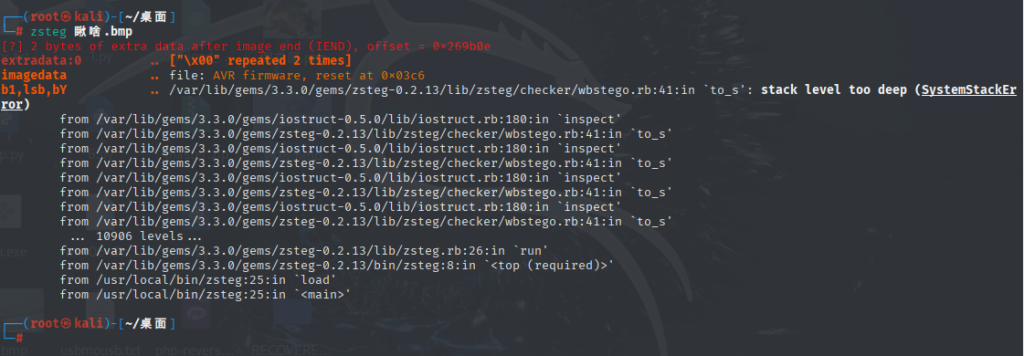
直接zsteg就行
但是不知道出了什么问题
正常就这
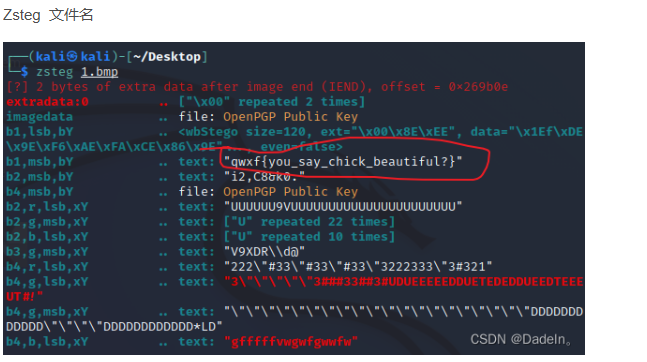
qwxf{you_say_chick_beautiful?}39.halo

base64解密
igq4;441R;1ikR51ibOOp异或就行
py3实现
from base64 import b64decode

# 需要解码的 Base64 字符串
encoded_string = "aWdxNDs1NDFSOzFpa1I1MWliT08w"

# 解码 Base64 字符串为字节对象
decoded_bytes = b64decode(encoded_string)

# 将字节对象转换为整数列表
data = list(decoded_bytes)

# 尝试 0-255 范围内的所有可能的 XOR 密钥
for k in range(0, 256):
    # 使用当前密钥 k 尝试解密
    decrypted = []

    for byte in data:
        # 对每个字节进行 XOR 解密
        decrypted_char = byte ^ k
        decrypted.append(decrypted_char)

    # 将解密后的整数转换为字符串
    try:
        # 尝试使用 ASCII 解码
        decrypted_str = ''.join(chr(b) for b in decrypted)
        # 打印密钥和解密结果
        print(f"Key {k:03d}: {decrypted_str}")
    except UnicodeEncodeError:
        # 如果包含非 ASCII 字符,则显示十六进制表示
        hex_str = ' '.join(f"{b:02x}" for b in decrypted)
        print(f"Key {k:03d}: [Non-printable] Hex: {hex_str}")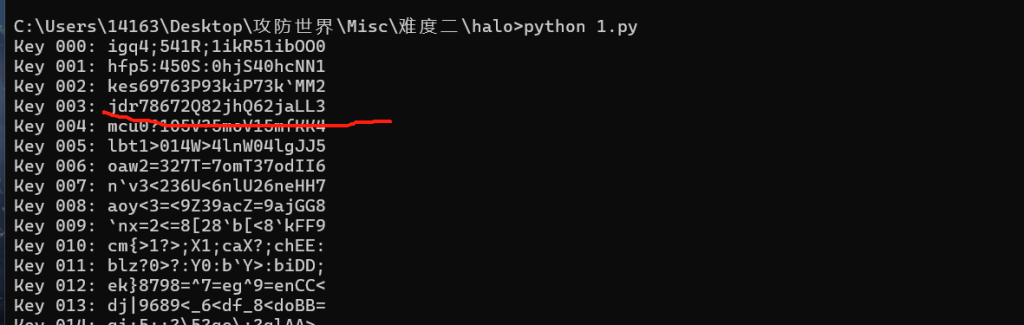
flag{jdr78672Q82jhQ62jaLL3}40.倒立屋

zstag可以直接出来答案 因为倒立所以答案需要反转
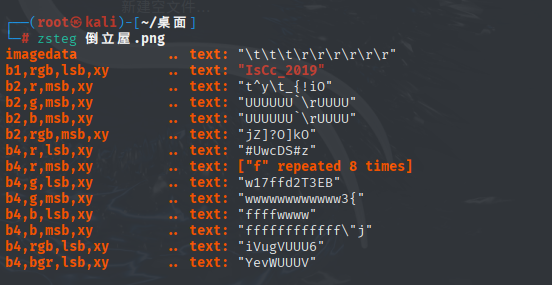
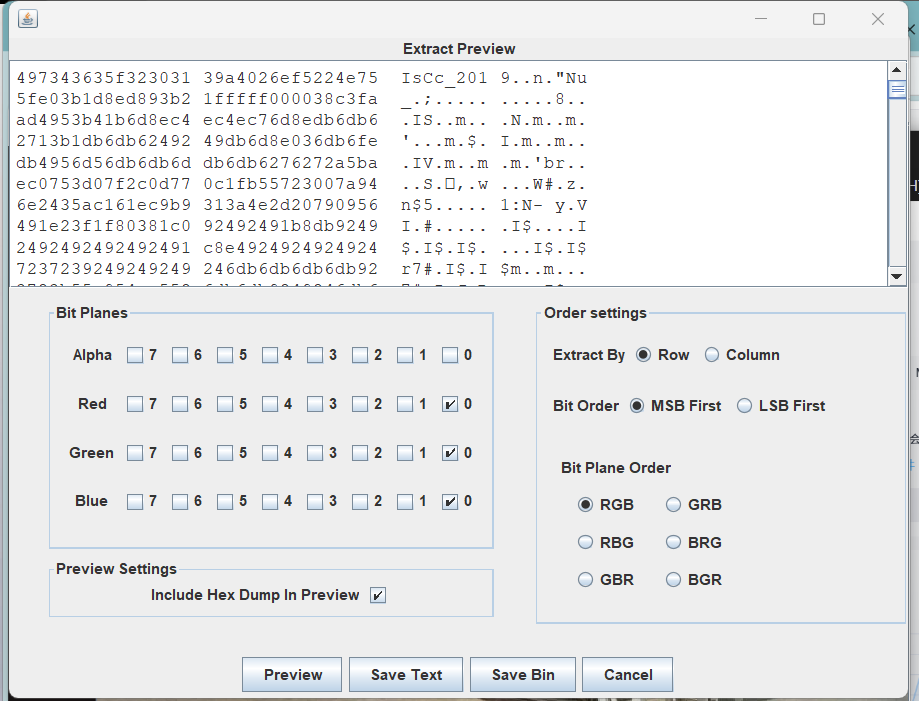
flag{IsCc_2019}
反转flag{9102_cCsI}即可41.Become_a_Rockstar
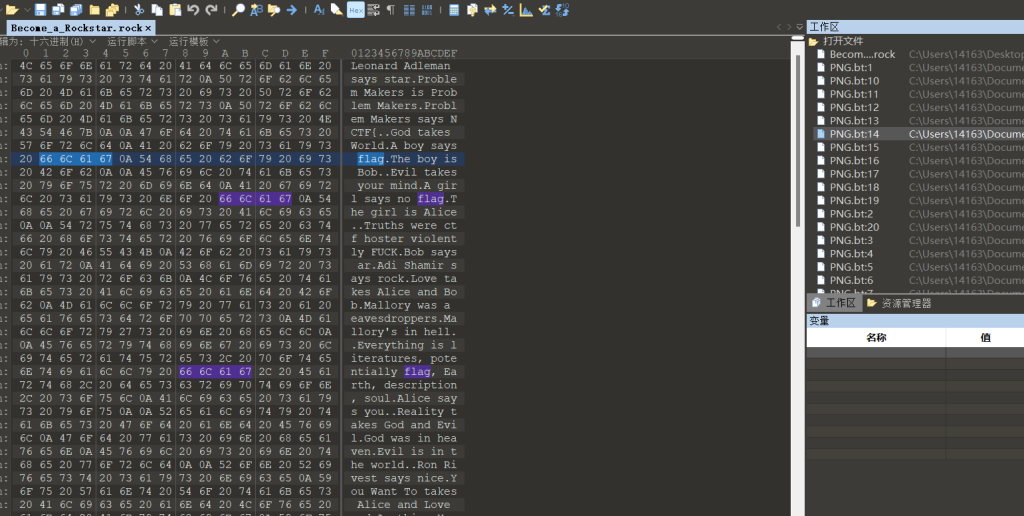
010打开发现这个是个编程语言
rockstar-py -i Become_a_Rockstar.rock -o a.py改成py3代码
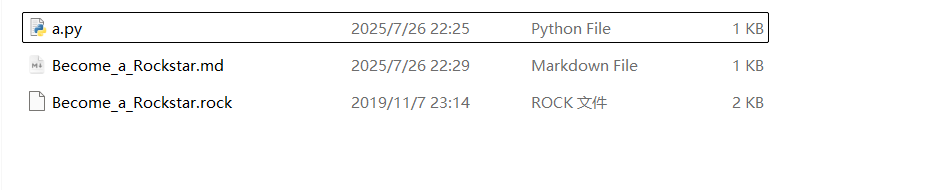
Leonard_Adleman = "star"
Problem_Makers = 76
Problem_Makers = "NCTF{"
def God(World):
    a_boy = "flag"
    the_boy = 3
def Evil(your_mind):
    a_girl = "no flag"
    the_girl = 5
Truths = 3694
Bob = "ar"
Adi_Shamir = "rock"
def Love(Alice, Bob):
    Mallory = 13
    Mallory = 24
Everything = 114514
Alice = "you"
def Reality(God, Evil):
    God = 26
    Evil = 235
Ron_Rivest = "nice"
def You_Want_To(Alice, Love, Anything):
    You = 5.75428
your_heart = input()
You = 5
your_mind = input()
Nothing = 31
if Truths * Nothing == Everything:
    Rsa = Ron_Rivest + Adi_Shamir + Leonard_Adleman
if Everything / Nothing == Truths:
    Problem_Makers = Problem_Makers + Alice + Bob
print(Problem_Makers)
the_flag = 245
the_confusion = 244
print(Rsa)
Mysterious_One = "}"
print(Mysterious_One)
This = 4
This = 35
This = 7
This = 3
This = 3
This = 37

NCTF{youarnicerockstar}总结
难度还好,有特别简单也有难的,多多练习,也要知道只是点,知道就行,如果有问题评论区指出,谢谢你,好心人